EasyManua.ls Logo

Garrett AT Pro - User Manual

Garrett AT Pro
61 pages
Print Icon
To Next Page IconTo Next Page
Loading...
© 2010 Garrett Electronics, Inc. PN 1533300.A.0910
1881 W. State Street
Garland, Texas 75042
Tel: 1.972.494.6151
Email: sales@garrett.com
Fax: 1.972.494.1881
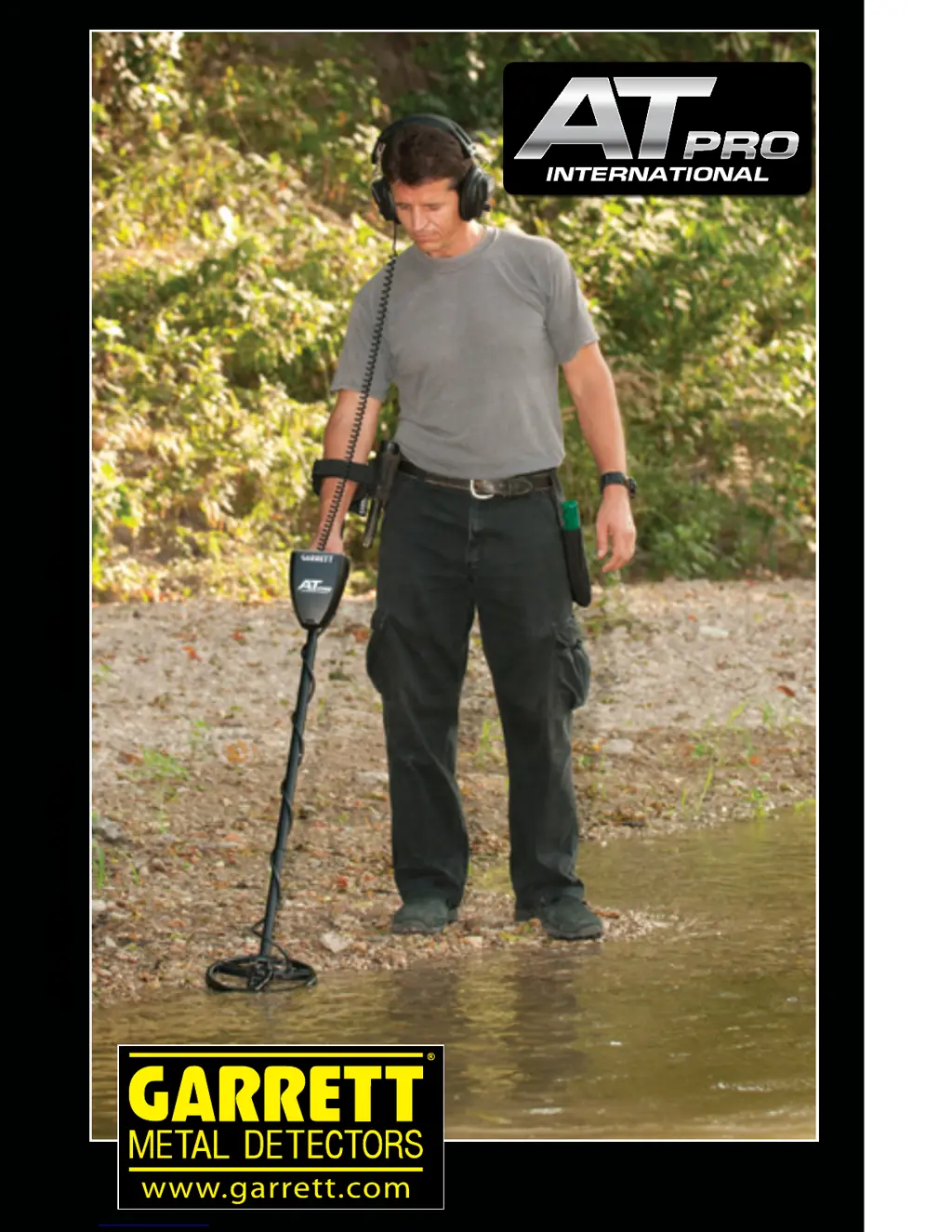
AT PRO INTERNATIONAL Owners Manual
Owners Manual
TM
e powerful, all-terrain solution for locating
deeply buried European coins and artefacts!

Questions and Answers

Summary

AT Pro Control Panel Overview

Target ID and Discrimination Displays

Explains Target ID Legend, Cursor, Lower Scale, and Coin Depth Indicator.

Control Panel Buttons

Identifies key pushbuttons like MODE, IRON DISC, SENSITIVITY, GND BAL.

Quick Start Guide

AT Pro Assembly Instructions

Powering On and Initial Setup

Switching the Detector On;Off

How to turn the AT Pro on and off.

Search Modes Overview

STD vs. PRO Mode Comparison

Compares Standard and Professional detection modes' features.

Standard (STD) Detection Modes

Professional (PRO) Detection Modes

Target ID Information

Target ID Legend and Cursor

Explains how the legend and cursor indicate target identity.

Digital Target ID System

Discrimination Settings

Notch Discrimination Basics

Using NOTCH DISC and ELIM for trash rejection.

ELIM Pushbutton Usage

High-Resolution Iron Discrimination

Iron Audio Feature

Sensitivity Adjustment

Sensitivity Levels and Indicator

Explains the 8 sensitivity levels and indicator.

Ground Balance Procedures

Automatic Ground Balance

Step-by-step for auto ground balancing.

Manual Ground Balance

Step-by-step for manual ground balancing.

Pinpointing Targets

Using the Pinpoint Function

How to find the exact target location using the Pinpoint button.

Traditional Pinpointing Technique

Narrowing Detection Area

Hunting Tips and Techniques

Searchcoil Height and Angle

Maintaining optimal coil position during swings.

Searchcoil Swing Technique

Locating Targets in Mineralized Ground

Performing PRO Mode and Discrimination Tests

Iron Audio Bench Test

Underwater Operation Guidelines

Maximum Immersion Depth

Specifies the 3-meter depth limit for immersion.

Care and Maintenance

Battery Replacement Procedure

How to replace the detector's batteries.

Troubleshooting Common Issues

No Power or Erratic Signals

Solutions for power and signal issues.

Intermittent Signals and Target ID Bounces

Diagnosing and fixing signal inconsistencies.

Important Safety Cautions

Property and Location Restrictions

Avoiding trespassing and restricted areas.

Hazardous Material Awareness

Precautions regarding buried utilities and explosives.

Warranty and Service Information

Summary

AT Pro Control Panel Overview

Target ID and Discrimination Displays

Explains Target ID Legend, Cursor, Lower Scale, and Coin Depth Indicator.

Control Panel Buttons

Identifies key pushbuttons like MODE, IRON DISC, SENSITIVITY, GND BAL.

Quick Start Guide

AT Pro Assembly Instructions

Powering On and Initial Setup

Switching the Detector On;Off

How to turn the AT Pro on and off.

Search Modes Overview

STD vs. PRO Mode Comparison

Compares Standard and Professional detection modes' features.

Standard (STD) Detection Modes

Professional (PRO) Detection Modes

Target ID Information

Target ID Legend and Cursor

Explains how the legend and cursor indicate target identity.

Digital Target ID System

Discrimination Settings

Notch Discrimination Basics

Using NOTCH DISC and ELIM for trash rejection.

ELIM Pushbutton Usage

High-Resolution Iron Discrimination

Iron Audio Feature

Sensitivity Adjustment

Sensitivity Levels and Indicator

Explains the 8 sensitivity levels and indicator.

Ground Balance Procedures

Automatic Ground Balance

Step-by-step for auto ground balancing.

Manual Ground Balance

Step-by-step for manual ground balancing.

Pinpointing Targets

Using the Pinpoint Function

How to find the exact target location using the Pinpoint button.

Traditional Pinpointing Technique

Narrowing Detection Area

Hunting Tips and Techniques

Searchcoil Height and Angle

Maintaining optimal coil position during swings.

Searchcoil Swing Technique

Locating Targets in Mineralized Ground

Performing PRO Mode and Discrimination Tests

Iron Audio Bench Test

Underwater Operation Guidelines

Maximum Immersion Depth

Specifies the 3-meter depth limit for immersion.

Care and Maintenance

Battery Replacement Procedure

How to replace the detector's batteries.

Troubleshooting Common Issues

No Power or Erratic Signals

Solutions for power and signal issues.

Intermittent Signals and Target ID Bounces

Diagnosing and fixing signal inconsistencies.

Important Safety Cautions

Property and Location Restrictions

Avoiding trespassing and restricted areas.

Hazardous Material Awareness

Precautions regarding buried utilities and explosives.

Warranty and Service Information

Garrett AT Pro Specifications

General IconGeneral
Battery typeAA
Type-
WaterproofYes
Frequency band13.6 kHz
Waterproof up to3 m
Recommended usageHobby
Search depth (max)0.25 m
Search coil diameter- mm
Suitable for materialsGold, Metal, Silver
Display typeLCD
Weight and Dimensions IconWeight and Dimensions
Depth1400 mm
Weight1400 g

Related product manuals