30
Garrett Metal Detectors
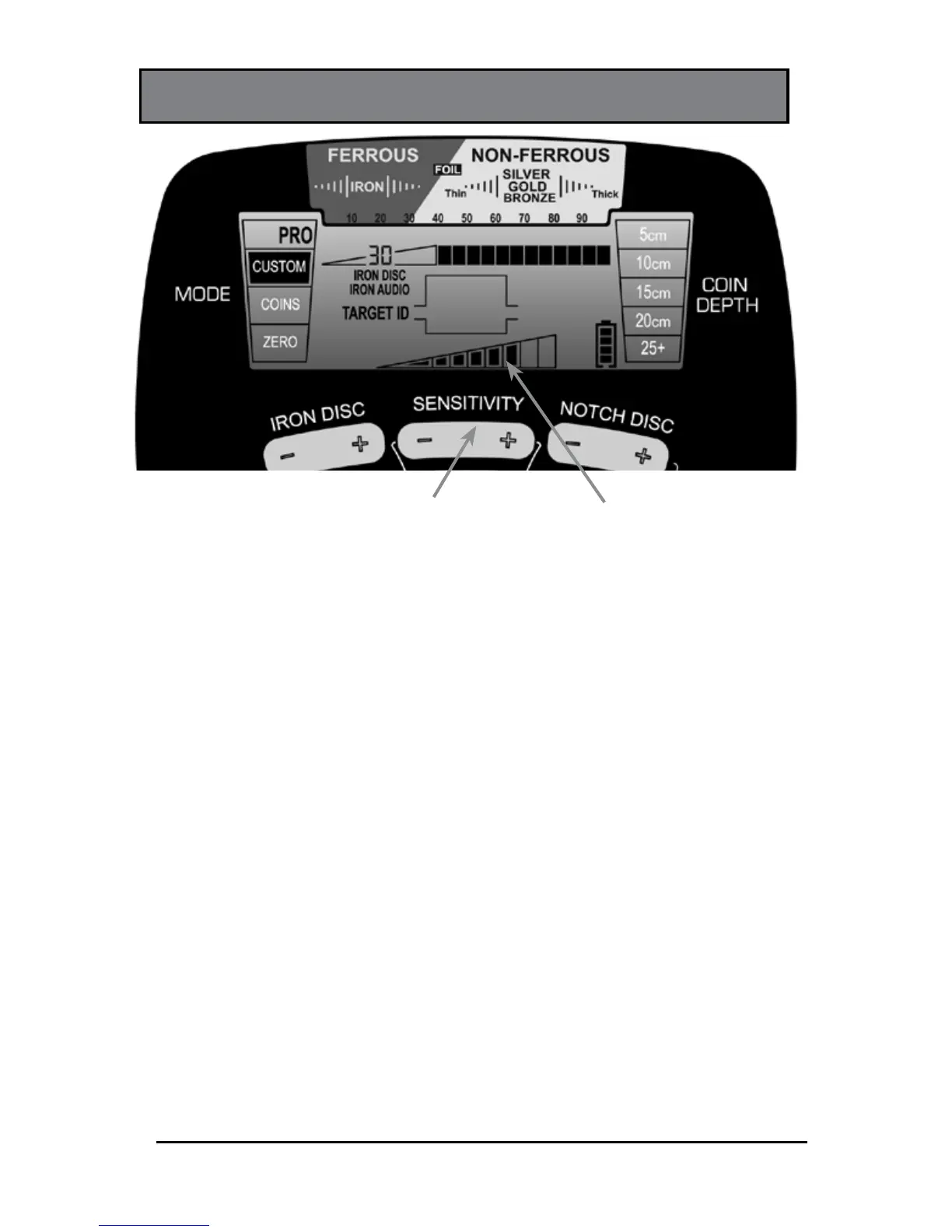
SENSITIVITY
SENSITIVITY
Pushbutton
Sensitivity
Indicator
The AT Pro has eight (8) settings for sensitivity. Use the (+)
or (-) SENSITIVITY buttons to step through the eight levels,
which are continuously shown on the LCD.
Use higher sensitivity levels when searching for very
small or very deep targets. Use lower sensitivity levels in
locations where the detector is behaving erratically due to
excessive metallic trash, highly mineralized soils, saltwater
beaches, electrical interference or the presence of other
metal detectors.












 To Next Page