AT Pro International™
13
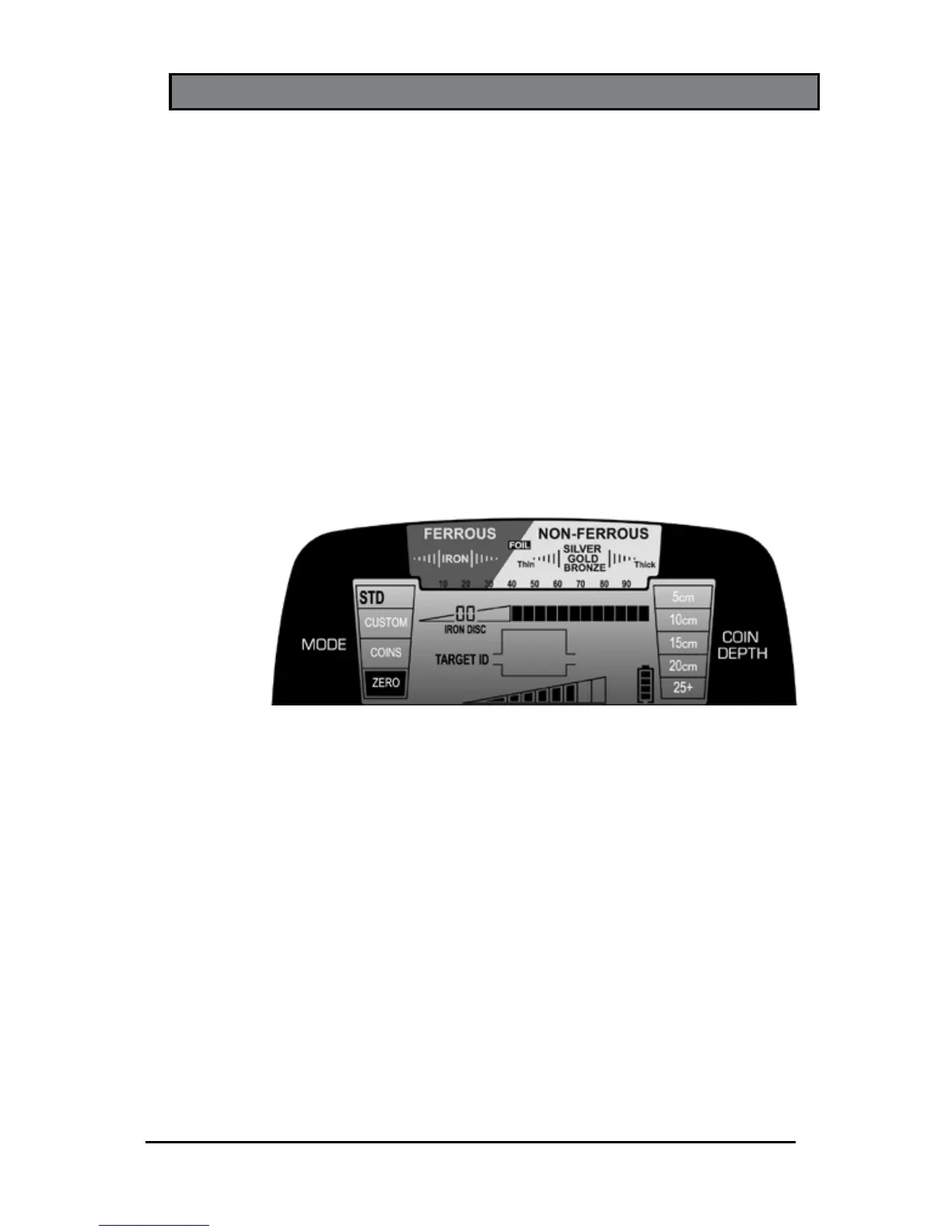
• ZERO Mode
Designed to detect every type of metal; use
ZERO mode to find all metal items or when the
material of the desired object is unknown. All 12
discrimination pixels are switched on and High-Res
Iron Discrimination is set to 0 (zero)—indicating that
no metal targets have been eliminated.
Switch to the ZERO Mode to aid in locating a
target when its signal is inconsistent. Such signals
could mean the target is made of iron or a trash
target is close to a good target.
STANDARD (STD) DETECTION MODES
In the STD modes, the AT Pro produces a full-strength
binary audio beep to indicate a detected target. Standard
detection mode operation is ideal for learning the AT Pro
because of its consistent audio signals. Detected targets
are heard at the same full-strength beep regardless of their
size or depth.
Three discrimination patterns are available in the
Standard Mode: Zero, Coins or Custom.
Note: These three discrimination patterns are the same
in either Standard or Pro modes.













 To Next Page