AT Pro International™
33
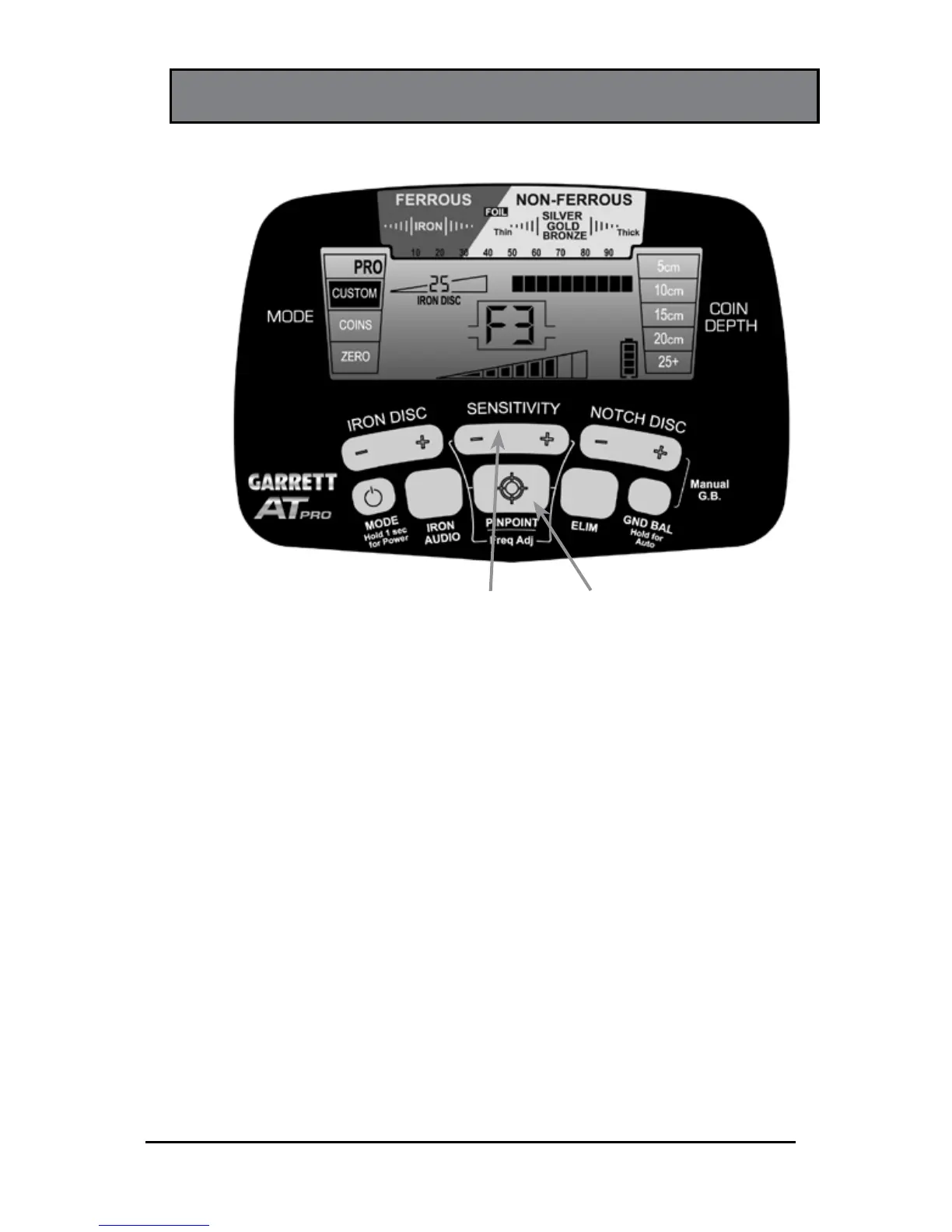
FREQUENCY ADJUSTMENT
SENSITIVITY
Pushbutton
PINPOIINT/
Freq Adjust
Pushbutton
Use the PINPOINT/Freq Adj pushbutton in conjunction with
the (+) or (-) SENSITIVITY pushbuttons to adjust frequency.
The AT Pro is capable of operating at four slightly different
frequencies in order to minimize the interference caused by
electrical sources (e.g. power lines) or other metal detectors.
To adjust frequencies, hold down the PINPOINT button and
press the (+) or (-) SENSITIVITY pushbuttons to change the
frequency to find one with the least amount of interference.
The frequency setting (F1–F4) will be indicated on the LCD.
Release the PINPOINT button when finished.
Note: Frequency adjustments are small and therefore do
not affect target detection capabilities.















 To Next Page