EasyManua.ls Logo

Garrett ACE 350 - User Manual

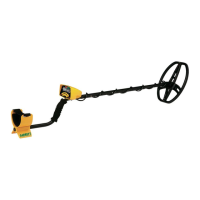
Garrett ACE 350
97 pages
Print Icon
To Next Page IconTo Next Page
Loading...
© 2014 Garrett Electronics, Inc. PN 1533000.D.1214
1881 W. State Street
Garland, Texas 75042
Tel: 1.972.494.6151
Email: sales@garrett.com
Fax: 1.972.494.1881
ACE 350 Owner’s Manual
Owners Manual
Ideally suited for locating
deeply buried relics, jewelry
and coins!

Questions and Answers

Summary

ACE 350 Control Panel

Quick Start Guide

Initial Setup and Operation

Guide to installing batteries, powering on, selecting modes, adjusting settings, and beginning to scan.

Detector Assembly

Assembling the Detector

Step-by-step instructions for physically assembling the metal detector unit.

ACE 350 Display Elements

Pushbutton Controls

Button Functions Overview

Introduces the main control buttons: ON/OFF, MODE, PINPOINT, DISCRIM, ACCEPT/REJECT.

Pinpoint and Discriminate Operation

Explains the detailed usage of the Pinpoint and Discriminate pushbuttons.

Accept;Reject Discrimination

Details how to use the Accept/Reject button to modify discrimination patterns.

Selecting Modes (Discrimination Patterns)

Enhanced Iron Resolution

Managing Iron Interference

Explains how to use Enhanced Iron Resolution to prevent target masking from iron trash.

Bench Tests

Hunting Tips With Your ACE 350

Target Pinpointing Methods

Standard Pinpointing Technique

Explains the primary method for precisely locating a detected target using the Pinpoint button.

Troubleshooting Guide

Common Detector Issues and Solutions

Lists common symptoms like no power or erratic signals with their corresponding solutions.

Cautions and Safety Precautions

Caring for Your ACE 350 Detector

ACE 350 Warranty & Service

Warranty Coverage and Support

Explains the detector's warranty period and procedures for obtaining service or repairs.

Summary

ACE 350 Control Panel

Quick Start Guide

Initial Setup and Operation

Guide to installing batteries, powering on, selecting modes, adjusting settings, and beginning to scan.

Detector Assembly

Assembling the Detector

Step-by-step instructions for physically assembling the metal detector unit.

ACE 350 Display Elements

Pushbutton Controls

Button Functions Overview

Introduces the main control buttons: ON/OFF, MODE, PINPOINT, DISCRIM, ACCEPT/REJECT.

Pinpoint and Discriminate Operation

Explains the detailed usage of the Pinpoint and Discriminate pushbuttons.

Accept;Reject Discrimination

Details how to use the Accept/Reject button to modify discrimination patterns.

Selecting Modes (Discrimination Patterns)

Enhanced Iron Resolution

Managing Iron Interference

Explains how to use Enhanced Iron Resolution to prevent target masking from iron trash.

Bench Tests

Hunting Tips With Your ACE 350

Target Pinpointing Methods

Standard Pinpointing Technique

Explains the primary method for precisely locating a detected target using the Pinpoint button.

Troubleshooting Guide

Common Detector Issues and Solutions

Lists common symptoms like no power or erratic signals with their corresponding solutions.

Cautions and Safety Precautions

Caring for Your ACE 350 Detector

ACE 350 Warranty & Service

Warranty Coverage and Support

Explains the detector's warranty period and procedures for obtaining service or repairs.

Garrett ACE 350 Specifications

General IconGeneral
Operating Frequency8.25 kHz
Iron ResolutionYes
Target ID Cursor Segments12
Length (Adjustable)42" to 51" (1.06m - 1.29m)
Batteries4 AA (included)
Accept/Reject DiscriminationYes
Pinpoint FunctionYes
Sensitivity/Depth Adjustments8
Headphone JackYes
Battery Life20 to 40 hours
Target IDYes
Depth IndicatorYes
WaterproofSearch coil only
Search ModesJewelry, Custom, Coins
Standard Searchcoil8.5" x 11" PROformance™ DD
Warranty2 years
Total Weight2.8 lbs (1.3 kg)

Related product manuals