EasyManua.ls Logo

Garrett EURO ACE - User Manual

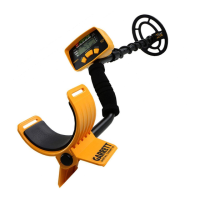
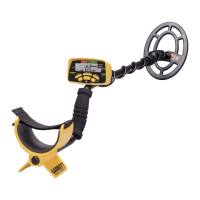
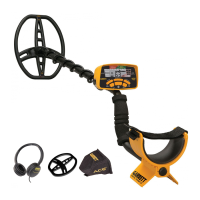
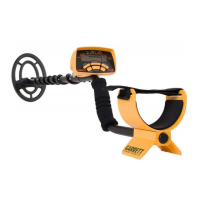
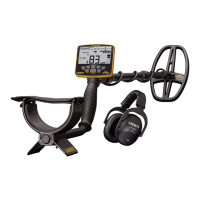
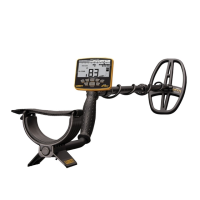
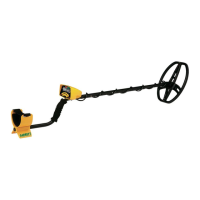
Garrett EURO ACE
25 pages
Print Icon
To Next Page IconTo Next Page
Loading...
© 2010 Garrett Electronics, Inc. PN 1533100.A.0710
1881 W. State Street
Garland, Texas 75042
Tel: 1.972.494.6151
Email: sales@garrett.com
Fax: 1.972.494.1881
Euro ACE Owners Manual
Owners Manual
Ideally suited for locating
deeply buried European coins
and artefacts!

Other manuals for Garrett EURO ACE

Questions and Answers

  • C
    Christina ThompsonJul 27, 2025
    Why does my Garrett EURO ACE make erratic sounds?
    • J
      Juan HudsonJul 27, 2025
      If your Garrett Metal Detector produces erratic sounds or the target ID cursor moves erratically, ensure the searchcoil is securely connected and the coil cable is snugly wound around the stem. If you are using the detector indoors, be aware of excessive electrical interference and metal in floors and walls. Try reducing the sensitivity setting. Also, check if you are near other metal detectors, power lines, wire fences, or benches.
  • R
    Randy KellerAug 1, 2025
    How to find specific targets with my Garrett EURO ACE?
    • A
      angela31Aug 1, 2025
      If your Garrett Metal Detector isn't finding specific targets, ensure you're using the correct mode for your hunting type. If you're specifically hunting for coins, the COINS mode is the best choice for eliminating undesirable targets. Alternatively, use the ZERO mode to detect all metal targets and confirm if the desired targets are present.
  • D
    Dustin ShieldsAug 7, 2025
    How to fix a Garrett EURO ACE with no power?
    • P
      Pamela HobbsAug 7, 2025
      If your Garrett Metal Detector has no power, first ensure the batteries are installed in the correct position. If that doesn't work, replace all the old batteries with new ones.
  • G
    greenmarkAug 13, 2025
    What to do if my Garrett EURO ACE has intermittent signals?
    • D
      David WintersAug 13, 2025
      Intermittent signals on your Garrett Metal Detector can occur due to multiple targets being present; switch to ZERO Mode or use the pinpoint button to locate all targets precisely. In trashy areas, consider using the Super Sniper™ searchcoil. Iron targets can also cause intermittent signals; you can identify them in ZERO Mode. Try scanning from different directions to help define the signal.
  • M
    mortonandrewAug 20, 2025
    What to do if the Target ID Cursor bounces on my Garrett EURO ACE?
    • V
      Veronica SchroederAug 20, 2025
      If the Target ID Cursor bounces erratically on your Garrett Metal Detector, it likely indicates you've found a trash target. It may also occur if a good target, like a coin, isn't parallel to the searchcoil or if junk targets are near the good target. Large, flat pieces of iron can also cause erratic cursor movement. Try scanning from different directions to stabilize the Target ID Cursor.

Summary

EuroACE Control Panel

Quick Start Guide

EuroACE Components

List of Parts

Detector Assembly

EuroACE Display Elements

Audio Features

Pushbutton Controls

ON;OFF Power Pushbutton

Controls device power and factory reset function.

MODE Pushbutton

Selects one of five detection modes (Zero, Jewelry, Custom, Relics, Coins).

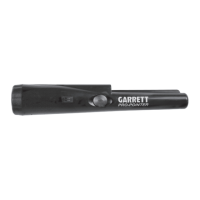
PINPOINT Pushbutton

Locates targets precisely by determining exact position.

DISCRIM Pushbutton

Adjusts target ID cursor and discrimination patterns.

Accept;Reject Pushbutton

Modifies notch discrimination pattern by eliminating pixels.

SENSITIVITY Pushbutton

Adjusts the detector's sensitivity levels.

Setting Custom Modes (Discrimination Patterns)

JEWELRY Mode

Optimized pattern for jewelry, excludes most iron.

CUSTOM Mode

Allows operator to program custom discrimination patterns.

COINS Mode

Designed for coins, eliminates iron and foil.

RELICS Mode

Eliminates small iron, targets lead, brass, and bronze.

ZERO Mode

Detects all metal types, useful for unknown targets.

Enhanced Iron Resolution

Bench Tests

Hunting Tips With Your EuroACE

Target Pinpointing Methods

Troubleshooting Guide

Metal Detecting Code of Ethics

Cautions

Caring For Your EuroACE Detector

EuroACE Warranty & Service

EuroACE Accessories

Suggested Reading

Garrett EURO ACE Specifications

General IconGeneral
Operating Frequency8.25 kHz
Iron Discrimination Segments5
Sensitivity/Depth Adjustments8
Audio Tone ID Levels3
Batteries4 AA (included)
Warranty2 Years, Limited Parts/Labor
Target ID Cursor Segments12
Accept/Reject DiscriminationYes
Pinpoint ModeYes
Frequency AdjustmentNo
Depth IndicatorYes
Target IDYes
Battery Life20-25 hours
Length42" to 51" (1.06m - 1.29m) adjustable
Audio OutputSpeaker
WaterproofSearch coil only
Search ModesJewelry, Custom, Relics, Coins
Standard Searchcoil8.5" x 11" PROformance
Total Weight2.8 lbs (1.3 kg)

Related product manuals