Need help?
Do you have a question about the Garrett Axiom and is the answer not in the manual?
Basic step to turn on the device by pressing the power button.
Adjusting key audio parameters to preferred levels.
Procedure to eliminate electrical interference by selecting the best frequency.
Procedure to compensate for ground mineralization.
Instruction to start the detection process by swinging the coil.
Procedure to restore the unit to its factory settings.
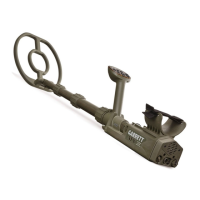
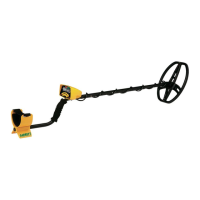
The main component of the detector including the control unit.
An optional external battery pack for extended operation.
Components for assembling the detector's shaft.
Document detailing the product's warranty information.
A case designed for carrying and protecting the detector.
The detection head of the unit, protected by a cover.
A brief guide for initial setup and operation.
Hardware required for assembling the searchcoil and stem.
Optional accessories for charging from vehicle power sources.
The cable used to charge the detector's internal battery.
Power adapter for charging the detector via a wall outlet.
Wireless audio accessory and its charging cable.
Steps for extending the detector shaft and fitting washers.
Procedure for connecting the searchcoil to the lower stem.
Steps for connecting the searchcoil cable to the control box.
Instructions for repositioning the arm cuff for comfort.
Function of the power button for turning the unit on/off and operating.
Buttons used to increase or decrease the detector's volume.
Buttons used to adjust the detector's sensitivity.
Button to access menus and initiate the Iron Check function.
Buttons to adjust the background audio hum.
Button to perform manual ground balancing.
Bar graphs indicating signal strength and polarity.
Indicates when the Iron Check feature is active.
Displays the currently selected detection mode.
Indicates automatic frequency selection status.
Shows the selected audio tone setting.
Indicates the selected audio response type (PWM or VCO).
Displays the current sensitivity setting.
Shows the remaining battery life.
Indicates the selected detection speed.
Shows the status of the automatic ground tracking feature.
Indicates that the LCD backlight is turned on.
Icon indicating wireless headphone connection status.
Arrows showing the trend direction of ground balance values.
Visual indicator during the ground balance process.
Numerical display of current ground balance settings.
Details on battery type, life, scale, and recharge time.
Information on using an external battery pack for operation.
Tips for extending the lifespan of the detector's internal battery.
Using a standard 5-volt USB power bank to power or recharge the detector.
Instructions for charging the detector from 12V vehicle battery terminals.
Procedure for pairing the Axiom with Z-Lynk enabled headphones or receivers.
Information on using standard wired headphones with a 1/4" plug.
How to return all settings to their original factory values.
Function to obtain the quietest operating frequency for the detector.
Optimized for small, low-conductivity targets and general use.
Provides good detection on all target sizes, less reactive in mineralized soil.
Maintains strong detection of large targets, reduces susceptibility to mineralization.
Designed for mineralized areas with wet salt content.
Adjusting the maximum audio level for large signals.
Setting the constant background audio 'hum'.
Scrolling through 100 available tone shifts for preference.
Selecting between PWM audio (00) and VCO audio (01).
Audio with fixed pitch, proportional volume for target response.
Audio with proportional pitch and volume for target response.
Visual feedback on signal strength and polarity.
Turning the LCD backlight on or off for low-light conditions.
Adjusting coil swing and target recovery speed.
Selecting one of eight sensitivity levels for detection.
Steps to manually balance the detector to ground conditions.
Display of current ground balance values.
Typical Ground Balance ranges for various ground and target types.
Feature to overcome hot rocks and localized ground variations.
Disables automatic ground tracking; values remain fixed.
Slow tracking for gradual ground condition changes.
Medium tracking for moderate ground condition changes.
Fast tracking for quickly changing ground conditions.
Indicators showing the trending direction of ground balance values.
Instructions for using the Iron Check feature to audibly identify iron targets.
Optimizing detector ergonomics for comfortable use.
Techniques for using the detector in confined or restricted spaces.
Techniques for effective searchcoil movement over the ground.
Methods for precisely locating a detected target.
Initial tests with various metallic targets to understand signals.
Evaluating audio responses for different target types using various audio settings.
Testing the Iron Check function's capabilities with iron targets.
Assessing how sensitivity settings affect detection depth and noise.
Guidelines for responsible and ethical metal detecting practices.
Important precautions to observe while searching for treasure.
Maintenance and care instructions to preserve detector performance.
Solutions for issues where the detector does not power on.
Diagnosing and fixing unexpected or noisy detector operation.
Addressing inconsistent signals from deeply buried or angled targets.
Advice on protecting the coil from impact damage.
Details on the detector's warranty coverage and terms.
FCC and Industry Canada compliance and transmitter specifications.
Details on the core pulse induction technology.
Specification for the detector's operating pulse rate.
Specification for automatic EMI cancellation.
Specification for the integrated wireless connectivity.
Specification for the LCD backlight feature.
Specification for the ground balance capabilities.
Specification for how ground balance values are displayed.
Specification for the advanced ground balance feature.
Specification for the automatic ground tracking modes.
Specification for the iron identification feature.
Specification for the adjustable volume control.
Specification for the adjustable threshold control.
Specification for the adjustable tone control.
Specification for adjusting audio types (PWM/VCO).
Specification for sensitivity and depth adjustment levels.
Specification for the detector's water and weather resistance.
List of compatible searchcoil options.
Specification for the adjustable length of the detector.
Specification for the total weight of the detector.
Specification for the detector's battery type and capacity.
Specification for the battery status indicator.
Specification for the product's warranty period.
 General
| Frequency | Multi-Frequency |
|---|---|
| Battery Life | Up to 16 hours |
| Ground Balance | Automatic and Manual |
| Display | LCD |
| Wireless Audio | Yes |
| Target ID | Yes |
| Technology | Pulse Induction (PI) |
| Waterproof | Yes |
| Battery Type | Rechargeable Lithium-ion |
| Search Modes | Multiple |
| Sensitivity Adjustment | Yes |

 To Next Page