Need help?
Do you have a question about the GarrettCom Magnum 10KG and is the answer not in the manual?
Covers FCC and Canadian emissions statements ensuring compliance with radio frequency regulations.
Details the essential electrical safety precautions and guidelines for proper installation and operation.
Detailed performance metrics, network standards, compliance, and segment lengths for various Ethernet types.
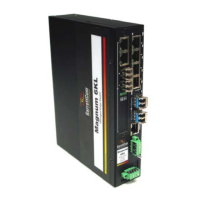
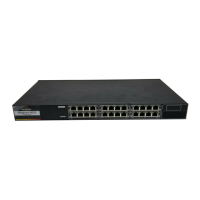
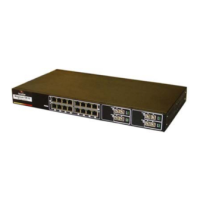
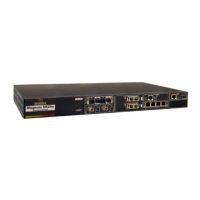
Information on various Magnum 10KG models, including power supply and chassis configurations.
Guidance on checking the product package contents and inspecting the unit for damage upon arrival.
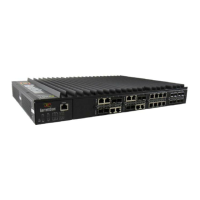
An overview of the Magnum 10KG switch, its industrial features, and advanced capabilities.
Details on the MNS-6K software for configuring and managing the Magnum 10KG switch.
Highlights key features and advantages of the Magnum 10KG switch for industrial applications.
Recommendations for selecting an appropriate location for the Magnum 10KG switch, considering airflow and environment.
Instructions for connecting various Ethernet media types, including twisted pair and fiber optic cables.
Instructions for mounting the Magnum 10KG switch on a table-top or horizontal surface using rubber feet.
Details on installing the Magnum 10KG switch in a standard 19-inch rack using provided brackets.
Explanation of the reverse rack-mounting option for the 10KGR models, with rear cabling.
Information on powering the Magnum 10KG switch, including available power supply options and consumption.
Specific instructions and diagrams for connecting AC/DC and PoE power inputs to the switch.
Details on using alarm contacts for monitoring internal power status and software-generated events.
Instructions for connecting a console terminal to the Magnum 10KG switch for configuration and management.
Overview of port modules for flexible media connectivity, including RJ-45 copper and SFP fiber ports.
Explanation of LED indicators on the ports, including Link/Activity and Full/Half Duplex status.
Description of the 10K4-RJ45 module with four 10/100Mbps RJ-45 ports for industrial use.
Details on the 10K4PX-RJ45 module offering four 10/100Mbps PoE+ RJ-45 ports.
Description of the 10K4-MLC module with four 100Mbps Multimode LC fiber ports.
Details on 10K4-SLC and 10K4-SLCL modules with four Singlemode LC fiber ports.
Description of the 10K4-MTRJ module with four 100Mbps Multimode MTRJ fiber ports.
Details on 10K2-MSC/MST modules with two Multimode SC/ST fiber ports.
Description of 10K2-SSC/SSCL/SST modules with two Singlemode SC/ST fiber ports.
Details on the 10K4-FXSFP module with four open 100Mbps SFP slots.
Description of the 10K2-F10ST module with two 10Mbps Multimode ST fiber ports.
Details on the 10-2RJSFP module with dual media ports for Gigabit RJ-45 or SFP.
Steps to take before contacting support, including checking connections and power.
Information to have ready when calling for technical assistance, including problem details and product information.
Procedure for obtaining an RMA number and returning products for repair or evaluation.
Guidelines for packaging and shipping the unit back to GarrettCom, including important cautions.
Specifications for DC power input requirements and terminal connections for Magnum 10KG switches.
Details on applications of DC-powered Magnum 10KG switches in various industries like telecom and industrial automation.
Procedure for correctly connecting DC power leads to the Magnum 10KG switch terminals.
UL requirements for DC-powered units, including cable gauge, circuit breakers, and torque specifications.
Reference to the main troubleshooting section for DC power-related issues.
Step-by-step guide with images for safely removing and installing hot-swap power supply units in the Magnum 10KG chassis.
 General
| Model | Magnum 10KG |
|---|---|
| Type | Industrial Ethernet Switch |
| Layer | Layer 2 |
| Managed | Yes |
| Operating Temperature | -40°C to 85°C |
| Enclosure | Metal |
| Mounting | DIN-rail |
| Weight | 0.9 kg |
| Standards Compliance | IEEE 802.3, IEEE 802.3u, IEEE 802.3x |
| MAC Address Table | 8K |
| Port Type | 10/100/1000Base-T |

 To Next Page