Need help?
Do you have a question about the GarrettCom Magnum CS14 Series and is the answer not in the manual?
Detailed technical parameters including port performance and data rates.
Requirements and types of power supplies compatible with the devices.
Information on power needs and compatible external AC/DC power supplies.
How to connect internal DC power sources (12V, 24V, -48V) to the units.
Procedure for connecting standard RJ-45 Ethernet cables.
Guide for connecting fiber optic cables using ST-type connectors.
Guide for connecting fiber optic cables using SC-type connectors.
Formulas and parameters for calculating optical power budgets for fiber links.
Explanation of the switch's dual-speed capabilities and traffic handling.
 General
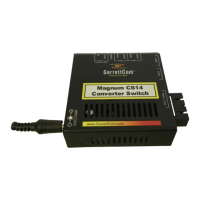
| Product Series | Magnum CS14 Series |
|---|---|
| Category | Switch |
| Type | Managed Ethernet Switch |
| Enclosure | Metal |
| Packet Buffer Memory | 512 KB |
| Port Type | 10/100Base-TX |
| Ethernet Standards | IEEE 802.3, 802.3u, 802.3x |
| Power Supply | Redundant Power Supply Option |
| Power Input | 12-48 VDC |
| Operating Temperature | -40°C to 75°C |
| Mounting | DIN Rail, Panel |
| Weight | Varies by model |
| Jumbo Frame Support | Yes |

 To Next Page