www.gateway.com
3
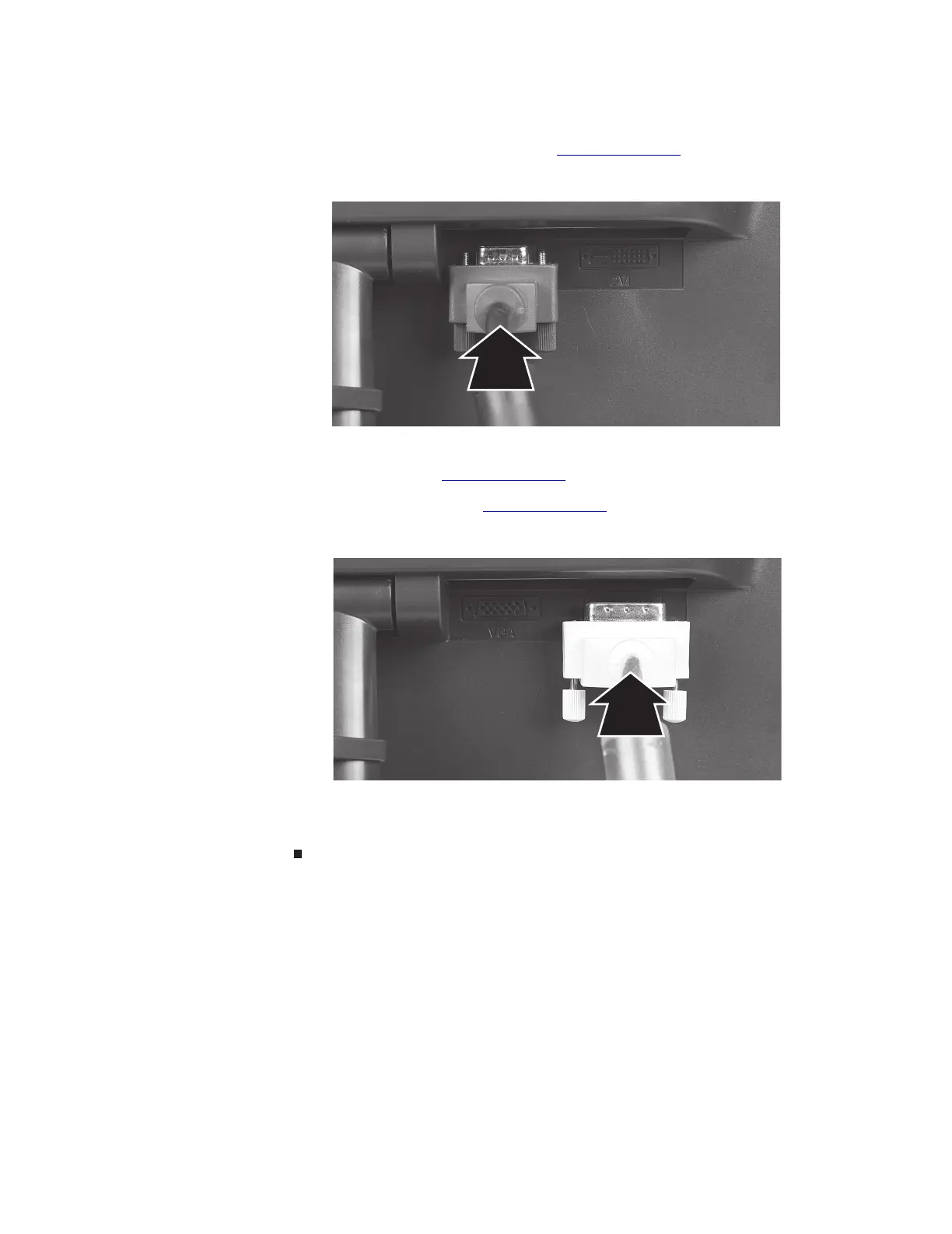
4 Connect the blue right-angle VGA video cable to the blue video connector under the back
of the display. Although a standard VGA cable is acceptable, we recommend using the
right-angle cable (available in the U.S. at www.gateway.com
), especially for use with the
optional speaker bar. The right-angle cable’s thumbscrews are easier to tighten, and the
cord does not get in the way of the speaker bar.
- OR -
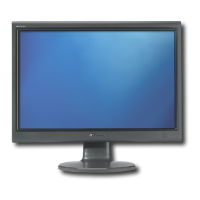
If your computer has a digital video connector (DVI), connect a white DVI video cable
(available in the U.S. at www.gateway.com
) to the white connector under the back of the
display. Although a standard DVI cable is acceptable, we recommend using the right-angle
cable (available in the U.S. at www.gateway.com
), especially for use with the optional
speaker bar. The right-angle cable’s thumbscrews are easier to tighten, and the cord does
not get in the way of the speaker bar.
5 Make sure that your computer is turned off, then connect the other end of the video cable
to the matching video port on the back of your computer.
6 Plug the power cord into a correctly grounded electrical outlet.



 To Next Page