Using Your Gateway Flat-panel Monitor
2
Connecting the monitor
To connect the monitor:
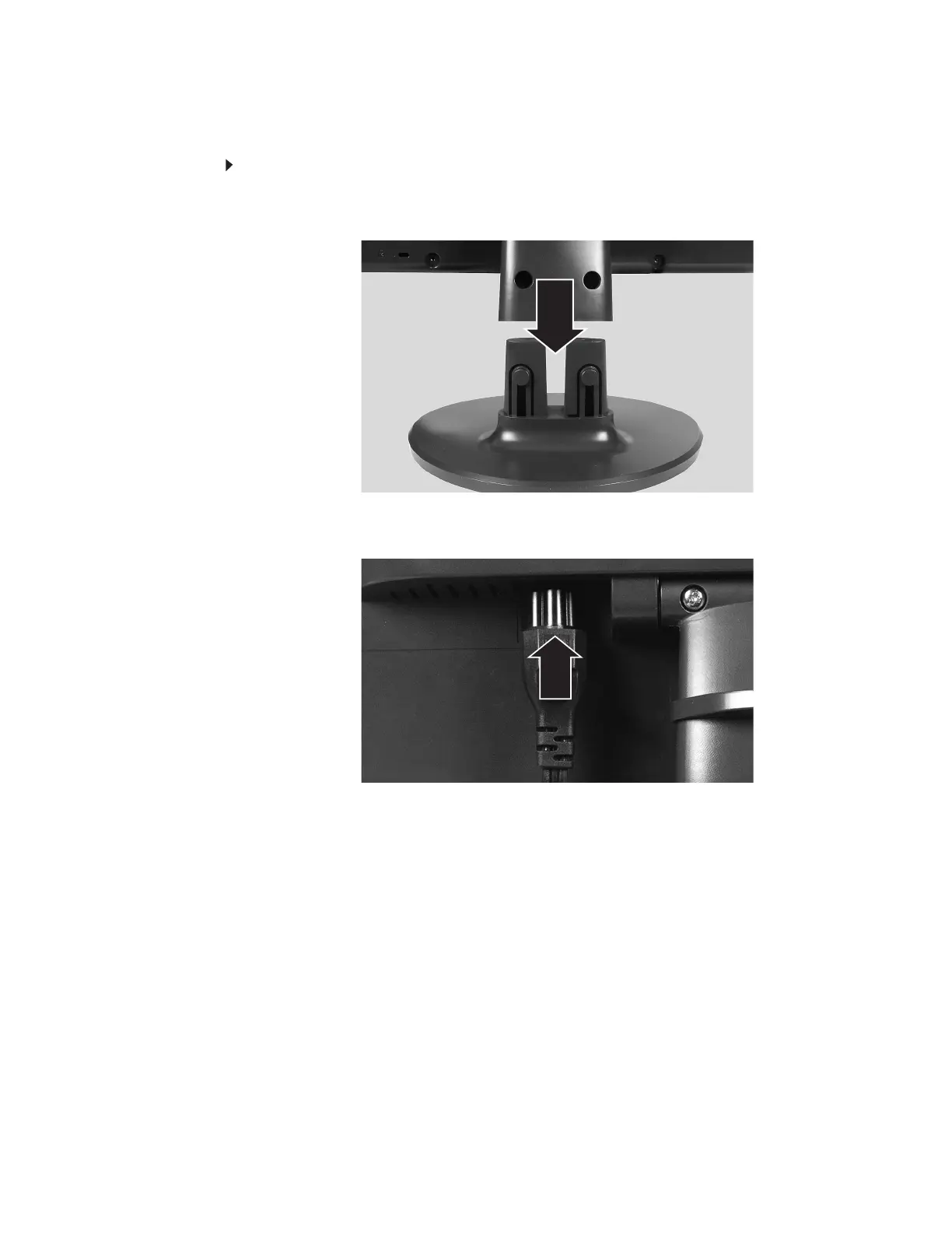
1 Place the monitor base on a table top, then slide the monitor neck down onto the base
until it clicks into place. You may need to press the two buttons on the base to let the
monitor slide on smoothly.
2 Position your computer and the monitor so you can reach the back of each.
3 Connect the power cord to the power connector under the back of the display.



 To Next Page