11
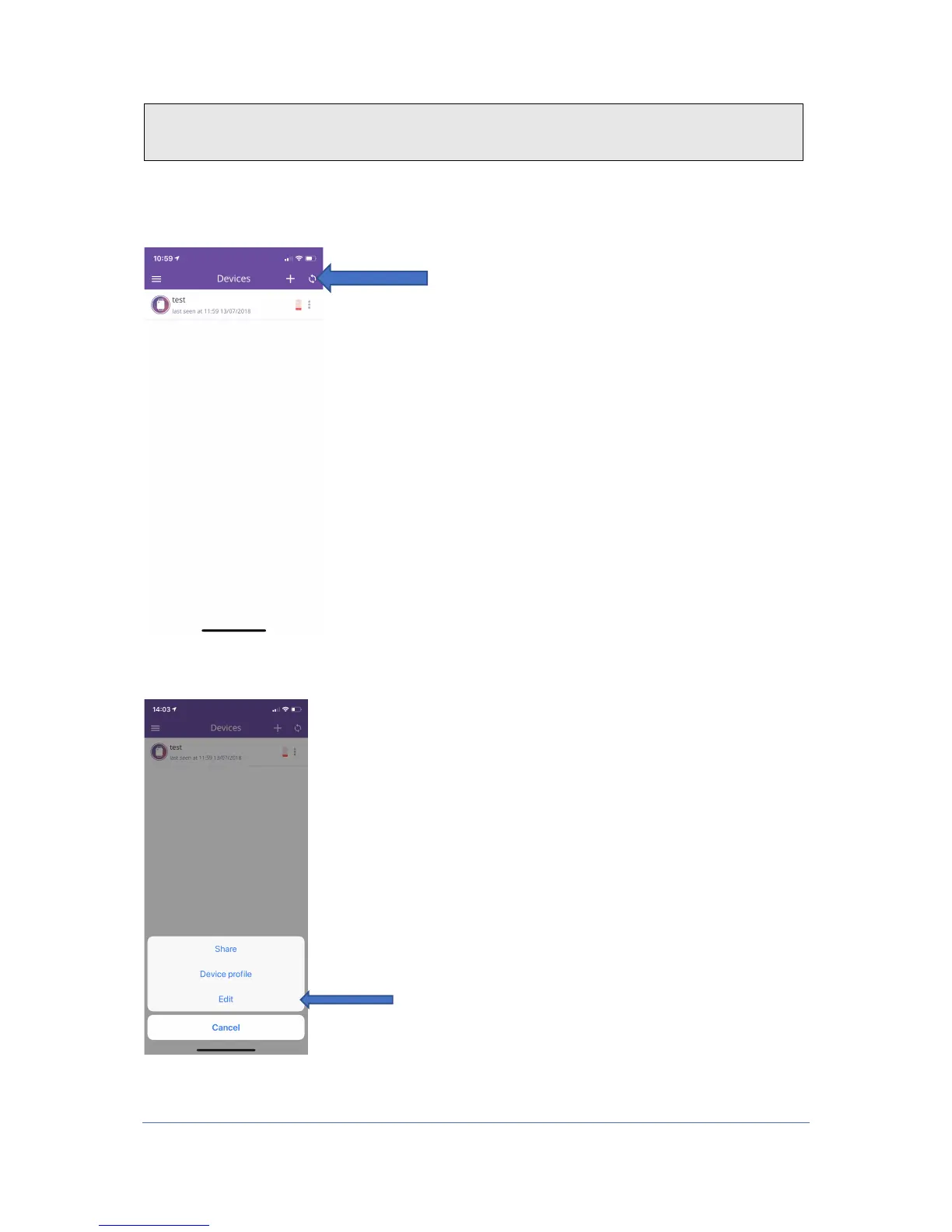
1. To update the position of the watch, tap this button in the right corner of the home
screen. Then the position will update and you will get a new location within 50
seconds.
2. To make changes to your device or to add more people who can call your device, first
tap the three dots on the right side, then click on "edit"


 To Next Page