RG66000889-REV.OO 10
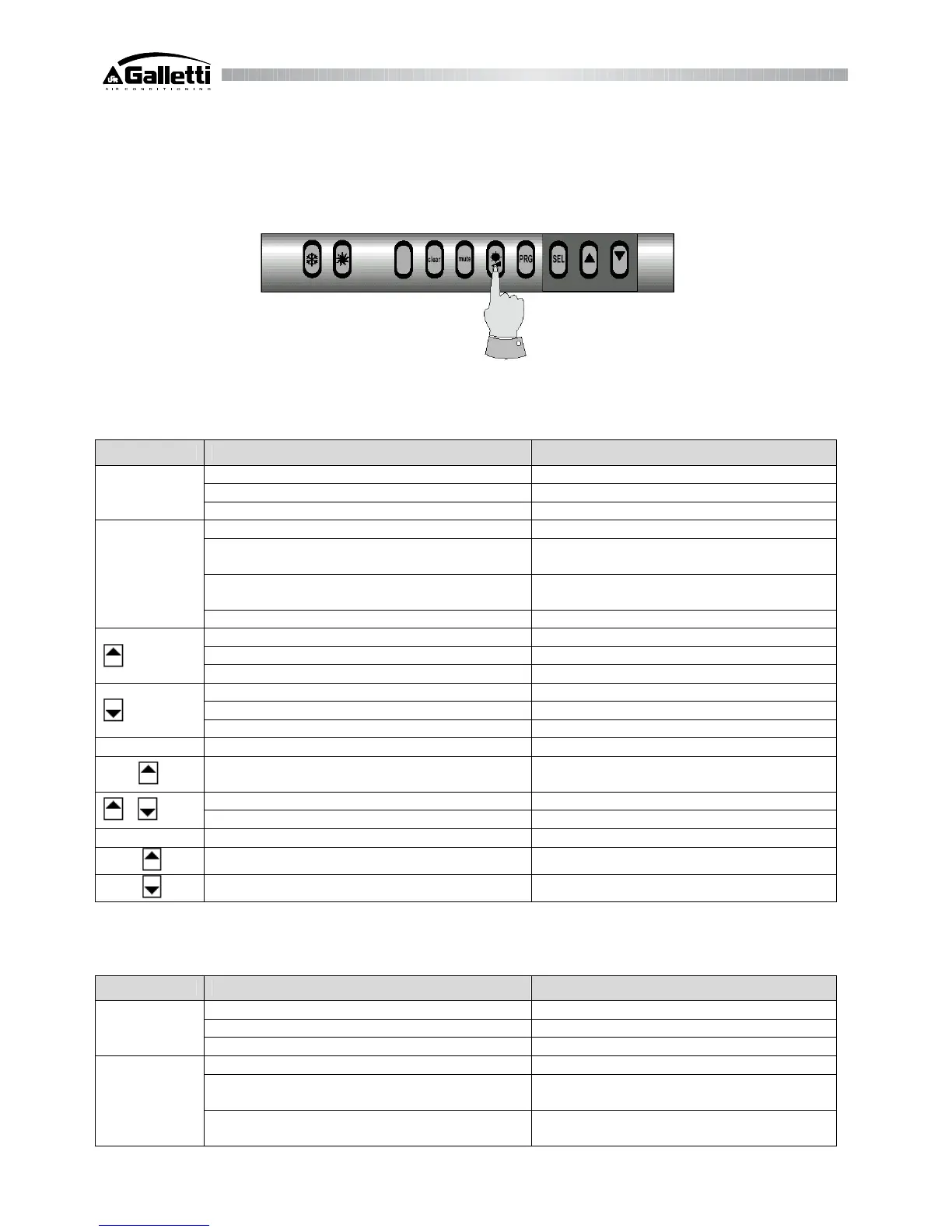
Regulating the contrast on the display
(This procedure can be effected only on Remote terminals for wall-mounted versions - optional).
Press the button as shown in the picture to regulate the contrast of the display on three different levels (in a cyclic way).
3.4 Functions of the buttons (for panel-mounted versions)
The table below shows the meaning and functions of the buttons.
Button Status of the unit Effect after pressing the button
Normal operating condition after 5" DIRECT parameters appear
List of codes displays values
SEL
Displays values displays list of codes
Normal operating condition after 5" password for USER parameters
List of codes
stores parameters in EEprom, then displays
temperature value of sensor B1
Displays values
stores parameters in EEprom, then displays
temperature value of sensor B1
PRG
Buzzer sounds silences the buzzer
Normal operating condition after 5" enables/inhibits Cooling mode
List of codes displays the codes of the parameters
Displays values increases value
Normal operating condition after 5" enables/inhibits Heating mode
List of codes displays the codes of the parameters
Displays values decreases value
PRG + SEL Normal operating condition after 5" password for FACTORY parameters
SEL +
Normal operating condition (temperature/pressure
conditions permitting)
after 5" forces a manual defrosting cycle
Normal operating condition after 5" manual alarm reset
+
Hour counter zeroes down immediately
PRG At start up default parameters
PRG +
At start up copies key on the unit's EEprom
PRG +
At start up copies key on the unit's EEprom
3.5 Functions of the buttons (wall-mounted units)
The table below sums up the action of each button.
Button Status of the unit Effect after pressing the button
Normal operating condition after 5" DIRECT parameters appear
List of codes displays values
SEL
Displays values displays list of codes
Normal operating condition after 5" password for USER parameters
List of codes
stores parameters in EEprom, then displays
temperature value of sensor B1
PRG
Displays values
stores parameters in EEprom, then displays
temperature value of sensor B1



 To Next Page