GBC 620os Operation Manual
© 2007 General Binding Corporation Page 20
OUTPUT TROUBLESHOOTING
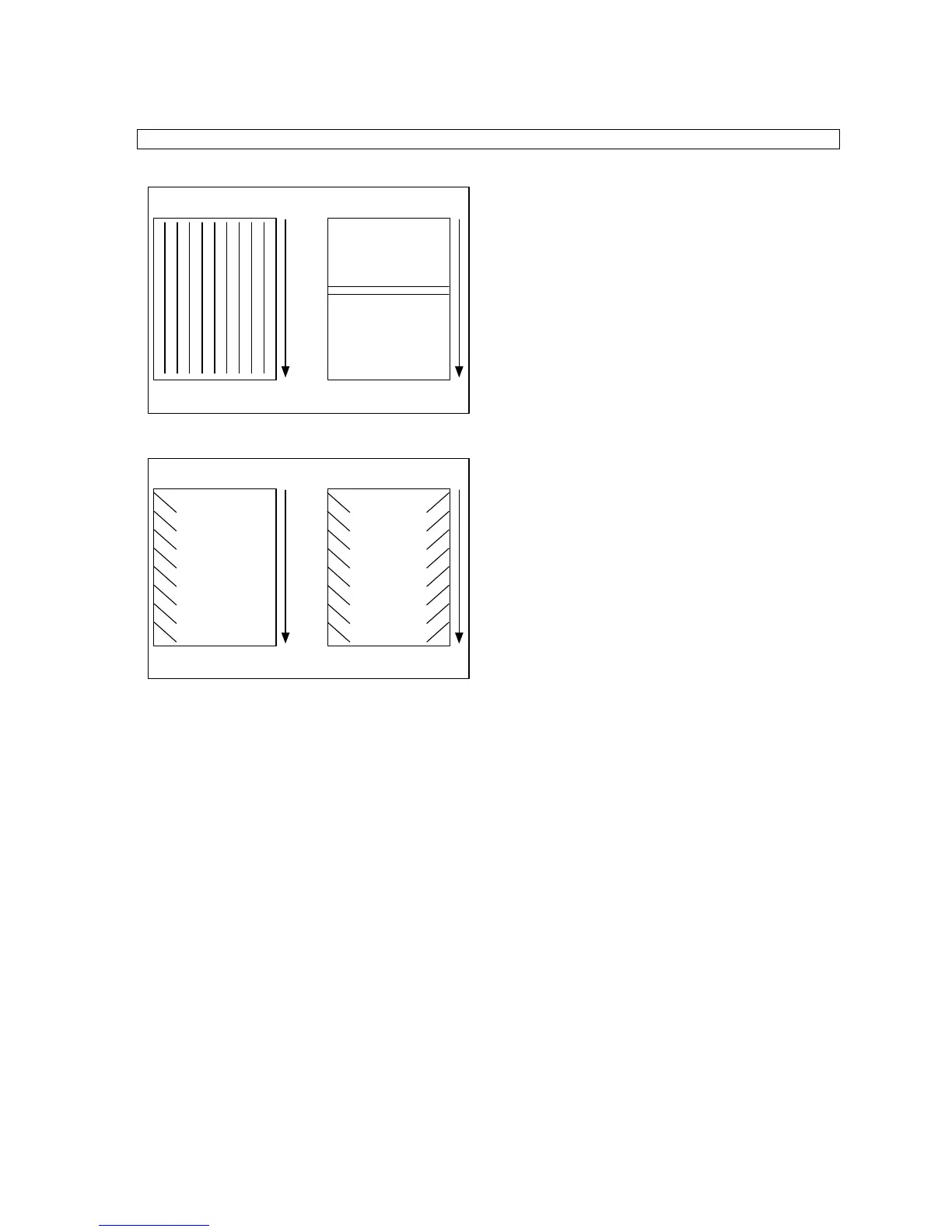
- A - - B -
Figure 1 A & B
- A - - B -
Figure 2 A & B
1. Straight waves in output (Fig. 1A).
• Check operational settings for materials being
used.
• Check for moisture in the media.
2. Indent waves in output after pull rollers (Fig. 1B).
• Bursting PSI too high.
• Output was handled prior to cooling.
• Use cooling feature if not on.
• Machine was stopped on print.
3. Angled waves in the output (Fig. 2A&2B).
• Main air Supply setting
• Check main Roller Pressure.
• Check pull roller pressure.
• Check for Paper Tension.
• Check Nip for accuracy.
4. Curled Output. (Not Shown)
• Too much Brake Tension
• Increase or decrease the amount of Decurling
Bar being used.
• Images not being fed with the grain oriented
correctly


 To Next Page