EasyManua.ls Logo

GBC Ultima 65 - User Manual

GBC Ultima 65
14 pages
Print Icon
To Next Page IconTo Next Page
Loading...
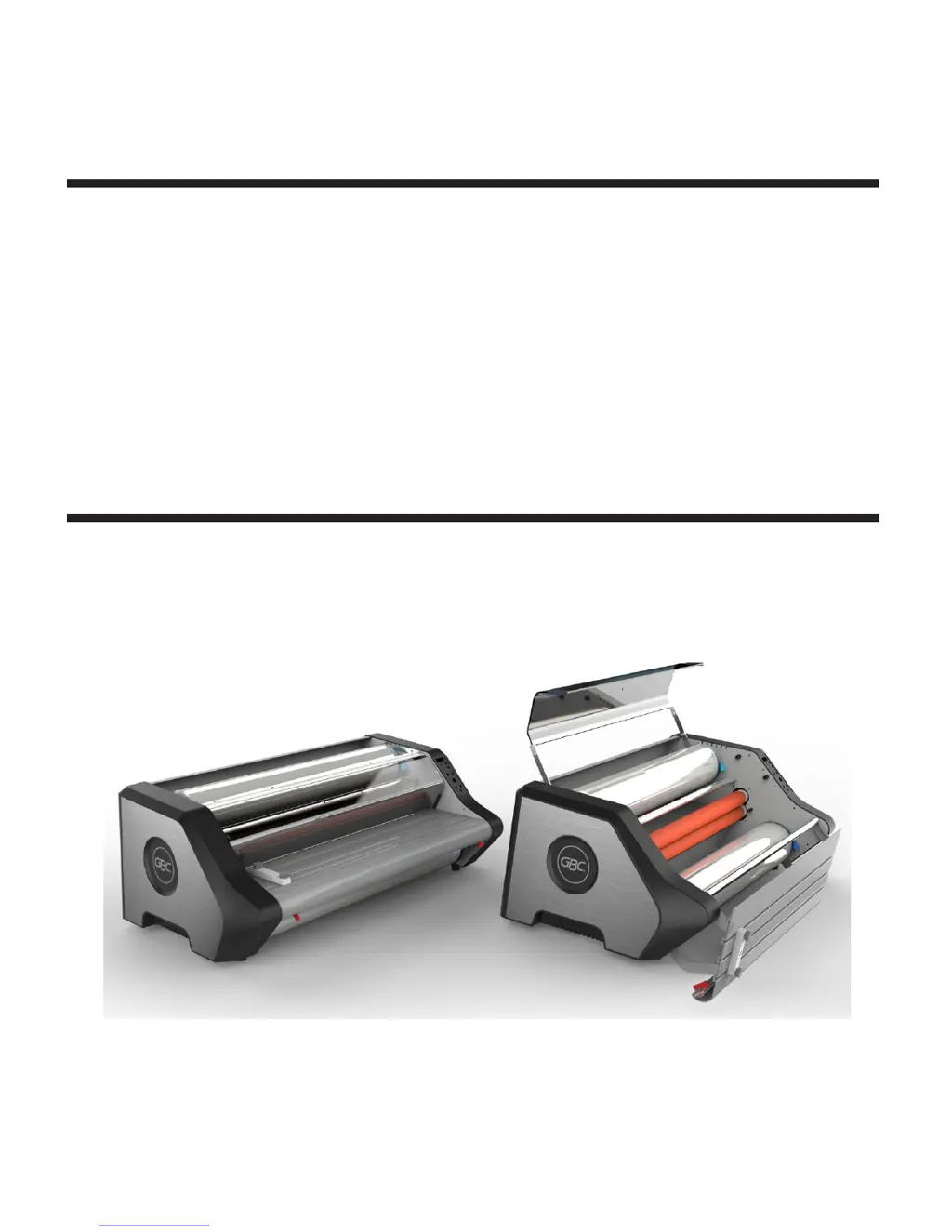
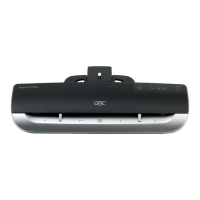
Ultima 65 Laminator
INSTALLATION & OPERATION MANUAL
Document Number: CBT10000 Rev A
Do not duplicate without written
permission
from ACCO
Brands

Other manuals for GBC Ultima 65

Questions and Answers

  • J
    johnsonwendyAug 18, 2025
    What to do if my GBC Ultima 65 Laminator won't turn on?
    • P
      pchavezAug 18, 2025
      If your GBC Laminator isn't turning on, make sure the main power switch is in the 'ON' (I) position. Also, check that the plug is properly inserted into the receptacle, and reset the circuit breaker if necessary.
  • T
    Thomas PerryAug 21, 2025
    How to fix long ripples on GBC Laminator film?
    • A
      Amy ThomasAug 21, 2025
      If long ripples appear on the film or media when using your GBC Laminator, it may be because the film is too hot when exiting the pull rollers. Try slowing down the laminator. This is common on longer lamination runs, so try shorter runs or stop to let the machine cool.
  • C
    Christopher WareAug 22, 2025
    Why is my GBC Ultima 65 film not sticking to media?
    • L
      Linda GravesAug 23, 2025
      If the film isn't sticking to the media in your GBC Laminator, it could be due to several reasons. First, ensure the ready light is on, indicating the machine is hot enough. If it is, try a slower speed setting and confirm that you've selected the proper film thickness. It's also possible that the adhesives won't stick to certain inks, toners, toner oils, or coatings; if so, try printing the document on another printer if possible.
  • W
    waltersanthonyAug 25, 2025
    What to do if GBC Laminator film or media appears cloudy?
    • E
      Emily WaltonAug 26, 2025
      If the film or media appears cloudy, milky, or exhibits silvering (very small dots in dark areas) when using your GBC Laminator, first, make sure the ready light is on. If the issue persists, try a slower speed setting and confirm the correct film thickness is selected. Also, adhesives may not stick to select inks/toners/oils/coatings, so try another printer if possible. If none of the above resolves the issue, the machine might be too hot; try letting it cool.
  • C
    Cheryl BrownAug 27, 2025
    Why does my GBC Ultima 65 stop while laminating?
    • P
      Paul ManningAug 27, 2025
      If your GBC Laminator rollers stop or stall during lamination, it could be because the media is too thick; try using thinner media if possible. If the film is wrapped around the roller, use the procedure outlined in Clearing a Jam.
  • K
    Katie RomeroAug 30, 2025
    How to fix waves on one side of GBC Ultima 65 Laminator film?
    • D
      Daniel RobinsonAug 30, 2025
      If you notice waves on one side of the film or media when using the GBC Laminator, it may be due to uneven tension causing the film to walk during lamination. Make sure all saddles are fully closed. You can also try swapping the top and bottom film rolls.
  • R
    ryanmichaelSep 1, 2025
    What causes checker boarding on GBC Ultima 65 Laminator output?
    • K
      Kimberly MasonSep 1, 2025
      If your GBC Laminator output has little square patterns (checker boarding), it may be because the film is too hot when exiting the pull rollers. Try slowing down the laminator. This is common on longer lamination runs, so try shorter runs or stop to let the machine cool.
  • E
    Emma CarsonSep 3, 2025
    What to do if GBC Ultima 65 is on but will not run?
    • E
      Erin WilliamsSep 3, 2025
      If your GBC Laminator is powered on but not running, ensure that the Heat Shield and Feed table are fully closed.
  • E
    Evelyn WilsonSep 5, 2025
    How to prevent tenting with my GBC Ultima 65 Laminator?
    • A
      andrea04Sep 6, 2025
      If you're experiencing a gap or air pocket between the edge of the media and the film (tenting) with your GBC laminator, especially when using thicker media, try running the laminator slower. Also, ensure the ready light is on and the temperature is proper. When possible, use thinner media.
  • J
    jared76Sep 8, 2025
    How do I get rid of bubbles in GBC Ultima 65 Laminator film?
    • S
      sharihebertSep 8, 2025
      If your GBC Laminator film has bubbles, it could be due to uneven tension across the width of the film; try swapping the top and bottom rolls. It could also be caused by debris in the film, on the media, or on the roller; wipe them down with a lint-free cloth. A cut or divot in the heat roller silicone can also cause bubbles, so use caution when slitting film for roll changes or jams to prevent cuts into the rollers.

Summary

Safety

Specific Safety Warnings

Highlights critical warnings such as avoiding cutting hazards, electrical shock, burns, and unauthorized servicing of the machine.

General Safeguards

Lists general safety precautions for operating the laminator, including keeping hands away from rollers and avoiding unstable surfaces.

Electrical Safety

Electrical Safeguards

Details electrical safety requirements, including voltage compatibility, unplugging, cord condition, and avoiding extension cords.

Product Specifications

Installation and Maintenance

Service Alerts

Provides warnings and conditions under which to contact GBC Technical Service for machine issues.

Installation Guidelines

Details guidelines for placing the laminator, connecting power, and positioning for film exit.

Operational Precautions

Lists crucial warnings regarding cleaning agents, flammable items, liquids, and specific materials that can damage the rollers.

Feature Guide

Operation Procedures

Film Loading

Provides step-by-step instructions for loading both EZ Load and Standard film rolls into the laminator.

Loading Standard Film on Shaft

Details the process of loading standard film onto the film shaft before inserting it into the saddles.

Clearing a Film Jam

Explains the procedure to clear a film jam by reversing the rollers and re-threading the film.

Troubleshooting Guide

Trouble Shooting

Lists common symptoms, possible causes, and corrective actions for issues like machine not turning on or film not sticking.

GBC Ultima 65 Specifications

General IconGeneral
BrandGBC
ModelUltima 65
CategoryLaminator
LanguageEnglish

Related product manuals