EasyManua.ls Logo

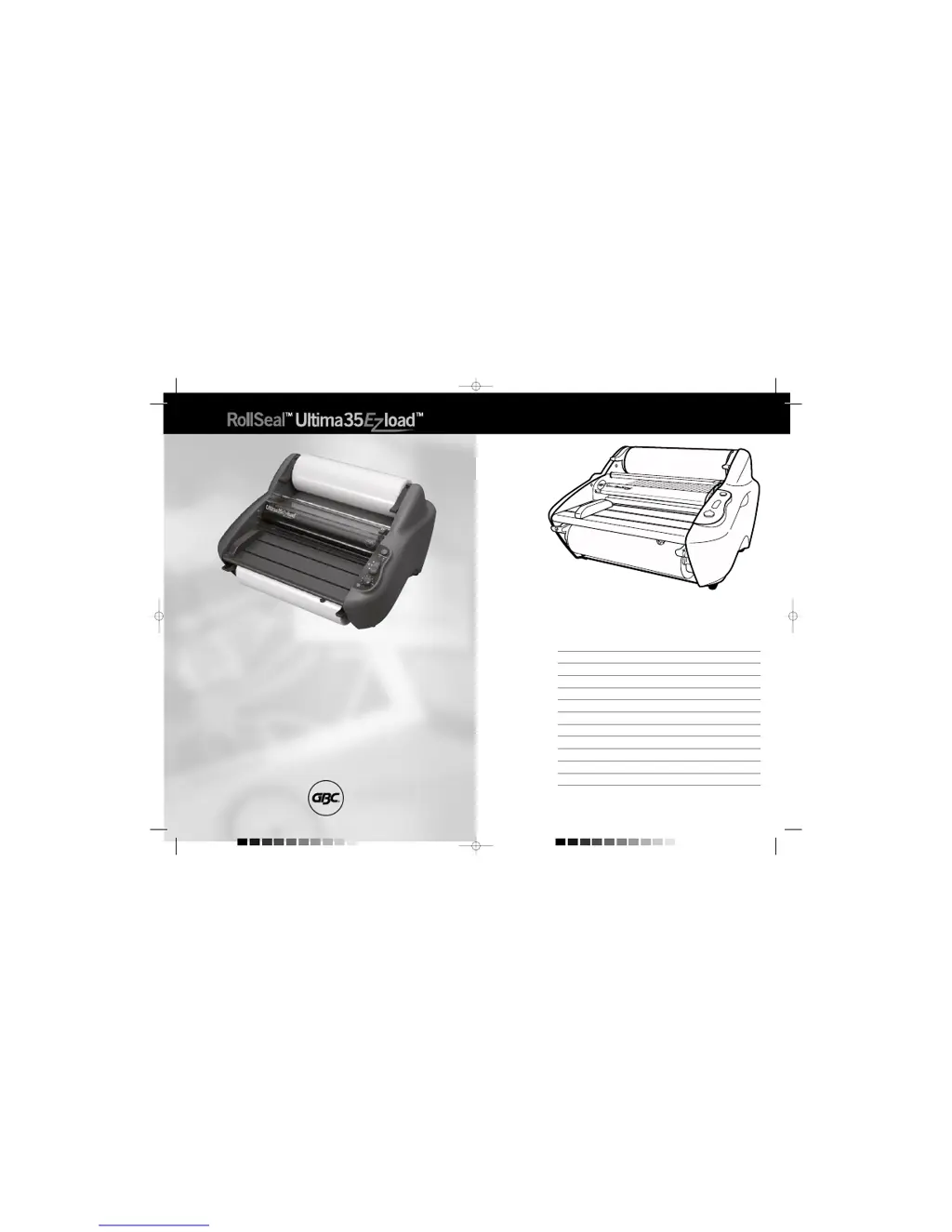
GBC RollSeal Ultima 35 EZ load - User Manual

GBC RollSeal Ultima 35 EZ load
38 pages
Print Icon
To Next Page IconTo Next Page
Loading...
English 4
Français 10
Deutsch 16
Italiano 22
Nederlands 28
Español 34
Português 40
Svenska 46
Polski
52
Česky
58
Magyar
64
Pyccкий
70
G
Instruction Manual
F
Manuel d’utilisation
D
Bedienungsanleitung
I
Manuale d’istruzioni
O
Gebruiksaanwijzing
E
Manual de instrucciones
P
Manual de Instruções
S
Bruksanvisning
Q
Instrukcja obsługi
o
Návod k obsluze
H
Használati útmutató
o
Руководство по
ýксплуaтaции
CZ
RUS
GBC5147 Ultima 35 EZLoad Ma-EU+ 05/11/29 12:45 PM Page 1

Questions and Answers

  • F
    Francisco CrossJul 30, 2025
    How to fix wrinkled laminated items from my GBC RollSeal Ultima 35 EZ load?
    • L
      lisa07Jul 31, 2025
      If your laminated items are coming out wrinkled from the GBC Laminator, the tension on the top or bottom supply roll might be too loose. Make sure to close the lever completely.
  • T
    thomasmarieAug 4, 2025
    What to do if film jams occur in my GBC RollSeal Ultima 35 EZ load Laminator?
    • R
      richardescobarAug 4, 2025
      Film jams in GBC laminators may occur if only one roll of film is used or if one or both rolls of film are allowed to run completely off the core. To resolve this, ensure that both the top and bottom rolls are used for problem-free lamination.
  • T
    Tami CarterAug 8, 2025
    What to do if my GBC Laminator power indicator does not illuminate?
    • A
      Andres OnealAug 8, 2025
      If the power indicator on your GBC Laminator doesn't light up, there could be a couple of reasons. First, make sure the standby switch on the control panel is activated by pushing it. Second, check that the laminator is properly connected to the electrical supply by inserting the plug into an appropriate receptacle.
  • D
    David LaneAug 12, 2025
    Why is my GBC RollSeal Ultima 35 EZ load Laminator not running?
    • Q
      qgibsonAug 12, 2025
      If your GBC Laminator isn't running, it might be due to the latch not being properly locked, which turns off the power to the control panel. Ensure the latch is closed.
  • B
    Brandy MartinAug 17, 2025
    Why are my laminated items wavy when using my GBC RollSeal Ultima 35 EZ load Laminator?
    • P
      padillaericAug 17, 2025
      If laminated items are wavy when using the GBC Laminator, it's likely due to excessive heat. Try reducing the temperature by turning the temperature control counter-clockwise.
  • C
    Christopher BakerAug 21, 2025
    Why are my laminated items cloudy when using my GBC RollSeal Ultima 35 EZ load Laminator?
    • J
      Jessica HarrisAug 21, 2025
      If laminated items appear cloudy when using the GBC Laminator, it's likely because there's insufficient heat. Increase the temperature by turning the temperature control clockwise.
  • D
    darrell14Aug 26, 2025
    What causes unsatisfactory adhesion to media with a GBC Laminator?
    • J
      James DouglasAug 26, 2025
      Unsatisfactory adhesion to media when using the GBC Laminator is often caused by insufficient heat. To fix this, increase the temperature by turning the temperature control clockwise.

Summary

Important Safety Instructions

Important Safeguards

General Safeguards

Basic precautions for safe operation and avoiding hazards.

Electrical Safeguards

Guidelines for safe electrical connection and usage.

Service

Instructions on when and how to get the laminator serviced.

Installation and Care

Installation

Procedures for setting up the laminator on a stable surface.

Caring for the Ultima 35 EZload

Maintenance guide for cleaning the laminator's heat shoes.

Features Guide

Product Features Overview

Detailed description of the laminator's components and their functions.

Film Loading and Threading

Loading and Threading Film

Step-by-step guide for properly loading and threading laminating film.

Operation and Clearing Jams

Operating the Laminator

Instructions on how to turn on, set temperature, and run the laminator.

Clearing Film Jams

Procedure to safely remove jammed or wrapped film from the laminator.

Specifications and Reference

Specifications

Technical details including speed, dimensions, weight, and power requirements.

Lamination Guide

Recommended temperature settings for different film gauges and materials.

Laminating Tips

Advice for achieving optimal lamination results and avoiding damage.

Troubleshooting Guide

Common issues and their corrective actions for the laminator.

Guarantee

Information on the product's warranty coverage and registration.

GBC RollSeal Ultima 35 EZ load Specifications

General IconGeneral
Warm-Up Time1 minute
Number of Rollers2
Laminating Width35 cm
Weight15 kg
FeaturesAuto shut off
Power Supply120V
Throat Width35 cm

Related product manuals