Pg 4
Insert Filament In Extruder
Plug In and Turn On
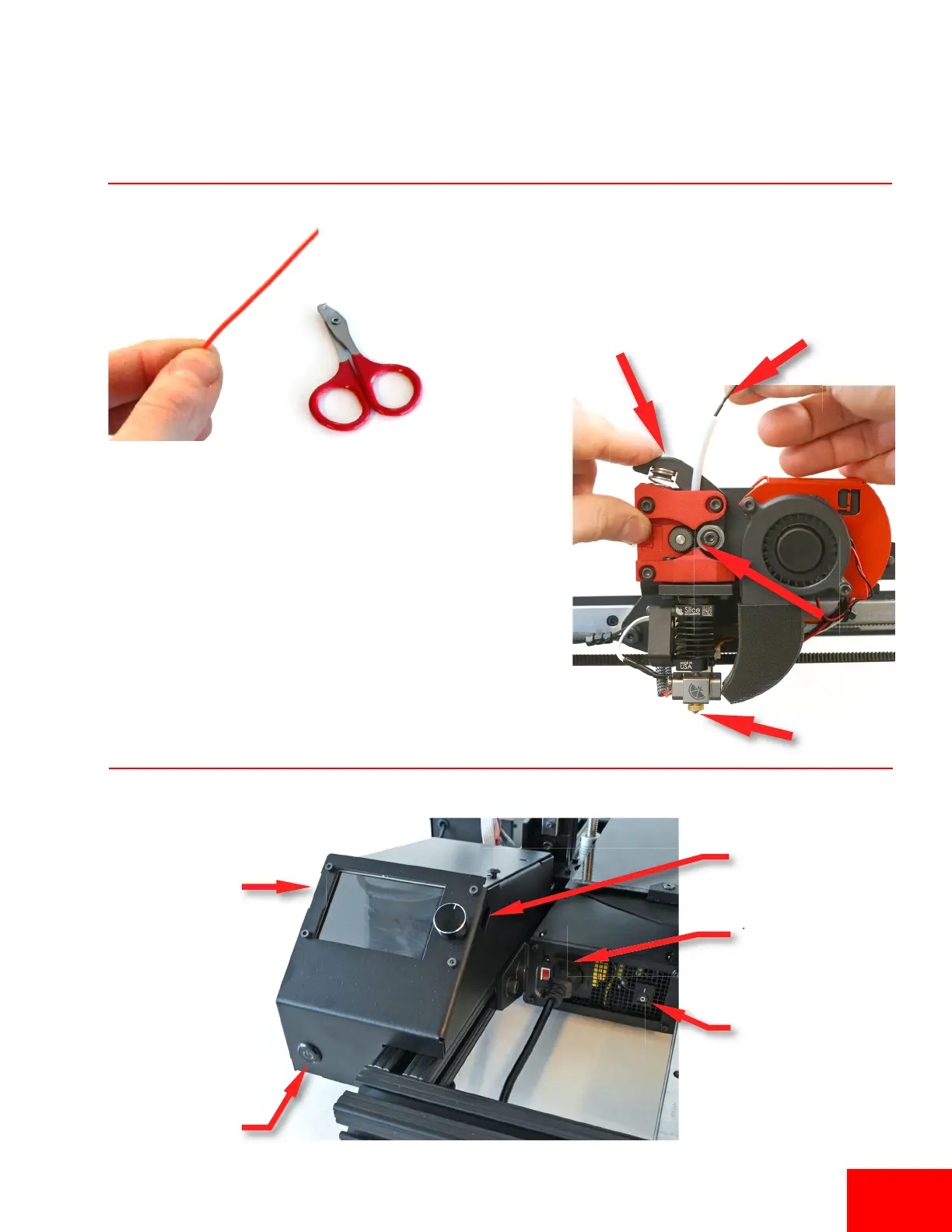
3. Pinch the extruder arm above the spring and insert
filament in the white PTFE tube.
4. Slide filament in unl you see it enter the top of the
tube just under the metal drive gear. The filament
should slide in about 4 inches more.
1. Plug in the printer to
a surge protected
power strip.
2. Make sure power
switch is on.
SD Card Slot
Power Buon
USB Slot (use
90 degree adapter)
1. We recommend cung off the first 12” of a new spool of filament.
2. Every me you insert filament, cut end of filament at a 45 degree
angle and straighten 4” of the end of the filament by bending it.


 To Next Page