Getting Started
First-Time Operation
The steps below will help you get your TV connected and working quickly.
Page numbers are also listed for more details.
1. Unpack TV and accessories.
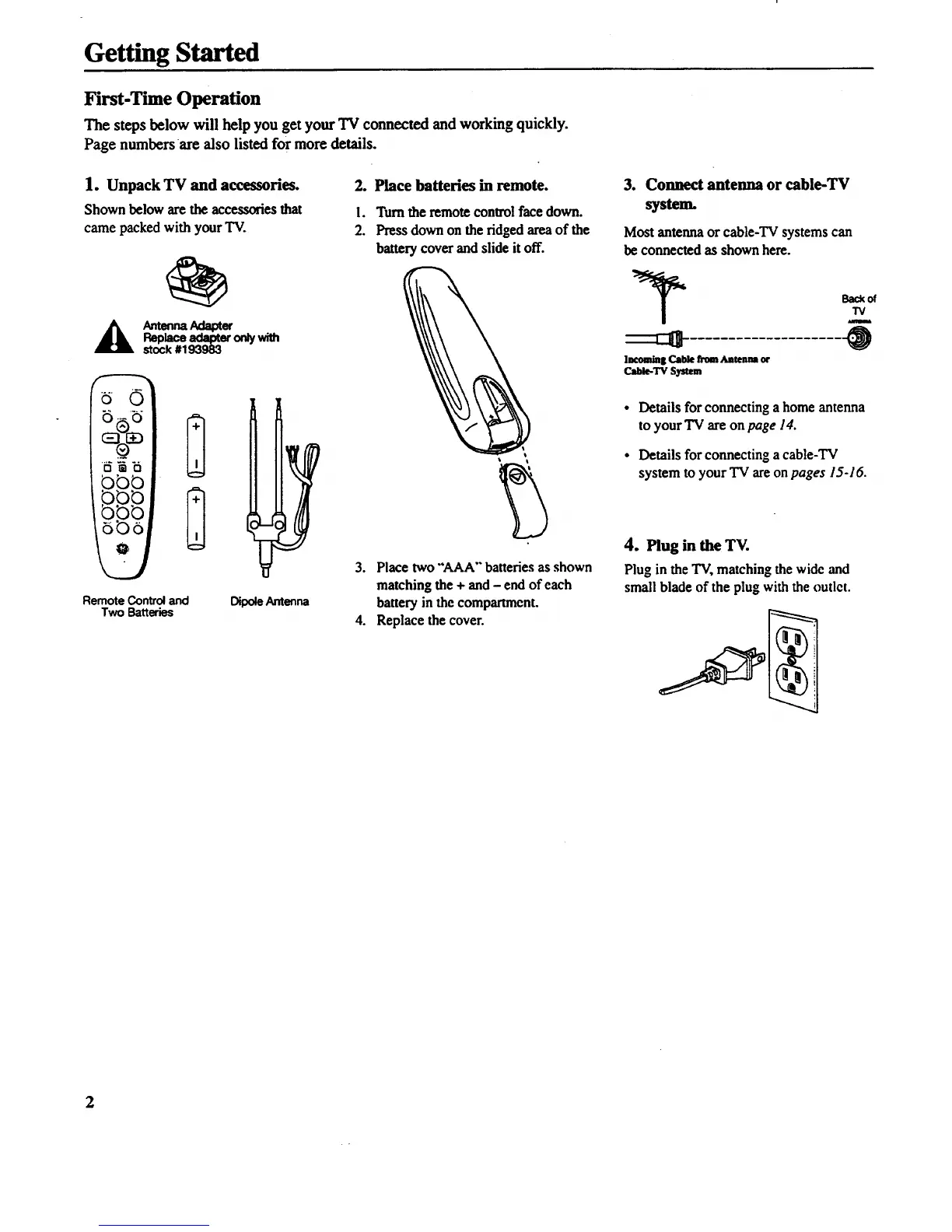
Shown below are the accessories that
came packed with your TV.
_ ntennaAda_er
Replacea_ter on_with
stock #193983
V_V
:
Remote Control and
Two Batteries
DipoaeAntenna
7
2. Place batteries in remote.
!. Turn the remote control face down.
2. Press down on the ridged area of the
battery cover and slide it off.
3. Place two "AAA" batteries as shown
matching the + and - end of each
battery in the compartment.
4. Replace the cover.
3. Connect antenna or cable-TV
system.
Most antenna or cable-TV systems can
be connected as shown here.
lacomla| Cable fromAntenna or
C_Ie-TV System
Back of
"IV
• Details for connecting ahome antenna
toyour TV are on page 14.
• Details for connecting acable-TV
system to your TV are on pages 15-16.
4. Plug in the TV.
Plug in the TV, matching the wide and
small blade of the plug with the outlet.
2



 To Next Page