12
NOTE: If you have lines 3 and 4 on your
phone, you must program extension
numbers for correct operation of the
transfer feature. See “Programming the
Extension Number.”
Lines 3 and 4 DO NOT have to be com-
mon for all phones on the system; there-
fore, the system can have a total of up to
34 lines connected.
NOTE: If you hear an error tone, the
station address number you pressed has
already been assigned to another phone
or the line cords are not properly
connected. Check the line cord
connections, or change the station address
if necessary.
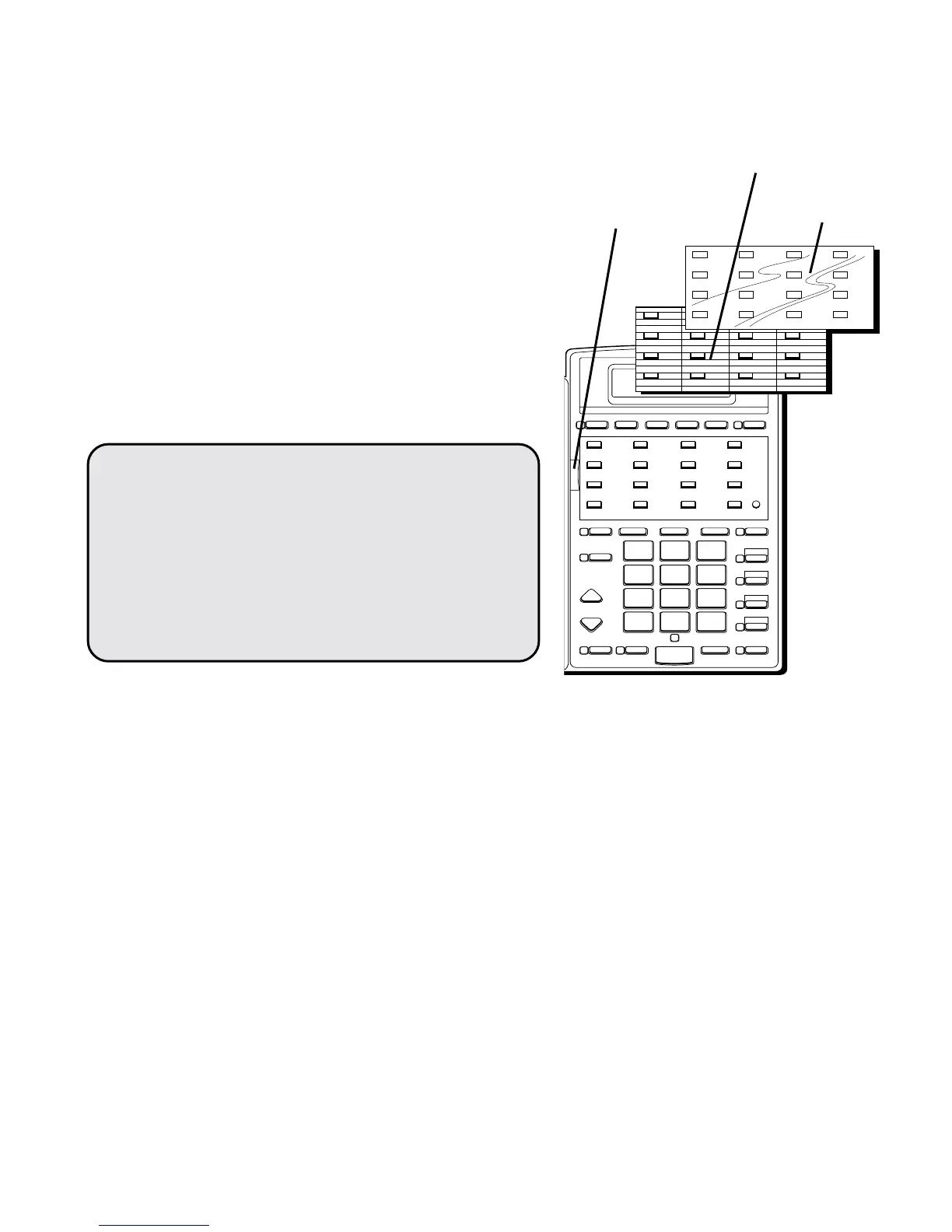
3. Push the index cover lock to the left
and lift up the acrylic memory index
cover. Remove the memory index card.
In pencil, write all the user’s names
next to the respective stations on the
memory index card.
4. Replace the memory index card, lower
the index cover back into place, and
push the index cover lock to the right
to secure the cover.
STORE IN TIMER TIME SET MEMO REVIEW LOWER
BUSY REDIAL FLASH PAUSE TRANSFER CONF CALL
PRIVACY
LINE 4
LINE 3
LINE 2
LINE 1
INTERCOM
VOLUME
HEADSET MUTE SPEAKERPHONE HOLD
WXYZ
9
MNO
6
DEF
3
#
TUV
8
JKL
5
ABC
2
OPER
0
PQRS
7
GHI
4
1
TONE
*
12 3 4
56 7 8
9101112
13 14 15 16
Index
cover
lock
Memory
index
card
Memory
index
cover



 To Next Page