34
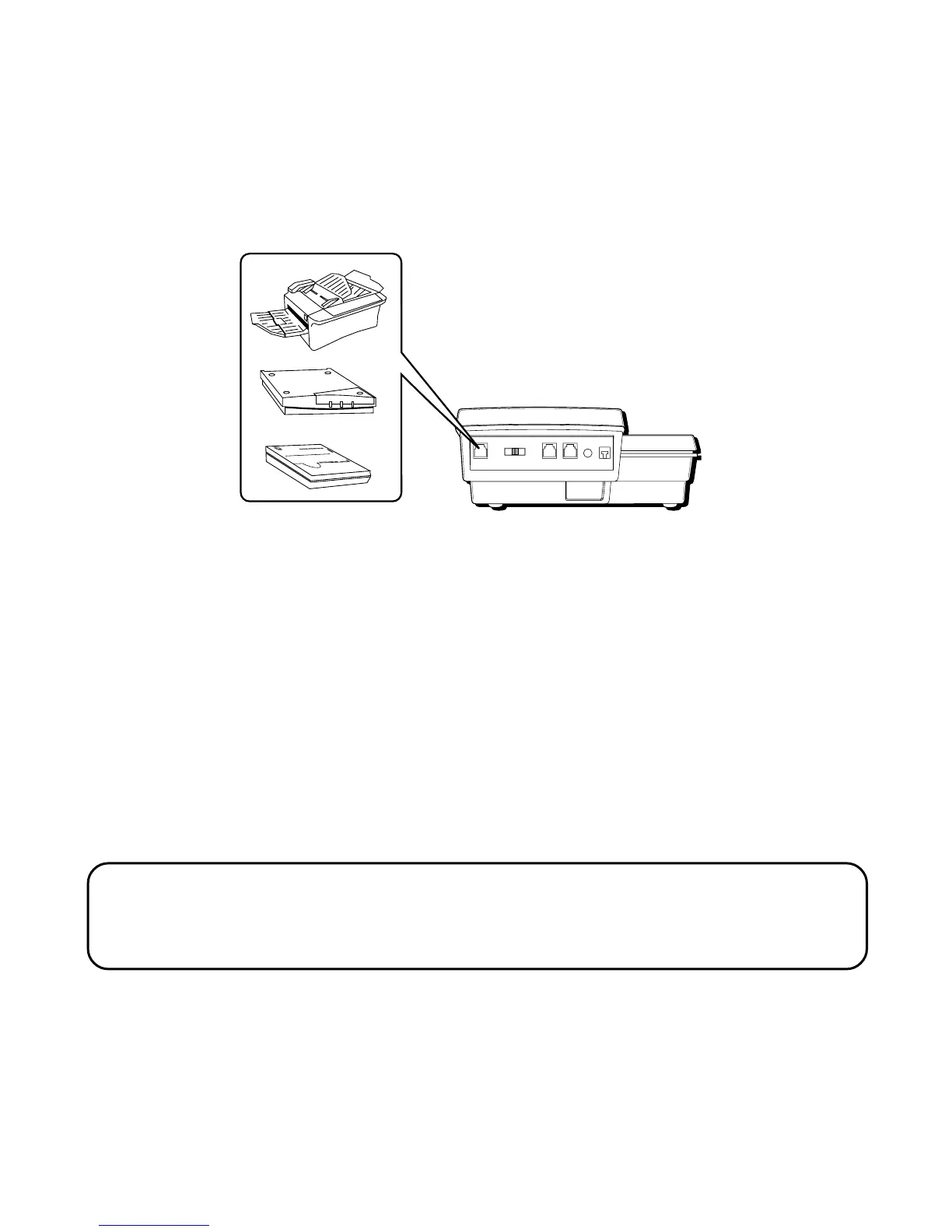
The DATA PORT switch on the back of the phone controls the Data Port
function by enabling you to choose the line that the DATA PORT uses,
either line 1, line 2, line 3, or line 4.
You can use the DATA PORT to hook up your fax machine, for example,
and then set the DATA PORT switch to LINE 4 in order to receive faxes on
the phone number for line 4.
In the event that you are talking to someone on line 4 and want that
person to fax something to you, change the DATA PORT switch to LINE 2
or LINE 3, and give the person the phone number for line 2 or line 3. Your
fax machine now can receive calls on line 2 or line 3.
IMPORTANT: Be sure to switch the fax machine back to the normal line when
you are done because outside callers who do not know that you have switched
lines will not be able to reach your fax machine if they dial the line 4 number.
DATA PORT
This phone is equipped with a DATA PORT jack for you to connect an
auxiliary phone device, such as a fax machine, computer modem,
answering machine, or even a cordless phone.



 To Next Page