15
TIP: If you choose not to use any of the Call
Waiting options, you may simply ignore the call
waiting beeps and continue your conversation. The
person calling will hear a continuous ring, as if you
are not home, or may be transferred to a voice mail
account if available.
IMPORTANT: To use the Call Waiting feature of
this unit, the phone you are using must be
connected directly to the unit.
REVIEWING CALL RECORDS
• When the red NEW CALL indicator is on, you
have received new incoming calls. Next to
the
NEW
symbol is the total number of calls.
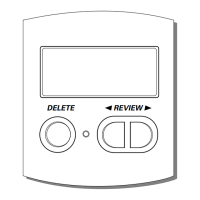
Press the up or down arrow button to review
the stored calls. After the new call records
are reviewed, the indicator turns off.
• When you reach the end of the call records, the
display shows
START/END
, confirming you
have reviewed all the records.
DELETING CALL RECORDS
TO DELETE AN INDIVIDUAL CALL
When reviewing calls, you may delete an individual
call by pressing the delete button once. The
contents of the display will be erased and the
remaining Caller ID records are renumbered.
TO DELETE ALL CALLS
1. When reviewing calls, you may delete all calls
by pressing and holding the delete button for
more than 3 seconds.
DELETE ALL?
appears in
the display.
2. Press delete again to confirm.
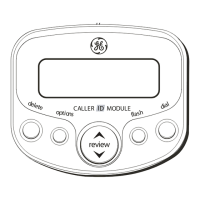
DIAL
If your phone and Caller ID unit is connected to a
touch tone line, you may use the dial button to
dial any telephone number shown in the display.
IMPORTANT: All phones on the line must be on
the hook for this feature to work.


 To Next Page