14
1
ABC
2
DEF
3
GHI
4
JKL
5
MNO
6
PQRS
7
TUV
8
WXYZ
9
*
OPER
0
#
TONE
MEM DIAL
STORE
FLASH
REDIAL
TAPELESS MESSAGE SYSTEM
PLAY / STOP
NEXTPREVIOUS
2 WAY/MEMO
ON/OFF
SET
VOLUME
+
_
NEWALL
ERASE
1
2
3
4
5
6
7
8
9
MIC
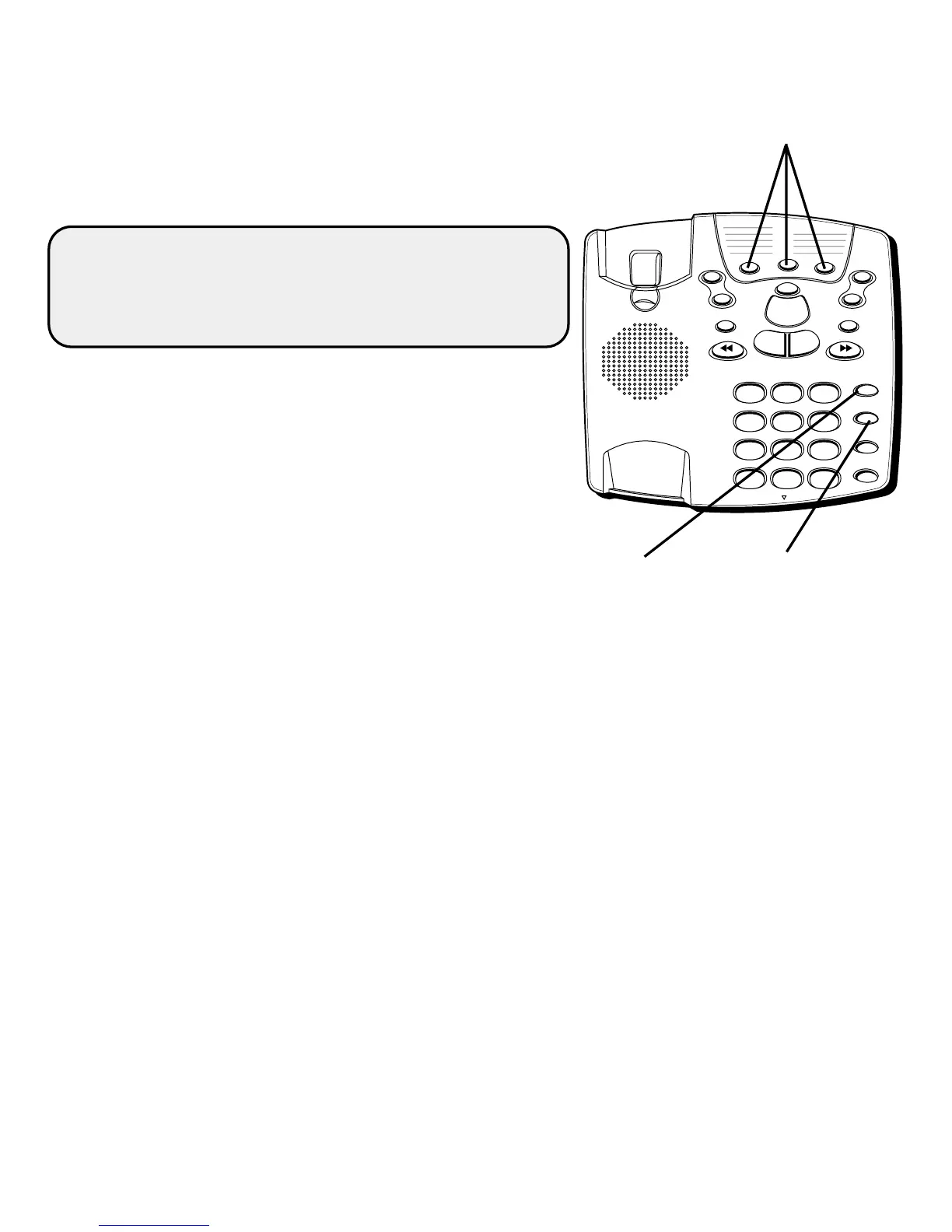
Quick Dial
buttons
MEM DIAL
button
STORE
button
DIALING A NUMBER FROM MEMORY
After you pick up the handset and hear a dial tone, press the
MEM DIAL button followed by the memory location (1-9) for
the number you want to dial.
CAUTION: If you make test calls to emergency
numbers, remain on the line and explain the reason
for the call. Also, make these calls in off-peak hours,
such as early morning or late evening.
DIALING THE QUICK DIAL NUMBERS
To dial one of these numbers, just press its button after
you get a dial tone.



 To Next Page
 Loading...







