EasyManua.ls Logo

GE AJCQ06LWJ - User Manual

GE AJCQ06LWJ
46 pages
Print Icon
To Next Page IconTo Next Page
Loading...
Write the model and serial
numbers here:
Model # _________________
Serial # _________________
You can find the this information
on a label attached to the right
side of the chassis.
GE is a trademark of the General Electric Company. Manufactured under trademark license.
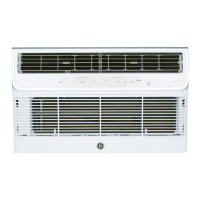
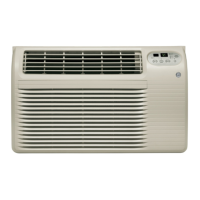
AIR CONDITIONER
26” Built-In Wi-Fi
49-5000760 Rev. 0 10-22 GEA
ESPAÑOL
For a Spanish version of this
manual, visit our Website at
GEAppliances.com.
Para consultar una version
en español de este manual
de instrucciones, visite nuestro
sitio de internet
GEAppliances.com.
FRANÇAIS
For a French version of this
manual, visit our Website at
GEAppliances.ca.
Pour un version français de
ce manuel d’utilisation, veuillez
visiter notre site web à l’adresse
GEAppliances.ca.
SAFETY INFORMATION .........3
USING THE AIR
CONDITIONER ..............4
WI-FI SETUP ......................7
CARE AND CLEANING ...........9
INSTALLATION
INSTRUCTIONS ..............10
TROUBLESHOOTING TIPS ......12
CONSUMER SUPPORT
Warranty ............................15
Consumer Support ....................16
OWNER’S MANUAL &
INSTALLATION
INSTRUCTIONS
Cool Only Models
AJCQ06LWJ
AJCQ08AWJ
AJCQ10AWJ
AJCQ10DWJ
AJCQ12AWJ
AJCQ12DWJ
AJCQ14DWJ
Cool Only High Mount Models
AJCM08AWJ
AJCM10AWJ
AJCM10DWJ
AJCM12DWJ
Heat/Cool Models
AJEQ08AWJ
AJEQ10DWJ
AJEQ12DWJ
AJEQ14DWJ
Heat/Cool High Mount Models
AJEM12DWJ
Question and Answer IconNeed help?

Do you have a question about the GE AJCQ06LWJ and is the answer not in the manual?

Overview

This document is an owner's manual and installation instructions for GE Appliances 26" Built-In Wi-Fi Air Conditioners, covering various cool-only, heat/cool, and high-mount models.

Function Description

The GE Appliances 26" Built-In Wi-Fi Air Conditioner is designed to provide cooling and, for some models, heating for a room. It features a control panel and a remote control for operation, with Wi-Fi connectivity for remote monitoring and control via the GE Appliances SmartHQ app. The unit offers multiple operating modes including COOL, HEAT (on some models), FAN, ECO, and DRY, allowing users to select the desired climate control for their space.

Important Technical Specifications

  • Dimensions:
    • Width: 26"
    • Height: 15¾"
    • Depth: 18¼" (without front cover)
    • Depth: 16" (rear of chassis to rear edge of front grille)
  • Refrigerant: The unit contains flammable refrigerant, requiring specific safety precautions for handling, installation, operation, maintenance, and disposal.
  • Electrical Requirements: The air conditioner must be properly grounded with a 3-prong (grounding) plug. It should be plugged into its own individual electrical outlet with a voltage rating that matches the rating plate. Extension cords, surge protectors, and multi-outlet adaptors are explicitly prohibited. The power cord includes a current interrupter device with TEST and RESET buttons, which should be tested periodically.
  • Remote Wall Thermostat (Heat/Cool models only): All heat/cool models can be controlled by a 24 VAC remote wall thermostat. A specific 8-pin connector (WP26X24981) is required for connection. When a remote thermostat is installed, the control display will not illuminate, and the unit will be automatically controlled by the wall thermostat.
  • Wi-Fi Connectivity: The unit is GE Appliances Wi-Fi Connect Enabled. An indicator light illuminates when Wi-Fi is active. If both Wi-Fi and a remote wall thermostat are installed, Wi-Fi has operation priority.
  • Operating Temperature Range: Do not operate the unit in COOL mode when outdoor temperatures are below 64°F (18°C).
  • Remote Control: Uses 2 "AAA" (1.5 volt) alkaline batteries. The signal range is up to 21 feet.

Usage Features

  • Control Panel and Remote Control: Both allow users to turn the unit on/off, adjust temperature, select operating modes (HEAT, COOL, FAN, ECO, DRY), and set fan speed (AUTO, LOW, MEDIUM, HIGH).
  • Display: Shows the temperature setting.
  • Modes:
    • COOL: Standard cooling operation.
    • HEAT (on some models): Heating operation.
    • FAN: Operates the fan without cooling or heating. Fan speed can be chosen, and the display shows room temperature. Temperature is not adjustable in this mode.
    • ECO: Operates in COOL mode only. The fan runs with the compressor to cool, then continues for 3 minutes after the compressor stops. The fan then cycles on for 2 minutes at 10-minute intervals until cooling restarts.
    • DRY: Operates as a dehumidifier, with some cooling. Fan operates at LOW speed only.
  • Fan Speed: AUTO, LOW, MED, HIGH settings. In AUTO, fan speed adjusts for optimal comfort. In DRY mode, fan speed is automatically set to LOW.
  • Sleep Mode: Increases (cooling) or decreases (heating) the set temperature by 2°F/1°C after 30 minutes, and again after another 30 minutes. This new temperature is maintained for 7 hours before returning to the original setting.
  • Fahrenheit vs. Celsius: Temperature display can be toggled by pressing the – and + buttons together for 3 seconds.
  • Control Panel Lights: Lights turn off after 1 minute of inactivity. Press any pad to wake them up. To disable this feature, press and hold SLEEP for 3 seconds. Pressing DISPLAY on the remote turns lights off immediately.
  • Control Panel Sound: Audible beep when buttons are pressed can be disabled/enabled by pressing FILTER for 3 seconds.
  • Air Direction: Adjustable louvers allow directing airflow up/down and left/right.
  • Ventilation: A ventilation port can be opened by pulling a lever, allowing fresh air intake.
  • Automatic 3-Minute Delayed Start: In COOL mode, if the unit is turned off and on quickly, there's a 3-minute delay to prevent compressor overheating.
  • 2-Second Compressor Delay: When switching to FAN or HEAT, there's a 2-second delay for the compressor to stop.
  • Temperature Maintenance: The control maintains the set temperature within 1°F between 62°F and 86°F in cool or heat mode.
  • Power Outage Memory: The unit remembers the last setting and returns to it when power is restored.
  • SmartHQ App: Allows remote monitoring, control, and notifications via a smartphone. The app can be downloaded from iTunes or Google Play.

Maintenance Features

  • Air Filter: Accessible by pulling forward the front grille louvers. It can be washed with liquid dishwashing detergent and warm water, or vacuumed. Must be thoroughly dry before replacing. Do not use hot water over 104°F (40°C) or operate without the filter.
  • Check Filter Reminder: An LED light illuminates after 250 hours of operation to remind users to clean the air filter. Reset by pressing the FILTER button.
  • Cabinet Cleaning: Unplug the unit before cleaning. The cabinet and front can be dusted with an oil-free cloth or washed with a damp cloth and mild liquid dishwashing detergent. Avoid harsh cleaners, wax, or polish. Ensure excess water is wrung from the cloth to prevent damage to controls.
  • Outdoor Coils: Should be checked regularly for dirt or soot. Professional cleaning may be necessary.
  • Front Grille Removal: The front grille can be removed for thorough cleaning by following specific steps involving pulling louvers, removing the filter, unscrewing two Phillips head screws, and releasing tabs and the electrical connector.
  • Energy Saving Note: A cover (26" W x 17" H x 5" D) is recommended to insulate the unit when not in use.
  • Weather Seal Strips Installation: Two adhesive foam pads are provided for non-GE or older wall sleeves to improve sealing. These are installed on the sides of the chassis behind a raised area.
  • Security Brackets Installation: Two metal brackets (stamped 26") are included to prevent the chassis from being pushed into the room. They are installed on the sides of the chassis, hooked behind the inside flanges of the wall sleeve.

GE AJCQ06LWJ Specifications

General IconGeneral
BrandGE
ModelAJCQ06LWJ
CategoryAir Conditioner
LanguageEnglish

Related product manuals