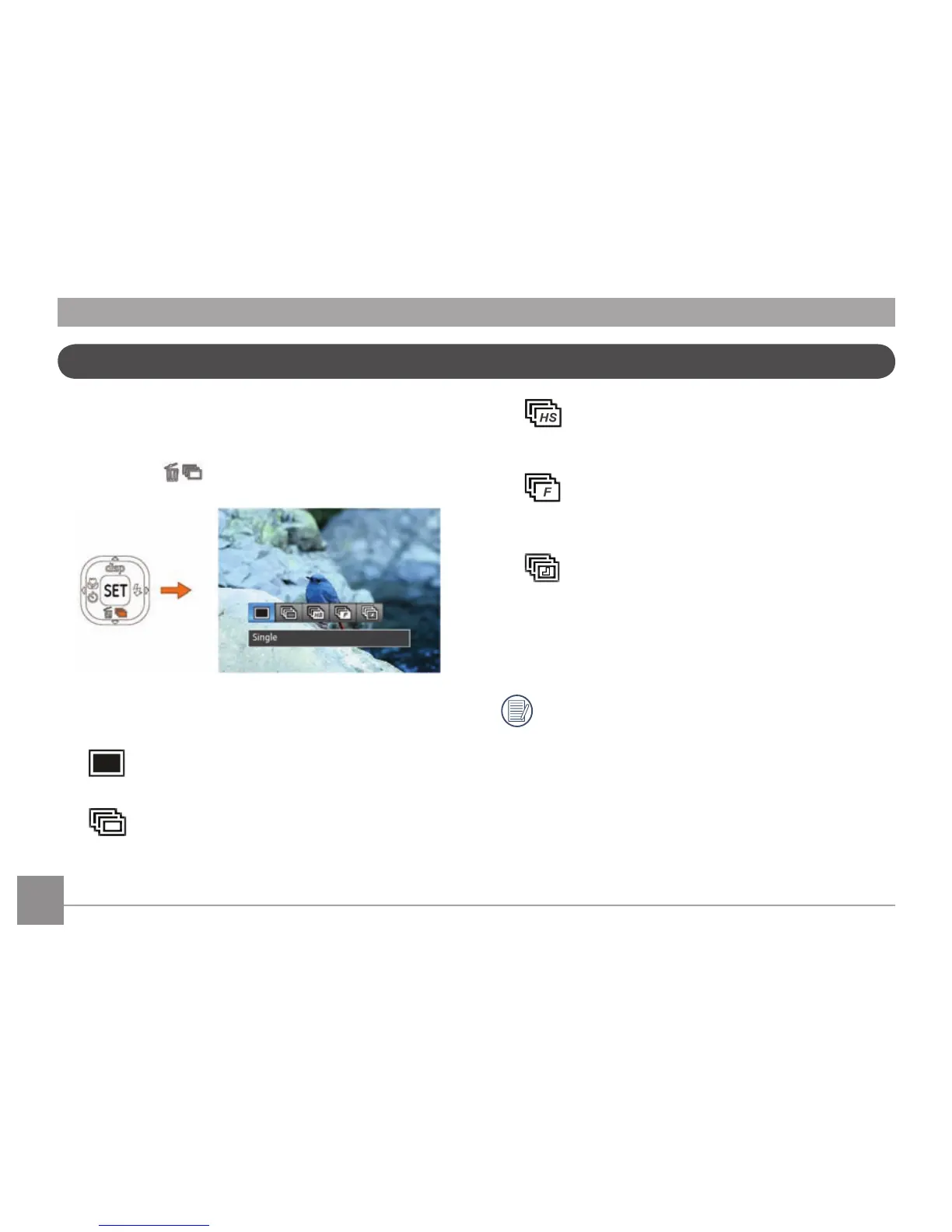
Use this setting to perform continuous shooting. After entering
this mode, you can shoot multiple images by continuously
holding the shutter button down.
1. Press Down button to enter continuous capture
menu.
2. Press the Left/Right button to select the following 5 modes:
•
Single
Capture a single shot only.
•
Continuous Shot
Shoot at the rate of 10 pictures per second with
the maximum pixel setting. (Slow down starting
from No. 8)
•
Cont.Shot-High Speed (VGA)
Continuously capture using VGA pixel, up to
75pcs/sec with a maximum of 120 images.
•
Cont. Shot- Fast (4M)
Continuously capture 4MP images, up to 25pcs/
sec with a maximum of 40 images.
•
Time-Lapse
Automatically capture pictures at predened
intervals.
3
. Press the
button to conrm the settings and exit the
menu.
The ash is disabled in this mode in order to enable
quick succession of shots.
Continuous Capture Setting





 To Next Page