EasyManua.ls Logo

GE ERESCO 65 MF4 - User Manual

GE ERESCO 65 MF4
87 pages
Print Icon
To Next Page IconTo Next Page
Loading...
GE
Sensing & Inspection Technologies
X-ray
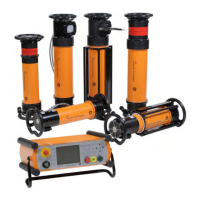
Industry X-ray Unit
ERESCO MF4 Type Series
Digital control unit ERESCO MF4 control
Operating manual

Table of Contents

Question and Answer IconNeed help?

Do you have a question about the GE ERESCO 65 MF4 and is the answer not in the manual?

Summary

Safety Information

Radiation Protection Information

Provides essential guidelines and measures for safe operation and radiation protection.

Safety Notes

General safety precautions and warnings for unit operation and maintenance.

Danger Posed by this System

Details the risks associated with high voltage and X-ray radiation from the system.

Authorised Users

Defines who is permitted to operate the unit and their responsibilities.

Safety Measures at the Installation Site

Outlines site-specific safety measures, including grounding and area demarcation.

Operating Manual

Installation of the Unit

Step-by-step guide for connecting the radiating unit and control unit, including diagrams.

Taking into operation

Covers initial steps like mains connection, stand-by mode, and understanding display modes.

Ready for operation and warm-up

Details procedures for preparing the unit for operation and the tube warm-up process.

Setting the Operating Parameters

Guides on how to input and adjust key operating parameters like exposure time, kV, and mA.

Power mode

Explains how the unit calculates shortest exposure times based on maximum tube output.

Exposure calculator

Describes the integrated tool for calculating exposure factors and times based on material and parameters.

Starting Exposure

Covers the process of initiating an X-ray exposure, including safety checks and prewarning.

Exposure Stop

Explains how to safely stop an ongoing exposure and resume operations.

Generating Programs

Guides on creating, saving, and naming custom exposure programs for repeated use.

Setup Menu

Exposure Calculation Tool

Tool for calculating exposure factors and correction values for materials.

Interlock Mode

Protective Devices

List of Messages

Summary

Safety Information

Radiation Protection Information

Provides essential guidelines and measures for safe operation and radiation protection.

Safety Notes

General safety precautions and warnings for unit operation and maintenance.

Danger Posed by this System

Details the risks associated with high voltage and X-ray radiation from the system.

Authorised Users

Defines who is permitted to operate the unit and their responsibilities.

Safety Measures at the Installation Site

Outlines site-specific safety measures, including grounding and area demarcation.

Operating Manual

Installation of the Unit

Step-by-step guide for connecting the radiating unit and control unit, including diagrams.

Taking into operation

Covers initial steps like mains connection, stand-by mode, and understanding display modes.

Ready for operation and warm-up

Details procedures for preparing the unit for operation and the tube warm-up process.

Setting the Operating Parameters

Guides on how to input and adjust key operating parameters like exposure time, kV, and mA.

Power mode

Explains how the unit calculates shortest exposure times based on maximum tube output.

Exposure calculator

Describes the integrated tool for calculating exposure factors and times based on material and parameters.

Starting Exposure

Covers the process of initiating an X-ray exposure, including safety checks and prewarning.

Exposure Stop

Explains how to safely stop an ongoing exposure and resume operations.

Generating Programs

Guides on creating, saving, and naming custom exposure programs for repeated use.

Setup Menu

Exposure Calculation Tool

Tool for calculating exposure factors and correction values for materials.

Interlock Mode

Protective Devices

List of Messages

GE ERESCO 65 MF4 Specifications

General IconGeneral
BrandGE
ModelERESCO 65 MF4
CategoryIndustrial Equipment
LanguageEnglish

Related product manuals