EasyManua.ls Logo

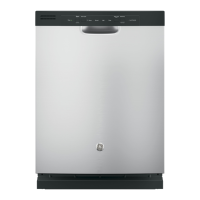
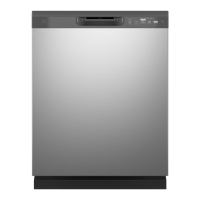
GE GDF510PSRSS - User Manual

GE GDF510PSRSS
72 pages
Print Icon
To Next Page IconTo Next Page
Loading...
Write the model and serial
numbers here:
Model # _________________
Serial # _________________
You can find them on a label on
the tub wall just inside the door.
GE is a trademark of the General Electric Company. Manufactured under trademark license.
OWNER’S MANUAL
DISHWASHERS
49-4000239 Rev 0 09-20 GEA
ENGLISH/FRANÇAIS/
ESPAÑOL
GDF530 Series
GDF630-640 Series
GDT535-635 Series
GDP615 Series
SAFETY INFORMATION .........3
USING THE DISHWASHER
Getting Started ........................5
Dispensers ............................8
Appliance Communication .............10
Loading ............................. 11
CARE AND CLEANING ............16
TROUBLESHOOTING TIPS ......19
LIMITED WARRANTY ...........23
CONSUMER SUPPORT ......... 24
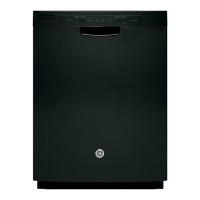
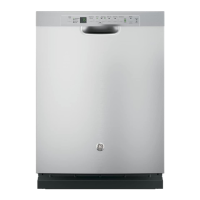
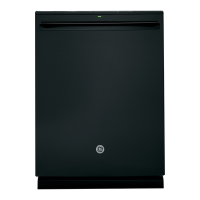
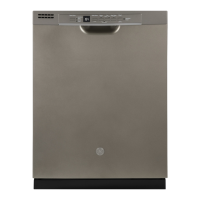
FRONT CONTROL MODELS TOP CONTROL MODELS

Other manuals for GE GDF510PSRSS

Questions and Answers

  • R
    ryanatkinsAug 23, 2025
    What to do if my GE Dishwasher won’t run?
    • K
      kmoonAug 23, 2025
      If your dishwasher isn't running, check a few things: First, make sure the fuse isn't blown or the circuit breaker isn't tripped; replace the fuse or reset the breaker, and remove other appliances from the circuit. Also, ensure the power to the dishwasher is turned on, especially if it's controlled by a wall switch. Lastly, check if the control panel is locked and unlock it if necessary. See the Getting started section.
  • B
    brentcooperSep 5, 2025
    How to get rid of a white film on glassware, dishware and the interior of my GE GDF510PSRSS?
    • D
      Dale BrownSep 5, 2025
      A white film is likely caused by low-quality phosphate-free dishwasher detergent. To remove it, run a cycle with citric acid (WD35X151 kit available online) in the detergent cup, without silverware or metal items. Alternatively, use Cascade® Platinum™ Dishwasher Cleaner or Finish® Dishwasher Cleaner. A vinegar rinse (1 cup) after the detergent cup opens may also help. High-quality rinse agents like Cascade® Platinum™ Power Dry™ Risnse Aid or Finish® Jet-Dry® Rinse Aid and detergents such as Cascade® Platinum™ ActionPacs™ or Finish® Quantum® Automatic Dishwashing Detergent can prevent future buildup.
  • M
    Mary PinedaSep 4, 2025
    Why do I have spots and filming on glasses and flatware in my GE GDF510PSRSS?
    • D
      David GarciaSep 4, 2025
      Spots and filming can occur for several reasons. Extremely hard water may be the cause; use high-quality rinse agents. Ensure your inlet water temperature is at least 120°F (49°C). Overloading or improper loading can also lead to this issue; refer to the Loading section for guidance. Old or damp powder detergent, an empty rinse agent dispenser, or using too little or low-performing detergent can also contribute. A combination of soft water and too much detergent can cause etching, which is permanent; use less detergent if you have soft water and wash glassware in the shortest cycle. Finally, low-performing phosphate-free detergent can be a factor; see A white film on glassware, dishware, and the interior in the TROUBLESHOOTING section.
  • R
    rubencarsonSep 2, 2025
    Why is my GE GDF510PSRSS Dishwasher control panel responding to inputs but not filling with water?
    • M
      Molly WareSep 3, 2025
      If the control panel responds but the dishwasher doesn't fill with water, make sure the door is firmly closed. Also, check that the water valve (usually under the sink) is turned on. The flood float may also be stuck; remove the Ultra-Fine Filter assembly and lightly tap the dome-like piece under it, then replace the filter.
  • A
    Aaron MorrowSep 1, 2025
    Why does my GE GDF510PSRSS beep once every minute?
    • K
      Kyle SchultzSep 1, 2025
      The beeping every minute is a reminder that your dishwasher door has been left open during operation. Press Start and close the door.
  • M
    Marcus WilliamsAug 30, 2025
    How to stop beeping at the end of the cycle on my GE GDF510PSRSS Dishwasher?
    • L
      lfergusonAug 30, 2025
      To turn off the double beep indicator (or re-activate it if it was previously turned off), press the Heated Dry pad 5 times within 3 seconds. A triple beep will sound to indicate the end-of-cycle beep option has been turned on or off.
  • D
    Dustin CombsAug 29, 2025
    How to fix control panel lights that go off when setting controls on my GE Dishwasher?
    • M
      Michael HarrisAug 29, 2025
      If the control panel lights go off while setting controls, it means there was too much time between touching the selected pads. Each pad must be touched within 30 seconds of the others. To relight the panel, touch any pad again or open the door and unlock (top control).
  • S
    Sarah SpencerAug 27, 2025
    Why is there water standing in the bottom of my GE Dishwasher?
    • B
      Benjamin OrtizAug 27, 2025
      Water standing in the bottom of the tub can be due to a clogged air gap. Clean the air gap. Also, ensure that the high drain loop or air gap is installed correctly; refer to the Installation Instructions.
  • J
    jameswalkerAug 27, 2025
    Why aren't my dishes drying in my GE Dishwasher?
    • J
      James MorganAug 27, 2025
      Several factors can affect drying performance. Ensure the inlet water temperature is at least 120°F. Select Heated Dry or Dry Boost and Wash Temp Boost. Check the rinse agent dispenser and fill if needed. On some models, leave the door closed after the Clean light appears to allow the fan to run for an additional 90 minutes. If using the Light cycle, switch to a different cycle. Allow cycles to fully complete.
  • M
    Mary MuellerAug 25, 2025
    Why won't water pump out of the tub of my GE GDF510PSRSS?
    • A
      Amber SteinAug 25, 2025
      If water won’t pump out of the tub, the drain may be clogged. If you have an air gap, clean it. If the dishwasher drains into a disposer, run the disposer to clear it. Check if your kitchen sink is draining well; if not, you may need a plumber.

Summary

Safety Information

Installation, Maintenance & Operation Safety

Covers proper installation, maintenance, and general operating precautions for safe use.

Specific Safety Warnings

Addresses water heater, child entrapment, disposal, and injury prevention risks.

Electrical Requirements

Essential electrical supply and connection requirements for the dishwasher.

Using the Dishwasher

Getting Started Guide

Step-by-step guide to begin using the dishwasher, including cycle selection.

Dishwasher Dispensers

Information on using the detergent and rinse agent dispensers correctly.

Appliance Communication

Details on WiFi connectivity and remote monitoring features.

Loading Instructions

Guidelines for properly loading dishes in the upper, lower, and 3rd racks.

Care and Cleaning

Cleaning Exterior and Interior

Instructions for cleaning the control panel, doors, and dishwasher interior.

Filter Maintenance

Procedures for inspecting and cleaning the ultra-fine and fine filters.

Freeze Protection

Steps to protect the dishwasher from freezing damage.

Troubleshooting Tips

Common Operational Problems

Solutions for issues like dishes not cleaning, spots, filming, and cloudiness.

Cycle, Water & Noise Issues

Troubleshooting long cycles, water filling, pumping, and operational noises.

Managing Stains and Film

Specific guidance on removing stains and white film from the interior and dishes.

Limited Warranty

Warranty Details and Exclusions

Information on what the warranty covers, exclusions, and legal rights.

GE Appliances Warranty Service

Specific warranty terms and service procedures for the US and Canada.

Consumer Support

Online Resources and Registration

Accessing GE Appliances website, registering the product, and finding support.

Service, Warranties & Parts

Scheduling service, purchasing extended warranties, and ordering parts.

Contacting GE Appliances

How to contact GE Appliances customer relations for assistance.

GE GDF510PSRSS Specifications

General IconGeneral
TypeBuilt-In
Place Settings16
Number of Wash Cycles5
Drying SystemHeated Dry
Control TypeElectronic
Noise Level51 dBA
ColorStainless Steel
Number of Options6
DispenserDetergent and Rinse Aid
Upper Rack FeaturesAdjustable
Rack MaterialNylon
Leveling LegsYes
Exterior StyleTraditional
Control LocationFront
Energy Star CertifiedYes
Soil SensorYes
Third RackNo
Stainless Steel TubYes
Delay StartYes
Wash CyclesHeavy, Normal, Light, Rinse
Dimensions34 in H x 24 in W x 24 in D
LatchPull
Dimensions (H x W x D)34 in H x 24 in W x 24 in D

Related product manuals