EasyManua.ls Logo

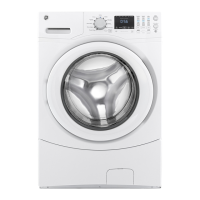
GE GFW510 - User Manual

GE GFW510
114 pages
Print Icon
To Next Page IconTo Next Page
Loading...
WASHERS
OWNER’S MANUAL &
INSTALLATION
INSTRUCTIONS
Write the model number, serial
number and MAC ID for WiFi
enabled models here:
Model # _________________
Serial # _________________
MAC ID _________________
You can find them on a label
inside the washer door.
GE is a trademark of the General Electric Company. Manufactured under trademark license.
49-3000368 Rev 0 11-23 GEA
SAFETY INFORMATION ...........3
USING THE WASHER
Getting Started ...................... 5
Appliance Communication .............14
Dryer Control ........................15
Dispensers ...........................16
Consumer Help Indicator ..............18
Loading .............................19
CARE AND CLEANING ...........20
INSTALLATION
INSTRUCTIONS ....................22
Reversing The Door Swing (optional on
some models only) .....................27
TROUBLESHOOTING TIPS ......31
LIMITED WARRANTY ............35
CONSUMER SUPPORT .......... 36
QUICK REFERENCE GUIDE ..... 37
QUICK INSTALLATION GUIDE .. 38
PFW950
PFW870
GFW850
GFW655
GFW650
GFW550
GFW510
ENGLISH/FRANÇAIS/
ESPAÑOL


Questions and Answers

  • H
    Heidi SanchezSep 16, 2025
    Why does the control time change on my GE Washer?
    • P
      Patricia GardnerSep 16, 2025
      The control time on your GE Washer may change because the washer may need to rebalance the load during the spin cycle to reduce vibrations. When this happens, the estimated time is increased, causing the time left to increase or jump. This is normal operation.
  • O
    Olivia FrankAug 25, 2025
    How to stop loud noise, vibration, or shaking in GE Washer?
    • C
      Charles BrennanAug 25, 2025
      If your GE Washer is making loud or unusual noises, vibrating, or shaking, note that the washer is designed to move slightly (about 1/4 inch) to reduce forces on the floor, which is normal. Ensure all rubber leveling legs are firmly touching the floor; adjust them if the washer is uneven and lock them in place. An unbalanced load can also cause this; pause the unit, redistribute the load manually, and run a rinse and spin cycle without a load to check the machine. A clogged pump filter may also be the problem; refer to the Care and Cleaning section.
  • K
    Kayla BakerAug 26, 2025
    Why is there not enough water in my GE GFW510 Washer?
    • L
      Lisa ColemanAug 26, 2025
      Horizontal washers, like your GE Washer, do not require the tub to fill with water like top-load washers. This is normal.
  • K
    Katherine GrayAug 27, 2025
    Why is my GE GFW510 improperly dispensing softener or bleach?
    • B
      Brandi AriasAug 27, 2025
      If your GE Washer is improperly dispensing softener or bleach, clean the dispenser drawer monthly to remove buildup of chemicals. Also, make sure you are using the correct amount of softener and not filling it above the max line.
  • S
    sanchezmorganSep 18, 2025
    How to prevent wrinkling in GE GFW510?
    • C
      Charles WilliamsSep 18, 2025
      To minimize wrinkling when using your GE Washer, avoid mixing heavy items (like work clothes) with light items (like blouses). Load your washer so clothes have enough room to move freely. Match cycle selection to the type of fabric you are washing, especially for easy care loads. Wash in warm or cold water to avoid repeated washing in water that is too hot.
  • E
    elizabeth17Nov 25, 2025
    Why does water not enter my GE Washer or enters slowly?
    • T
      Troy RobinsonNov 25, 2025
      If water does not enter your GE Washer or enters slowly, the washer performs several system checks after Start is pressed, and water will flow a few seconds after. Turn off the water source and remove the water connection hoses from the upper back of the washer to clean the screens in the machine with a brush or toothpick. Reconnect the hoses and turn the water back on. Turn off the water source and remove the inlet hoses from the wall faucets to clean the screen washers in the end of the hoses with a brush or toothpick. Reconnect the hoses and turn the water back on. See the Care and Cleaning section on how to clean the Pump Filter. Check that fill hoses are not kinked or clogged. Turn on both hot and cold faucets fully. This is an energy-efficient washer. As a result, the temperature set...
  • P
    Pamela JonesSep 8, 2025
    What to do if clothes are too wet after washing in my GE GFW510?
    • J
      James LeblancSep 8, 2025
      If your GE washer leaves clothes too wet, it may be due to an unbalanced load. Redistribute the clothes and run a Rinse & Spin cycle. The pump filter may be clogged. Avoid overloading the washer; the dry weight of the load should be less than 16 lbs. Ensure the drain hose isn't kinked or improperly connected; straighten it and ensure the washer isn't sitting on it. Also, the household drain may be clogged, or the drain hose may be siphoning; ensure there's an air gap between the hose and the drain.
  • K
    Karina MorseSep 8, 2025
    How to prevent wrinkling in my GE Washer?
    • S
      Suzanne ClarkSep 8, 2025
      To prevent wrinkling in your GE washer, avoid mixing heavy items with light items when sorting. Ensure you load your washer so clothes have enough room to move freely. Match the cycle selection to the type of fabric you are washing, especially for easy care loads. Wash in warm or cold water to avoid repeated washing in water that is too hot.
  • E
    Elizabeth ComptonSep 2, 2025
    Why are my clothes grayed or yellowed after washing in my GE GFW510 Washer?
    • E
      Elizabeth LynchSep 3, 2025
      To address grayed or yellowed clothes from your GE Washer, use the correct amount of detergent, and ensure it is HE (high efficiency) detergent. If you have hard water, use the hottest water safe for the fabric. Make sure your water heater is delivering water at 120°–140°F (48°–60°C). If the detergent is not dissolving, try a liquid HE detergent. Sort clothes by color to prevent dye transfer; if a fabric label states to wash separately, unstable dyes may be indicated.
  • J
    Jeffrey MullenSep 1, 2025
    GE Washer has no power, what to do?
    • C
      Cassandra RodriguezSep 1, 2025
      If your GE Washer has no power or isn't working, first, ensure the power cord is securely plugged into a working outlet. Next, verify that both the hot and cold water faucets are fully turned on. Check your house circuit breakers or fuses and replace or reset them as needed, ensuring the washer has a separate outlet. Note that the first time the washer is plugged in, it performs automatic system checks, which may take up to 20 seconds before you can use it. This is normal.

Summary

Safety Information and Precautions

General Safety Warnings

Read and follow all safety instructions, warnings, and precautions before using the appliance.

Installation and Usage Safety

Covers proper installation, automatic drain sequence, and safe usage when not in use.

Using the Washer

Getting Started and Basic Controls

Covers quick start steps, power, start/pause functions, and display indicators.

Wash Cycles and Settings Adjustment

Details available wash cycles and how to adjust soil, temperature, and spin settings.

Care and Cleaning

Installation Instructions

Pre-Installation Requirements

Outlines prerequisites, tools, and important notes for installation.

Electrical, Water, and Drain Requirements

Details electrical, grounding, water supply, and drain requirements for installation.

Connecting Hoses and Leveling

Step-by-step guide for connecting hoses, leveling, and final checks.

Troubleshooting Tips

Common Washer Problems and Solutions

Addresses issues like not draining, not spinning, leaking water, and clothes too wet.

Noise, Power, and Error Message Issues

Solves problems related to unusual noise, vibration, lack of power, or error messages.

GE GFW510 Specifications

General IconGeneral
BrandGE
ModelGFW510
Appliance CategoryWasher
Washer TypeFront Load
Capacity4.8 cu. ft.
ColorWhite
Steam FunctionYes
Number of Wash Cycles12
Control TypeElectronic
Smart WasherNo
Spin Speed1300 RPM
Water Temperature SettingsCold, Warm, Hot
Energy Star CertifiedYes
Number of Temperature Settings3
Number of Spin Speeds5
Delay StartYes
Child LockYes
WiFi EnabledNo
Width27 inches
Depth30.5 inches
Height39 inches

Related product manuals