EasyManua.ls Logo

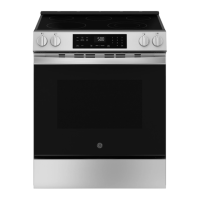
GE GRF600AVWW - User Manual

GE GRF600AVWW
72 pages
Print Icon
To Next Page IconTo Next Page
Loading...
Write the model and serial
numbers here:
Model # _________________
Serial # _________________
You can find them on a label
behind the door or drawer.
OWNER’S MANUAL
RANGES
Electric
49-2001192 Rev. 0 12-23
600 Series
GE is a trademark of the General Electric Company. Manufactured under trademark license.
SAFETY INFORMATION ........... 3
USING YOUR APPLIANCE
Connecting to WiFi ...................... 8
Oven Controls ........................... 9
Settings ............................... 10
Sabbath Mode ...........................12
Radiant Glass Cooktop ...................13
Cookware for Radiant Glass Cooktop. . . . . . .15
Oven Cooking Modes ....................17
Oven Cookware .........................18
Oven Cooking Guide .....................19
Air Fry Cooking Guide ...................20
Reheat Cooking Guide. . . . . . . . . . . . . . . . . . . .21
Aluminum Foil and Oven Liners ...........22
Oven Racks ............................ 22
Oven Air Vents ......................... 22
CARE AND CLEANING
Cooktop Surfaces - Radiant Glass
.......... 23
Exterior Surfaces .......................25
Storage Drawer. . . . . . . . . . . . . . . . . . . . . . . . . 26
Interior Surfaces ....................... 27
Oven Door .............................29
Oven Light .............................30
TROUBLESHOOTING TIPS .........31
LIMITED WARRANTY .............34
ACCESSORIES ..................... 35
CONSUMER SUPPORT ............36
ENGLISH/ ESPAÑOL


Questions and Answers

  • S
    sean28Aug 16, 2025
    What to do if the GE GRF600AVWW display is blank and the oven doesn't work?
    • P
      pamela62Aug 16, 2025
      If the display is blank and the oven isn't responding, check the fuse in your home, as it may be blown, or the circuit breaker may be tripped. Replace the fuse or reset the circuit breaker. Also, ensure the range's plug is completely inserted into a live, properly grounded electrical outlet.
  • P
    Paula StaffordAug 19, 2025
    How to fix if food does not cook properly in GE GRF600AVWW?
    • M
      Michael DayAug 19, 2025
      If your food isn't cooking properly, consider that your new oven might cook differently than your old one. For the first few uses, carefully monitor recipe times and temperatures. If you believe the oven temperature is inaccurate, you can adjust it in the Settings section to match your cooking preferences. Also, ensure that the oven controls are properly set by checking the Cooking Modes section. Verify that the rack position is correct and level, consulting the Cooking Modes section and Cooking Guide. Keep in mind that substituting ingredients can also affect the outcome.
  • J
    Jessica MillerAug 22, 2025
    What to do if food does not broil properly in GE Ranges?
    • J
      Jesus WheelerAug 22, 2025
      If food isn't broiling properly, first, ensure you've selected the appropriate broil mode, referring to the Cooking Modes section. Check the Cooking Guide for proper rack position suggestions. Make sure the cookware is cool and suited for broiling; use a pan specifically designed for broiling. If using aluminum foil on the broiling pan and grid, ensure it's fitted properly and slit as recommended to conform to the pan's slits.
  • A
    aaron21Aug 25, 2025
    Why does my GE Ranges oven take longer to preheat?
    • L
      lori15Aug 26, 2025
      Several factors can cause your oven to take longer to preheat. Cookware or food in the oven will extend preheating time, so remove these items. The number of racks in the oven also affects preheating; removing some racks can help. Using an extension rack instead of a flat rack will increase preheat time because it requires more energy to heat; using a flat rack can decrease preheat time. Different cooking modes utilize different preheat methods, with some modes taking longer than others.
  • G
    gail32Aug 28, 2025
    How to troubleshoot GE GRF600AVWW oven that will not steam clean?
    • T
      Taylor FloresAug 28, 2025
      To troubleshoot why your oven won't steam clean, first ensure the oven controls are properly set. Also, make sure the oven door is fully closed to start the steam clean cycle, and do not open the door during the cycle.
  • S
    shawnrodriguezAug 31, 2025
    How to stop excessive smoking when broiling in GE GRF600AVWW?
    • R
      robertsdavidAug 31, 2025
      If you experience excessive smoking during broiling, it could be that the food is too close to the broil element. Lower the rack position of the food.
  • G
    gregoryandreaSep 3, 2025
    What does it mean if “F— and a number or letter” appear on my GE Ranges display?
    • R
      Rachael JacksonSep 3, 2025
      If you see "F— and a number or letter" appear or flash on the display, it indicates a function error code. Press the Cancel pad, allow the oven to cool, and then try using the oven again. If the issue persists, press the Cancel pad, disconnect power to the oven for at least 30 seconds, and then reconnect it. If the error code repeats, call for service.
  • P
    Paul NicholsSep 5, 2025
    Why are my cakes lopsided or uneven when baking in my GE GRF600AVWW Ranges oven?
    • A
      Ashley FlynnSep 6, 2025
      If your cakes are lopsided or uneven, it may be because the unit was not properly leveled during installation. Level the oven, referring to the Installation Instructions for the unit.
  • J
    Joshua YangSep 8, 2025
    Why do the racks slide in or out on their own in my GE GRF600AVWW Ranges oven?
    • M
      Michael HallSep 9, 2025
      If the racks slide in or out on their own, it's likely that the unit was not properly leveled during installation. Level the oven, referring to the Installation Instructions for the unit.
  • A
    Allen BushSep 12, 2025
    How to fix a crooked oven door on GE GRF600AVWW?
    • S
      Samantha RodriguezSep 12, 2025
      If the oven door is crooked, it may be out of position. Because the oven door is removable, it sometimes gets out of position during installation. To straighten the door, re-install the door.

Summary

SAFETY INFORMATION

Anti-Tip Device Safety

Instructions and warnings for securing the range to prevent tipping hazards.

General Safety Instructions

Essential guidelines for safe appliance operation and usage.

Flammable Materials Safety

Warnings about keeping flammable items away from the range to prevent fire.

Fire Safety and Response

Steps to prevent and respond to fires involving the appliance.

USING YOUR APPLIANCE

Oven Controls Overview

Explanation of the oven's control panel buttons and their functions.

Oven Cooking Modes

Detailed descriptions of various oven cooking modes, including Bake, Broil, and Convection.

Oven Cooking Guide

Recommended rack positions and suggestions for different food types.

CARE AND CLEANING

TROUBLESHOOTING TIPS

Oven Performance Troubleshooting

Diagnosing and resolving issues with cooking results, temperature, and time.

Control Panel and Display Issues

Troubleshooting problems with the oven's display, buttons, and response.

Connectivity and Remote Issues

Resolving problems related to Wi-Fi connection, remote enable, and router issues.

CONSUMER SUPPORT

GE GRF600AVWW Specifications

General IconGeneral
BrandGE
ModelGRF600AVWW
CategoryRanges
LanguageEnglish

Related product manuals