9
Programming the Timer
Set the timer:
When the transformer is plugged into electrical outlet, 12:00AM, SUnday will begin to flash in the time display.
Set the time of day and present day of week as follows:
A.
Set the time of day:
Press the
TIME/DAY
b
utton once and the hour display will begin to flash.
Press the
SET/CLEAR
b
utton until the present hour of the day shows in the display. Be sure
AM
shows
for morning hours, or
PM
for afternoon and evening hours.
NOTE:
Press
SET/CLEAR
button and quickly release to move the hour display ahead 1 at a time to
the correct hour. Or, hold the
SET/CLEAR
button to move the display ahead 2 hours each second,
to the correct hour.
Press the
TIME/DAY
b
utton once to steady the hour display, and minutes begin to flash.
Repeat
Step A. 2
to set the correct minutes.
Press the
TIME/DAY
b
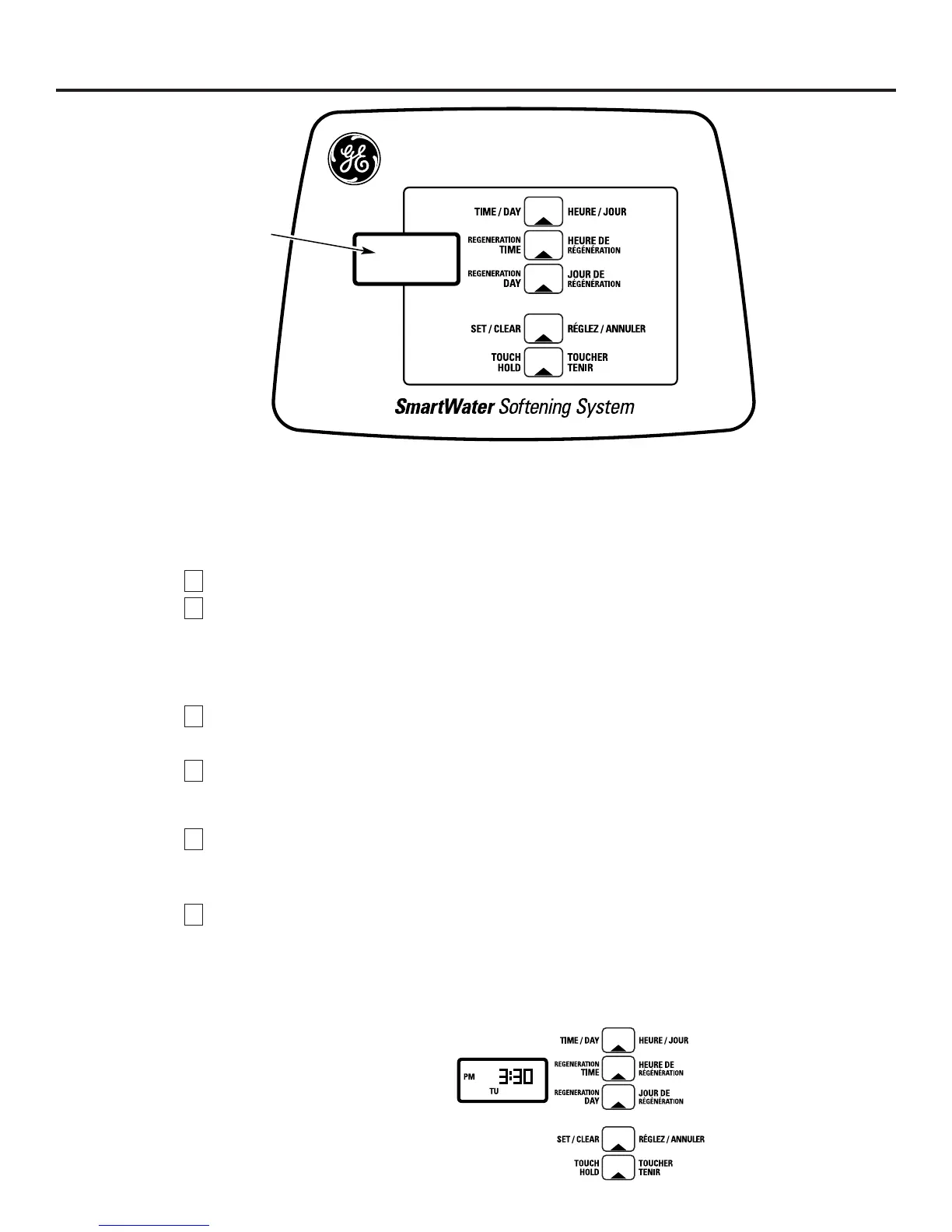
utton again to steady the minute display (day will begin flashing). Fig. 7 shows
the timer set at 3:30 PM.
B.
Set the present day of the week:
Press the
SET/CLEAR
b
utton to set the present day of the week in the display.
NOTE:
Press
SET/CLEAR
b
utton and quickly release to move the day display 1 at a time. Or hold the
SET/CLEAR
button to move the day display ahead 2 days each second.
Press the
TIME/DAY
button again to steady the entire display. Fig. 7 shows the timer set at
TUesday.
No other settings are needed
after installing your water softener. The softener is factory set to regenerate
every Monday, Wednesday and Saturday (beginning at 2:00 AM). For most families, this gives enough soft
water for their needs. However, if you want the softener to regenerate at a different time, or on different
days, or to set for the most efficiency, see
About the Water Softener System
section.
2
1
4
3
2
1
See the
Operating
section for other
timer controls and features.
Fig. 7
EXAMPLE: This drawing shows the
present time of day at 3:30 PM,
and the present day on TUesday.
Display



 To Next Page
 Loading...