EasyManua.ls Logo

GE HDM1853WL - User Manual

GE HDM1853WL
48 pages
Print Icon
To Next Page IconTo Next Page
Loading...
Questions? Call 800.GE.CARES (800.432.2737) or Visit our Website at: ge.com
READ CAREFULLY.
KEEP THESE INSTRUCTIONS
.
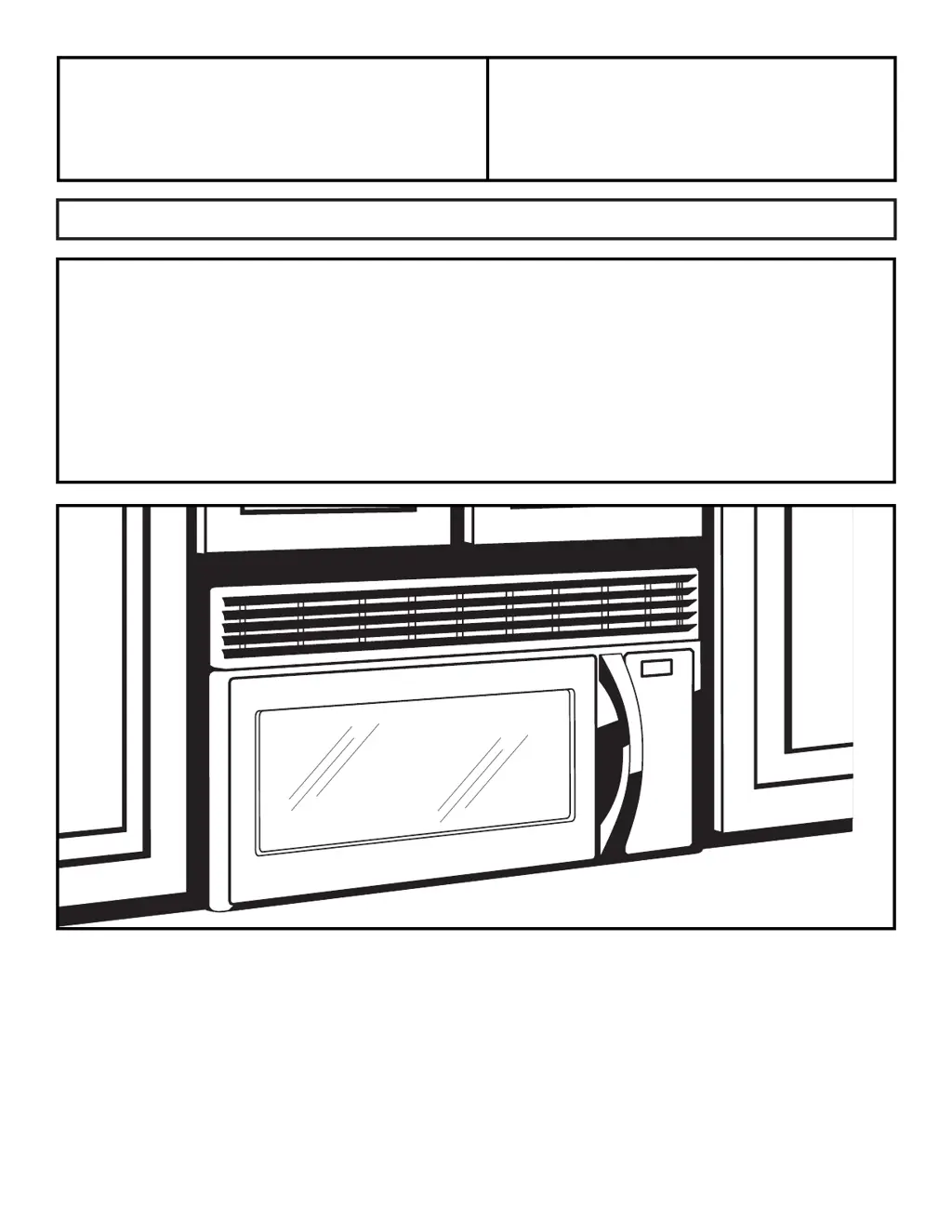
Installation Over the Range
Instructions Microwave Oven
Read these instructions completely and carefully.
IMPORTANT – Save these
instructions for local inspector’s use.
IMPORTANT – Observe all
governing codes and ordinances.
Note to Installer – Be sure to leave these
instructions with the Consumer.
BEFORE YOU BEGIN
Note to Consumer – Keep these
instructions for future reference.
Skill level Installation of this appliance requires
basic mechanical and electrical skills.
Proper installation is the responsibility of the installer.
Product failure due to improper installation is not
covered under the Warranty.
For a Spanish version of this manual, visit our Website at ge.com.
Para consultar una version en español de este manual de instrucciones, visite nuestro sitio
de internet ge.com.

Table of Contents

Questions and Answers

  • A
    ahernandezAug 19, 2025
    Why are my dishes not clean in my GE Dishwasher?
    • C
      christinaherringAug 19, 2025
      There are several reasons why your dishes might not be getting clean. Check if the Ultra-Fine Filter or Fine Filter is clogged and refer to the Care and Cleaning section. Ensure the inlet water temperature is correct by running the hot water faucet nearest the dishwasher until the water temperature stops rising before starting the dishwasher. Also, verify that the water pressure is normal (20-120 psi). Other potential causes include a clogged air gap or disposer, improper rack loading (making sure large dishware does not block the detergent dispenser or the wash arms), or poor performing detergent. In addition, check that the high drain loop or air gap is properly installed according to the Installation Instructions.
  • K
    Kayla MorrisAug 21, 2025
    Why don't dishes dry in my GE Dishwasher?
    • A
      andrealoganAug 21, 2025
      Several factors can affect drying performance. Ensure the inlet water temperature is at least 120°F. Try selecting Boost Dry or using the Boost option. You might also select a higher cycle, such as Steam-Sani, Presoak- Sani, or Sanitize. Check the rinse agent dispenser and fill as required. For additional drying time, leave the door closed after the Clean light appears to allow the fan to run for an extra 90 minutes; opening the door will cancel this extension.
  • J
    John HoAug 23, 2025
    What to do if my GE HDM1853WL won’t run?
    • M
      mauricefosterAug 25, 2025
      If your dishwasher won’t run, first check the fuse or circuit breaker and replace or reset if necessary, removing other appliances from the circuit. Ensure the power to the dishwasher is turned on, especially if it's controlled by a wall switch. Make sure the control panel is not locked; refer to the Getting started section for unlocking instructions. Also, ensure you are following the correct start sequence as described in the Using the dishwasher section.
  • J
    Joel MullinsAug 26, 2025
    What to do if GE Dishwasher control panel works but it doesn't fill with water?
    • C
      Carl ChristensenAug 26, 2025
      If the control panel responds but the dishwasher doesn't fill with water, first ensure the door is completely closed. Check that the water valve (usually located under the sink) is turned on. Also, the flood float may be stuck; remove the Ultra-Fine filter and lightly tap the piece under it that looks like a salt shaker, then replace the filter.
  • G
    gerald70Aug 28, 2025
    Why is the start status light flashing on my GE Dishwasher?
    • C
      Christopher WhiteAug 28, 2025
      The start status indicator light flashes when the door was opened or the cycle was interrupted. To restart the dishwasher, press the Start pad once and close the door within 4 seconds. If you wish to cancel the cycle, press the Start pad a second time while the dishwasher is running.
  • Z
    zsilvaAug 30, 2025
    Why does my GE HDM1853WL Dishwasher beep every minute?
    • T
      Thomas LuceroAug 30, 2025
      The beeping every minute is a reminder that your dishwasher door has been left open during operation. It will continue beeping until you press Start and close the door.
  • S
    Scott WillisSep 2, 2025
    How to prevent spots on glasses in GE HDM1853WL Dishwasher?
    • S
      Steven HayesSep 2, 2025
      To prevent spots and filming on glasses and flatware, especially if you have extremely hard water, use rinse agents like Finish® Jet-Dry® Rinse Aid. Ensure your inlet water temperature is at least 120°F (49°C). Avoid overloading the dishwasher and load it properly as shown in the Loading section. Make sure your powder detergent is fresh and of high quality, such as Finish® Quantum® Automatic Dishwashing Detergent. Also, check and refill the rinse agent dispenser with a product like Finish® Jet-Dry® Rinse Aid, and ensure you are using the proper amount of a highly rated detergent.
  • K
    Keith OconnorSep 4, 2025
    How to remove cloudiness from glassware in GE Dishwasher?
    • I
      ijonesSep 4, 2025
      Cloudiness on glassware can be caused by a combination of soft water and too much detergent, leading to etching, which is permanent. To prevent this, use less detergent if you have soft water and wash glassware in the shortest cycle possible. Also, cloudiness can be caused by low performing phosphate-free detergent. Additionally, if the water temperature entering the dishwasher exceeds 150°F, it could cause etching, so lower the water heater temperature.
  • J
    Jennifer PierceSep 6, 2025
    How to remove black marks from dishes in GE Dishwasher?
    • S
      Sharon CummingsSep 6, 2025
      Black or gray marks on dishes are typically caused by aluminum utensils rubbing against them. Remove these marks with a mild, abrasive cleaner.
  • R
    Raymond GreenSep 8, 2025
    How to turn off beeping at end of cycle on GE HDM1853WL?
    • L
      Leonard TorresSep 9, 2025
      The dishwasher beeps twice at the end of the cycle, which is normal. To turn off this double beep indicator (or re-activate it if it was previously turned off), press the Dry Boost pad 5 times within 3 seconds. A triple beep will sound to indicate the end-of-cycle beep option has been turned on or off.

GE HDM1853WL Specifications

General IconGeneral
BrandGE
ModelHDM1853WL
CategoryDishwasher
LanguageEnglish

Related product manuals