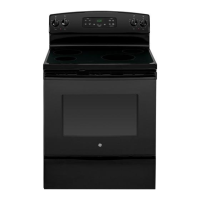
Piisintendedtohelpyou
operatemd
maintain your new
rangeproperly.
Keep it handy foranswersto
yourquestions.
If youdon’tunderstandsomething
orneedmorehelp,write(include
yourphonenumber):
ConsumerAffairs
GE.Appliances
AppliancePark
Louisville,KY40225
behindtherangedoororbehind
thestoragedrawer.
~ese numbersarealsoonthe
ConsumerProductOwnership
RegistrationCardthatcamewith
yourrange.Beforesendingin
thiscard,pleasewritethese
numbershere:
ModelNumber
SerialNumber
Use
thesenumbersinany
correspondenceorservicecalls
concerningyourrange.
Immediatelycontactthedealer(or
builder)thatsoldyoutherange.
save time and money.
.-
Before you request
.—
Serticee oa
ChecktheProblemSolverinthe
backofthisguide.Itlistscausesof
minoroperatingproblemsthatyou
cancorrectyourself.
w You WED SERWCE.e e
o
Toobtainservice,seethe
FIRST,contactthepeoplewho
~ALLY, ifyourproblemis still
I>s=
ConsumerServicespagein the
servicedyourappliance.Expltin
notresolved,write:
backofthisguide.
whyyouarenotpleased.k most
MajorApplianceConsumer
We’reproudof ourserviceand
cases,thiswillsolvetheproblem.
ActionPanel
wantyouto bepleased.If forsome
~XT, ifyouarestillnotpleased,
20NotihWackerDrive
reasonyouare nothappywiththe
writeallthedetails—including
Chicago,E 60606
serviceyoureceive,herearethree
yourphonenumber—to:
stepsto followfor furtherhelp.
Manager,ConsumerRelations
I
GEAppliances
(
AppliancePark
f
Louisville,KY40225
i
i
u
]
[
i
i
/-->
/:
. .~
—.-.
.-”. .-
—. — . . ..-”.—.. . . .
. . . ..—.-——
—...—.——------ ..,--
.—.. . . . . . . . . . . ..-——--- ----- .— -- . . ---—---



 To Next Page