EasyManua.ls Logo

GE JBS86 - User Manual

GE JBS86
28 pages
Print Icon
To Next Page IconTo Next Page
Loading...
Write the model and serial
numbers here:
Model # _________________
Serial # _________________
You can find them on a label
behind the door or drawer.
ESPAÑOL
Para consultar una version en
español de este manual de
instrucciones, visite nuestro sitio de
internet GEAppliances.com.
OWNER’S MANUAL
RANGES
Electric Free-Standing
49-2000998 Rev. 1 11-21 GEA
SAFETY INFORMATION .......... 3
USING THE RANGE
Surface Units ........................... 6
Cookware for Radiant Glass Cooktop. . . . . . 8
Double Oven Controls ................... 9
Special Features ........................10
Sabbath Mode ..........................11
Oven Racks ............................12
Aluminum Foil and Oven Liners ...........12
Cookware ..............................12
Cooking Modes .........................13
Cooking Guide .........................14
Air Fry Cooking Guide ...................16
CARE AND CLEANING
Cleaning the Range – Exterior ............17
Cleaning the Range – Interior ............18
Cleaning the Glass Cooktop ..............18
Oven Light ............................20
Oven Door .............................21
TROUBLESHOOTING TIPS ....... 22
LIMITED WARRANTY ............ 26
ACCESSORIES .................... 27
CONSUMER SUPPORT ........... 28
JBS86
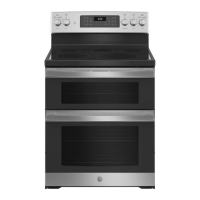
30" Free-Standing Double Oven
GE is a trademark of the General Electric Company. Manufactured under trademark license.


Questions and Answers

  • C
    Cynthia ConnerSep 12, 2025
    Why is my GE JBS86 Oven door crooked?
    • K
      Kathy SimsSep 12, 2025
      The door is out of position. Because the GE Oven door is removable, it sometimes gets out of position during installation. To straighten the door, re-install the door.
  • Z
    zrichardsonSep 18, 2025
    Why is my GE JBS86 Oven making fan noise?
    • M
      madisonthompsonSep 18, 2025
      A convection fan may automatically turn on and off. This is normal. The fan is designed to operate intermittently to maximize cooking evenness. The convection fan will operate during preheat of the bake cycle. The fan will turn off after the oven is heated to the set temperature. This is normal.
  • C
    cwilliamsSep 4, 2025
    What to do after a power outage when the clock flashes on my GE Oven?
    • K
      Kathryn AliSep 4, 2025
      After a power outage, if the clock flashes on your GE Oven, reset the clock. If the oven was in use, you must reset it by pressing the Cancel/Off pad, setting the clock, and resetting any cooking function.
  • V
    Vanessa GoodAug 26, 2025
    Why is the DOOR LOCK light on when I want to cook in my GE JBS86 Oven?
    • D
      Donna FordAug 27, 2025
      The oven door is locked because the temperature inside the GE Oven has not dropped below the locking temperature. Press the Cancel/Off pad and allow the oven to cool.
  • J
    joannewalkerAug 27, 2025
    What to do if the GE JBS86 door will not open after a clean cycle?
    • C
      Christian SmithAug 27, 2025
      If the GE Oven door will not open after a clean cycle, it is because the oven is too hot. Allow the oven to cool below locking temperature.
  • D
    David HoffmanAug 28, 2025
    Why my GE JBS86 will not steam clean?
    • G
      gbrandtAug 28, 2025
      If your GE Oven will not steam clean, it could be due to several reasons. If the display flashes HOT, allow the oven to cool to room temperature and reset the controls. Also, make sure you close the door to start steam clean cycle.
  • M
    Mariah DonaldsonSep 22, 2025
    Why does my GE JBS86 Oven door glass appears to be "tinted" or have a "rainbow" color?
    • J
      Jeffrey TaylorSep 22, 2025
      The inner oven glass is coated with a heat barrier to reflect the heat back into the oven to prevent heat loss and keep the outer door cool while baking. This is normal.
  • B
    Brian WellsSep 23, 2025
    What to do if I am unable to get the display to show “SF” on my GE JBS86?
    • S
      Steve SnyderSep 23, 2025
      The Broil Hi/Lo and Bake pads must be touched at the same time and held for 3 seconds.
  • L
    Laura RiveraSep 12, 2025
    What to do if my GE JBS86 will not stay set?
    • S
      Sarah MercadoSep 12, 2025
      If your GE Oven will not stay set, it indicates a function error. Disconnect all power for at least 30 seconds and then reconnect power. If the issue repeats, call for service.
  • A
    Andrew KellySep 5, 2025
    Why doesn't my new GE JBS86 Oven cook like my old one?
    • J
      John McdanielSep 5, 2025
      Your new GE Oven has a different cooking system from your old oven and therefore may cook differently than your old oven. For the first few uses, follow your recipe times and temperatures carefully. If you still think your new oven is too hot or too cold, you can adjust the temperature yourself to meet your specific cooking preference.

Summary

Important Safety Information

Anti-Tip Device

Instructions and warnings regarding the anti-tip device installation to prevent range tipping.

General Safety Instructions

Essential safety guidelines for using the appliance, including warnings and precautions.

Cooktop Safety Instructions

General Cooktop Safety

Safety precautions for using the cooktop surface and controls, including fire prevention.

Radiant Cooktop Safety Instructions

Radiant Cooktop Safety

Specific safety advice for radiant glass cooktops, focusing on heat and cleaning.

Oven Safety Instructions

Double Oven Controls

Control Layout and Function

Overview of all oven controls and their functions for easy operation.

Sabbath Mode

Setting and Operating Sabbath Mode

Steps to set, operate, and adjust settings in Sabbath mode for compliant use.

Exiting Sabbath Mode

Procedure to disable Sabbath mode and return to normal oven operation.

Cooking Modes

Baking and Roasting Modes

Overview of bake and roast modes for optimal cooking results.

Oven Cooking Guide (Lower Oven)

Oven Cooking Guide (Upper Oven)

Air Fry Cooking Guide

Air Fry Operation and Tips

How to use Air Fry mode, recommended cookware, and general usage tips.

Cleaning the Glass Cooktop

Troubleshooting Tips

Appliance Problem Resolution

Guide to resolving common appliance problems, error codes, and operational issues.

Limited Warranty

Warranty Coverage and Exclusions

Details on what the limited warranty covers and its exclusions.

Consumer Support

Service and Contact Information

How to schedule repair service and contact GE Appliances for assistance.

GE JBS86 Specifications

General IconGeneral
BrandGE
ModelJBS86
Oven Capacity5.3 cu. ft.
Number of Oven Racks2
Self-CleaningYes
Convection CookingNo
BroilerYes
Clock TypeDigital
Timer TypeDigital
Power SourceElectric
Voltage240V
Cooktop SurfaceSmooth
Number of Burners4
TypeFreestanding
Width30 in

Related product manuals