EasyManua.ls Logo

GE JCK1000 - User Manual

GE JCK1000
28 pages
Print Icon
To Next Page IconTo Next Page
Loading...
1
If you have questions, call 1.800.561.3344 or visit our website at:
www.geappliances.ca
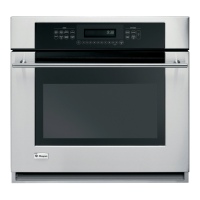
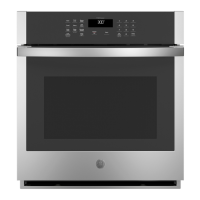
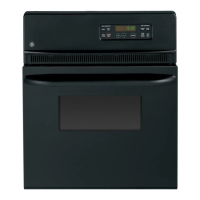
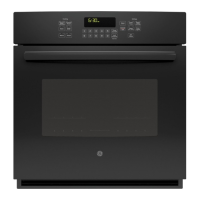
Built-In Wall Oven
27” (68.6 cm) models
JCK1000, JCK3000, JCK5000
30” (76.2 cm) models
JCT3000, JCT5000, PCT7050
Installation
Instructions
Materials Needed
Strain Relief Clamp
for 1/2” conduit
Junction
Box
Wire Nuts
Before You Begin
Read these instructions carefully and completely.
IMPORTANT³6DYHWKHVH
instructions for local inspector’s use.
IMPORTANT³2EVHUYHDOO
governing codes and ordinances.
1RWHWR,QVWDOOHU³%HVXUHWROHDYHWKHVH
instructions with the consumer.
1RWHWR&RQVXPHU³.HHSWKHVH
instructions for future reference.
Proper installation is the responsibility
of the installer and product failure due
to improper installation is NOT covered under
warranty.
127(³7KLVDSSOLDQFHPXVWEHSURSHUO\
grounded.
ATTENTION INSTALLER
All electric wall ovens must be hard wired
(direct wired) into an approved junction box. A
plug and receptacle is NOT permitted on these
products.
31-10884-1 06-13 GE
Tools Needed
1/8” (3 mm) Drill Bit and
Electric or Hand Drill
Phillips
Screwdriver
Parts Included
Taped to top of unit.
(Appearance will vary.)
Screws for Oven Mounting
[ÀDWKHDG3KLO-
lips wood screws)
Metal Bottom Trim
Assembly
Screws for Bottom Trim
Mounting (8-18 x .625 pan
head Phillips sheet metal
screws)

Questions and Answers

  • I
    Isabella ColeSep 8, 2025
    How to fix GE JCK1000 light that does not work?
    • A
      Angela WillisSep 8, 2025
      If the oven light in your GE oven isn't working, first check if the bulb is loose or defective; tighten or replace it as needed. If the pad operating the light is broken, you should call for service.
  • C
    Christopher KellyAug 23, 2025
    Why is the LOCKED light on when I want to cook in my GE JCK1000?
    • N
      nwoodsAug 23, 2025
      If the LOCKED light is on when you want to cook in your GE oven, the oven door is locked because the temperature inside the oven has not dropped below the locking temperature. Press the Cancel/Off pad and allow the oven to cool.
  • J
    Joshua SmithAug 25, 2025
    What to do if the GE JCK1000 door will not open after a clean cycle?
    • M
      michael75Aug 25, 2025
      If the oven door won't open after a clean cycle on your GE oven, it's likely because the oven is still too hot. Allow the oven to cool below the locking temperature.
  • E
    Erik PenaAug 26, 2025
    How to reset clock after power outage on GE Oven?
    • J
      Jesse WellsAug 26, 2025
      Following a power outage or surge, the clock on your GE oven may flash. Reset the clock. If the oven was in use, you must reset it by pressing the Cancel/Off pad, setting the clock, and resetting any cooking function.
  • T
    Tyler BakerAug 27, 2025
    Why is my food not baking properly in my GE Oven?
    • M
      Mackenzie LeonardAug 27, 2025
      If food isn't baking properly in your GE Oven, several factors could be at play. Ensure the oven controls are correctly set. The rack position might be incorrect or not level. The cookware could be unsuitable or the wrong size. The oven temperature may need adjustment. Also, substituting ingredients can alter the recipe's outcome.
  • C
    Christopher GarciaSep 22, 2025
    Why does my GE JCK1000 Oven door glass appear tinted or have a rainbow color?
    • P
      Patricia BarnesSep 22, 2025
      If your GE oven door glass appears "tinted" or has a "rainbow" color, this is normal. The inner glass is coated with a heat barrier to reflect heat back into the oven and keep the outer door cool. This tint or rainbow color may be visible under certain light or angles.
  • D
    Derek HurstSep 16, 2025
    Why does my GE JCK1000 have a strong odor when it's new?
    • J
      Jose AndersonSep 16, 2025
      A strong odor from a new GE oven is normal for the first few uses due to the insulation around the inside. This is temporary and will go away after several uses or a self-clean cycle.
  • A
    Andrea SmithSep 18, 2025
    Why is my GE JCK1000 making fan noise?
    • T
      Travis LeachSep 18, 2025
      A cooling fan may automatically turn on in your GE oven. This is normal; the fan cools internal parts and may run for up to 1-1/2 hours after the oven is turned off.
  • P
    Philip LopezSep 7, 2025
    Why does my GE JCK1000 Oven sometimes take longer to preheat?
    • P
      Patrick DonovanSep 7, 2025
      If your GE oven sometimes takes longer to preheat to the same temperature, it could be due to cookware or food in the oven; remove these items to reduce preheat time. The number of racks in the oven can also affect preheating, so remove some racks if needed. Different cooking modes use different preheat methods, with some modes taking longer than others.
  • D
    David JonesSep 4, 2025
    Why is my GE JCK1000 Oven smoking excessively during broiling?
    • W
      whaysSep 4, 2025
      If there's excessive smoking during broiling in your GE oven, it's likely because the food is too close to the burner element. Lower the rack position of the food.

GE JCK1000 Specifications

General IconGeneral
BrandGE
ModelJCK1000
Fuel TypeElectric
Power SourceElectric
Voltage240V
Number of Racks2
TimerYes
Door MaterialGlass
TypeOven
ColorBlack
Capacity4.4 cu. ft.
Wattage3.8 kW

Related product manuals