EasyManua.ls Logo

GE JCK1000 - User Manual

GE JCK1000
28 pages
Print Icon
To Next Page IconTo Next Page
Loading...
1
If you have questions, call 1.800.561.3344 or visit our website at:
www.geappliances.ca
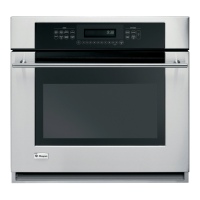
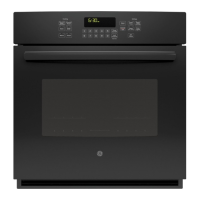
Built-In Wall Oven
27” (68.6 cm) models
JCK1000, JCK3000, JCK5000
30” (76.2 cm) models
JCT3000, JCT5000, PCT7050
Installation
Instructions
Materials Needed
Strain Relief Clamp
for 1/2” conduit
Junction
Box
Wire Nuts
Before You Begin
Read these instructions carefully and completely.
• IMPORTANT³6DYHWKHVH
instructions for local inspector’s use.
•
IMPORTANT³2EVHUYHDOO
governing codes and ordinances.
1RWHWR,QVWDOOHU³%HVXUHWROHDYHWKHVH
instructions with the consumer.
1RWHWR&RQVXPHU³.HHSWKHVH
instructions for future reference.
• Proper installation is the responsibility
of the installer and product failure due
to improper installation is NOT covered under
warranty.
127(³7KLVDSSOLDQFHPXVWEHSURSHUO\
grounded.
•
ATTENTION INSTALLER
All electric wall ovens must be hard wired
(direct wired) into an approved junction box. A
plug and receptacle is NOT permitted on these
products.
31-10884-1 06-13 GE
Tools Needed
1/8” (3 mm) Drill Bit and
Electric or Hand Drill
Phillips
Screwdriver
Parts Included
Taped to top of unit.
(Appearance will vary.)
Screws for Oven Mounting
[ÀDWKHDG3KLO-
lips wood screws)
Metal Bottom Trim
Assembly
Screws for Bottom Trim
Mounting (8-18 x .625 pan
head Phillips sheet metal
screws)

Questions and Answers

  • W
    Wanda SmithAug 21, 2025
    What to do if my GE Oven does not work?
    • K
      Katherine WalkerAug 21, 2025
      If your GE Oven isn't working, check if a fuse in your home has blown or if the circuit breaker has tripped; if so, replace the fuse or reset the breaker. Also, ensure the oven controls are properly set. Verify that the oven is not in Sabbath Mode.
  • D
    David JonesSep 4, 2025
    Why is my GE JCK1000 Oven smoking excessively during broiling?
    • W
      whaysSep 4, 2025
      If there's excessive smoking during broiling in your GE oven, it's likely because the food is too close to the burner element. Lower the rack position of the food.
  • N
    Natalie VillarrealSep 2, 2025
    Why aren't the clock and timer working on my GE JCK1000?
    • B
      Brian BarrettSep 3, 2025
      If the clock and timer on your GE oven do not work, check if a fuse in your home may be blown or the circuit breaker tripped, and replace the fuse or reset the circuit breaker.
  • D
    Dustin Hanson Jr.Sep 1, 2025
    What to do if my GE Oven is excessively smoking during the clean cycle?
    • T
      Tammy BrownSep 1, 2025
      If there's excessive smoking during the clean cycle of your GE oven, it's likely due to excessive soil or grease. Press the Cancel/Off pad, open the windows to clear the smoke, wait for the LOCKED light to turn off, wipe up the excess soil, and then reset the clean cycle.
  • M
    Mr. Kevin JeffersonAug 30, 2025
    Why GE JCK1000 will not self-clean?
    • S
      Sarah JamesAug 30, 2025
      If your GE oven will not self-clean, it could be because the temperature is too high; allow the oven to cool and reset the controls. Also, ensure the oven controls are properly set.
  • W
    williamtoddAug 29, 2025
    Why is my food not broiling properly in my GE JCK1000?
    • J
      jonescarrieAug 29, 2025
      If food isn't broiling properly in your GE Oven, ensure you've selected the appropriate broil mode and are using the correct rack position. Make sure the cookware is cool and suitable for broiling. If using aluminum foil, ensure it's properly fitted and slit as recommended. In areas with low voltage, preheat the broil element for 10 minutes.
  • T
    Tyler BakerAug 27, 2025
    Why is my food not baking properly in my GE Oven?
    • M
      Mackenzie LeonardAug 27, 2025
      If food isn't baking properly in your GE Oven, several factors could be at play. Ensure the oven controls are correctly set. The rack position might be incorrect or not level. The cookware could be unsuitable or the wrong size. The oven temperature may need adjustment. Also, substituting ingredients can alter the recipe's outcome.
  • E
    Erik PenaAug 26, 2025
    How to reset clock after power outage on GE Oven?
    • J
      Jesse WellsAug 26, 2025
      Following a power outage or surge, the clock on your GE oven may flash. Reset the clock. If the oven was in use, you must reset it by pressing the Cancel/Off pad, setting the clock, and resetting any cooking function.
  • J
    Joshua SmithAug 25, 2025
    What to do if the GE JCK1000 door will not open after a clean cycle?
    • M
      michael75Aug 25, 2025
      If the oven door won't open after a clean cycle on your GE oven, it's likely because the oven is still too hot. Allow the oven to cool below the locking temperature.
  • C
    Christopher KellyAug 23, 2025
    Why is the LOCKED light on when I want to cook in my GE JCK1000?
    • N
      nwoodsAug 23, 2025
      If the LOCKED light is on when you want to cook in your GE oven, the oven door is locked because the temperature inside the oven has not dropped below the locking temperature. Press the Cancel/Off pad and allow the oven to cool.

GE JCK1000 Specifications

General IconGeneral
BrandGE
ModelJCK1000
Fuel TypeElectric
Power SourceElectric
Voltage240V
Number of Racks2
TimerYes
Door MaterialGlass
TypeOven
ColorBlack
Capacity4.4 cu. ft.
Wattage3.8 kW

Related product manuals