EasyManua.ls Logo

GE JES2251SJ - User Manual

GE JES2251SJ
24 pages
Print Icon
To Next Page IconTo Next Page
Loading...
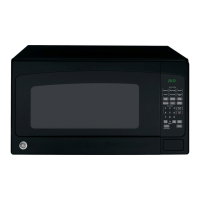
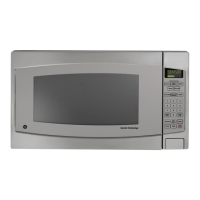
Microwave Oven
JES2251
Owner’s Manual
Safety Information . . . . . . . . .2–6
Operating Instructions
Automatic Features . . . . . . . . . .13
Microwave Terms . . . . . . . . . . . .18
Other Features . . . . . . . . . . .16, 17
Oven Features . . . . . . . . . . . . .7, 8
Power Levels . . . . . . . . . . . . . . . .9
Sensor Features . . . . . . . . . .14, 15
Time Features . . . . . . . . . . . .9–12
Care and Cleaning . . . . . .18, 19
Troubleshooting Tips . . . . . . .20
Things That Are Normal . . . . . .20
Consumer Support
Consumer Support . . .Back Cover
Product Registration . . . . . .21, 22
Warranty . . . . . . . . . . . . . . . . . .23
F00036P41AG 49-40511 01-06 JR
ge.com
Write the model and serial
numbers here:
Model # __________________
Serial # __________________
You can find them on a label
inside the oven.

Other manuals for GE JES2251SJ

Questions and Answers

  • M
    Michele LunaAug 1, 2025
    How to fix a GE Microwave Oven that won't start?
    • A
      austinbryantAug 2, 2025
      If your GE Microwave Oven isn't starting, check these potential causes: * A fuse in your home may be blown. Replace the fuse or reset the circuit breaker. * The circuit breaker might have tripped due to a power surge. Unplug the microwave oven, then plug it back in. * Ensure the 3-prong plug on the oven is fully inserted into the wall outlet. * The door may not be securely closed. Open the door and close it securely.
  • T
    Teresa BellAug 8, 2025
    What to do if the GE Microwave Oven control panel is lighted, but the oven won't start?
    • R
      Ryan PenaAug 8, 2025
      If the control panel is lighted but your GE Microwave Oven won't start, it could be due to several reasons: * The door might not be securely closed. Open the door and close it securely. * You may not have pressed the START pad after making your cooking selection. Press START. * Another selection might already be entered in the oven. Press STOP/RESET to cancel it. * If you pressed POWER LEVEL, ensure you've entered the cooking time before pressing START. * You might have accidentally pressed CLEAR/OFF. Reset the cooking program and press START. * If you selected INVERTER DEFROST, make sure you've entered the food weight. * The oven may have been paused accidentally. Press START to restart the cooking program.
  • M
    Melvin HawkinsAug 13, 2025
    How to unlock GE JES2251SJ when “LOCK” appears on the display?
    • L
      Lauren HamptonAug 13, 2025
      If the “LOCK” appears on the display of your GE Microwave Oven, it means the control has been locked. To cancel the lock-out, press the OPTIONS pad, then select 5 (CHILD LOCK-OUT) and press 2.
  • H
    Helen DudleyAug 20, 2025
    Why does the SENSOR ERROR message appear on my GE JES2251SJ Microwave Oven display?
    • M
      Mark ThomasAug 20, 2025
      If a SENSOR ERROR message appears on the display of your GE Microwave Oven, it could be due to these reasons: * The door was opened or STOP/RESET was pressed during the Sensor cooking program before steam could be detected. Close the door and press START immediately. * Steam was not detected in the maximum amount of time. Use ADD 1 MINUTE for more cooking time.
  • L
    lisaarmstrongAug 26, 2025
    What to do if the food amount is too large for Sensor Reheat on my GE JES2251SJ?
    • Y
      ymillerAug 26, 2025
      Sensor Reheat on your GE Microwave Oven is designed for single servings of recommended foods. For larger amounts of food, use Time Cooking.

Summary

Safety Instructions

Precautions to Avoid Excessive Microwave Energy

Guidelines to prevent harmful exposure to microwave energy from the oven.

Arcing Safety Warning

Explains microwave arcing, its causes, and how to address it.

Food and Liquid Safety

Important warnings and precautions regarding various food types and heating.

Cookware and Grounding Safety

Guidelines for selecting cookware and proper appliance grounding.

Operating Instructions

Power Level and Stage Cooking

Details how to select power levels and set up multi-stage cooking programs.

Automatic Features

Inverter Defrost Function

Explains how to use the Inverter Defrost feature for meats, poultry, and fish.

Sensor Features

Humidity Sensor Operation

Explains how the humidity sensor adjusts cooking time and container requirements.

Other Features

Troubleshooting and Normal Operations

Troubleshooting Common Issues

A chart to diagnose and resolve common oven issues before contacting service.

GE JES2251SJ Specifications

General IconGeneral
BrandGE
ModelJES2251SJ
CategoryMicrowave Oven
LanguageEnglish

Related product manuals