The Auto Cook pad may be used to
frozen foods, need additional time after steam has
eliminate your need to look
Up cooking
been sensed, For these foods, the oven determines
time in the Cookbook, or guessing
the amount of additional time needed, then auto-
how long to set cooking time. By actu-
matically switches th~ oven to Time Cook for the
ally sensing the steam which escapes
necessary cooking time remaining, Oven beeps
as food microwaves, this feature auto-
when it switches to Time Cook (AUTO on readout is
rnatically adjusts the oven’s cooking time to various
replaced by numbers indicating cooking time), and
types and amounts of food,
oven door can be opened.
Because cooking containers must be covered, this
Be careful of steam when removing tight covers.
feature is best with foods which you wish to steam
When you remove cover, direct the steam away
or to retain moisture.
from hands and face,
After touching the Auto Cook pad, desired Code
Be sure the exterior of the cooking container and
number and Start, you will see the word AUTO on
interior of microwave oven are dry,
the readout, which indicates that the sensor has
A few foods need stirring or rotating after partial
been activated to sense steam from the food,
‘1”0
cooking, Check the “Automatic Cooking Guide”
prevent the escape of steam from the oven, do not
section on page 19,
open the door while the word AUTO is on the read-
Always cover food contakwrs using lids or plastic
out. If door is opened, ERRORappears, Close door
and touch START immediately,
wrap. Plastic wrap should be loose over food to
Setting 1, which is designed for easy reheating of
allow for expansion. Seal by pressingplastic wrap
firmly around edges. For bestresults,neverstretch
foods, automatically turns the oven off as soon as
plastic wrap tightly over food, or use tight-sealing
the sensor detects steam from the foods, Other
plasticlids.
Auto Cook control settings, which are for fresh or
MATCH THE AMOUNT OF FOQD TO THE SIZE OF THE CONTAINER. FILL CONTAINERS AT LEAST
‘/2 FULL.
BESURE THE EXTERIOR OF THE COOKING CONTAINER AND INTERIOR OF MICROWAVE OVEN ARE DRY.
ALWAYS COVER FOOD CC)NTAINERS FOR AUK) COOK.
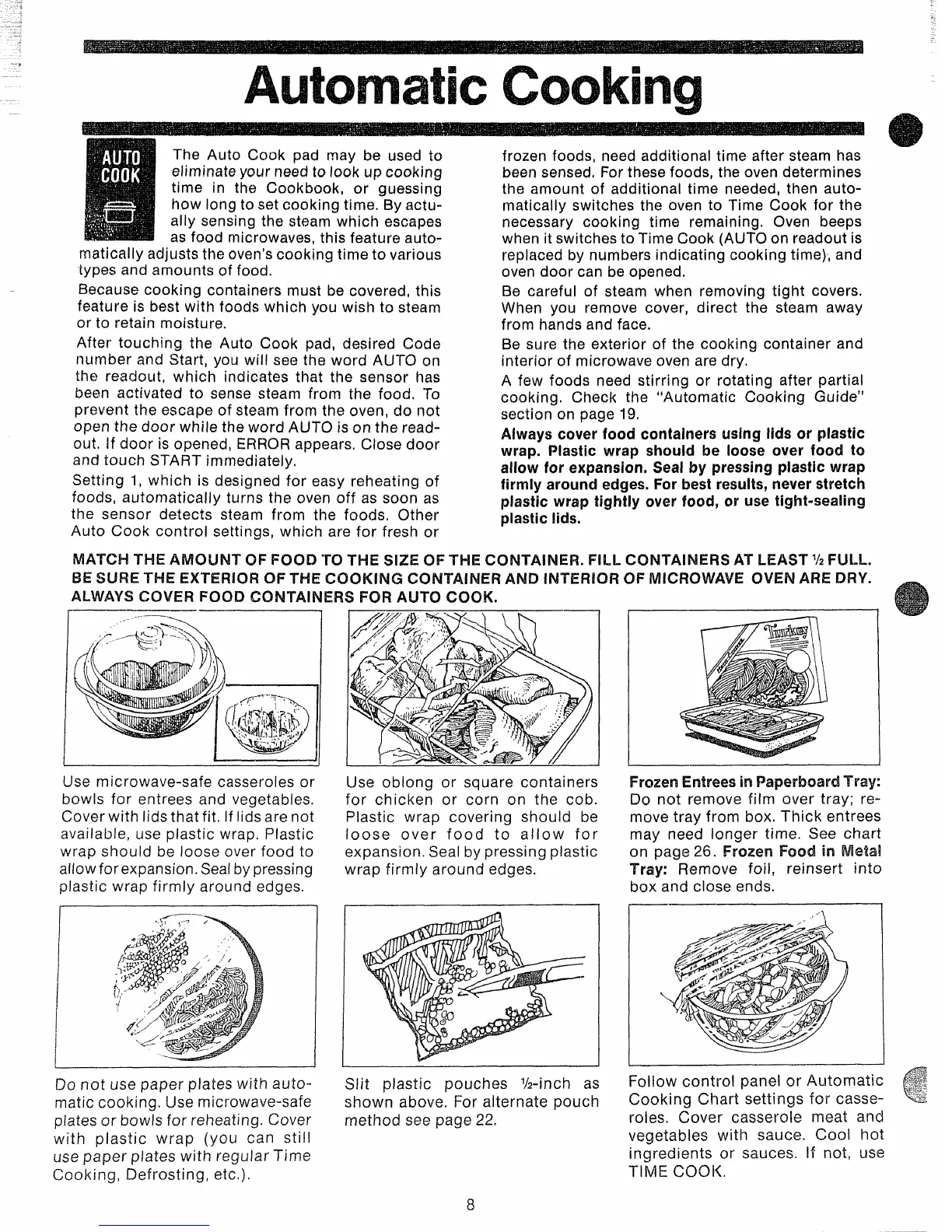
Use microwave-safe casseroles or
bowls for entrees and vegetables,
Cover with lids that fit. If lids are not
available, use plastic wrap. Plastic
wrap should be loose over food to
allow for expansion. Sealby pressing
Use oblong or square containers
for chicken or corn on the cob.
Plastic wrap covering should be
loose over food to allow for
expansion. Seal by pressing plastic
wrap firmly around edges.
plastic wrap firmly around edges.
—
FrozenEntreesin PaperboardTray:
Do not remove film over tray; re-
move tray from box. Thick entrees
may need longer time. See chart
on page 26. Frozen Food in Metal
Tray: Remove foil, reinsert into
box and close ends.
Do not use paper plates with auto-
Siit plastic pouches %-inch as
matic cooking. Use microwave-safe
shown above. For alternate pouch
plates or bowls for reheating, Cover
method see page 22.
with plastic wrap (you can still
use paper plates with regular Time
Cooking, Defrosting, etc.).
Follow control panel or Automatic
c


 To Next Page
 Loading...