EasyManua.ls Logo

GE JE2160 - User Manual

GE JE2160
24 pages
Print Icon
To Next Page IconTo Next Page
Loading...
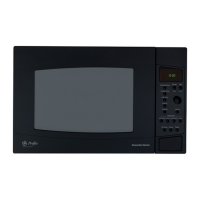
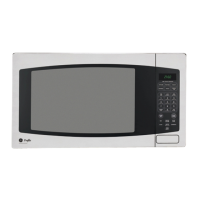
Microwave Oven
JE2160
Owner’s Manual
Safety Information . . . . . . . . .2–6
Operating Instructions
Auto Features . . . . . . . . . . . . . .12
Microwave Terms . . . . . . . . . . . .18
Other Features . . . . . . . . . . .16–18
Oven Features . . . . . . . . . . . . .7, 8
Power Levels . . . . . . . . . . . . . . . .9
Sensor Features . . . . . . . . . .13–15
Time Features . . . . . . . . . . . .9–12
Care and Cleaning . . . . . . . . .19
Troubleshooting Tips . . . . . . .20
Things That Are Normal . . . . . .20
Consumer Support
Consumer Support . . .Back Cover
Product Registration . . . . . .21, 22
Warranty . . . . . . . . . . . . . . . . . .23
164D3370P285 49-40355 06-03 JR
www.GEAppliances.com
Write the model and serial
numbers here:
Model # __________________
Serial # __________________
You can find them on a label
inside the oven.

Questions and Answers

  • H
    hhayesJul 25, 2025
    Why won't my GE JE2160 Microwave Oven start?
    • D
      Dr. Karen Gallegos DVMJul 26, 2025
      If your GE Microwave Oven isn't starting, there are several potential causes. First, check if a fuse in your home has blown or if the circuit breaker has tripped; if so, replace the fuse or reset the circuit breaker. A power surge could also be the culprit; try unplugging the microwave and plugging it back in. Ensure the 3-prong plug is fully inserted into the wall outlet. Lastly, make sure the door is securely closed by opening it and closing it again.
  • B
    bearddavidJul 31, 2025
    How to unlock the control panel on a GE JE2160?
    • H
      hdiazJul 31, 2025
      If the control panel of your GE Microwave Oven does not work, it may be locked. To unlock it, press and hold the CLEAR/OFF pad for about three seconds.
  • D
    debraolsonAug 7, 2025
    Why is my food amount too large for Sensor Reheat on my GE JE2160 Microwave Oven?
    • M
      Mario WheelerAug 7, 2025
      Sensor Reheat on your GE Microwave Oven is best suited for single servings of recommended foods. For larger amounts of food, use Time Cook instead.
  • N
    Natasha GarzaAug 13, 2025
    What to do if the control panel is lighted, yet GE JE2160 Microwave Oven will not start?
    • H
      Heather GarzaAug 13, 2025
      If the control panel of your GE Microwave Oven is lighted but the oven won't start, there are several things to check. Ensure the door is securely closed by opening it and closing it again. After making a cooking selection, make sure you press the START pad. If another selection is already in the oven, press CLEAR/OFF to cancel it. If you're using TIME COOK, ensure you've entered the cooking time. If you accidentally pressed CLEAR/OFF, reset the cooking program and press START. When using AUTO DEFROST, ensure you've entered the food weight. Finally, if the oven was accidentally paused, press START to restart the cooking program.
  • V
    veronica79Aug 18, 2025
    What does the SENSOR ERROR message mean on my GE JE2160?
    • D
      dwoodsAug 18, 2025
      If a SENSOR ERROR message appears on the display of your GE Microwave Oven, it could be due to a couple of reasons. If you opened the door or pressed START/PAUSE during the Sensor cooking program before steam was detected, close the door and press START immediately. Alternatively, if steam was not detected within the maximum time, use Time Cook to heat for a longer duration.

Summary

Safety Instructions

Microwave Energy Exposure Precautions

Essential safety measures to prevent harmful microwave energy exposure from improper oven operation.

General Safety Guidelines

Fundamental safety rules for using electrical appliances, including grounding and installation.

Safety Instructions

Arcing Warning and Prevention

Information on identifying and correcting arcing (sparks) within the microwave oven cavity.

Safety Instructions

Food and Water Heating Safety

Precautions for heating foods like eggs, popcorn, and superheated water to prevent injury.

Safety Instructions

Microwave-Safe Cookware Guidelines

Advice on selecting and using microwave-safe cookware, including testing methods.

Grounding Instructions and Electrical Safety

Essential guidelines for proper grounding of the microwave oven to prevent electric shock.

Safety Instructions

Adapter Plug Usage

Guidance and warnings regarding the use of adapter plugs with grounded electrical outlets.

Extension Cord Recommendations

Advice on selecting and safely using extension cords with the microwave oven.

Features of the Oven

Oven Components Overview

Identification and description of key oven parts like the door latches, window, and turntable.

Optional Installation Kits

Information on available kits for converting the microwave into a built-in wall unit.

Cooking Controls

Time-Based Cooking Features

Explanation of features like Time Cook, Time Defrost, and Express Cook for manual cooking.

Sensor and Auto Cooking Features

Details on automatic cooking modes like Popcorn, Reheat, and Auto Defrost.

Power Level Adjustments

Understanding Power Levels

Explanation of how power levels affect cooking time and results, with usage examples.

Time Cook Features

Using Time Cook and Time Cook II

Instructions for setting single or multi-stage cooking times with power level adjustments.

Time Cook Cooking Guide

Vegetable Cooking Times

A guide with cooking times and amounts for various vegetables using Time Cook.

Time Defrost Operation

Defrosting Guide by Food Type

A comprehensive guide for defrosting various foods like meat, poultry, and seafood.

Defrosting Tips and Precautions

Advice on safe and effective defrosting, including package handling and food safety.

Express Cook and Add 30 Seconds

Using Express Cook Feature

Instructions for quick 1-6 minute cooking cycles at full power.

Adding 30 Seconds to Cooking

How to use the Add 30 Seconds feature for quick time adjustments during or after cooking.

Auto Defrost Function

Auto Defrost Guide and Conversion

How to use Auto Defrost for meats, poultry, and fish based on weight.

Sensor Features Overview

Humidity Sensor Operation

Explanation of how the humidity sensor automatically adjusts cooking time based on steam.

Sensor Features - Popcorn and Beverage

Popcorn Cooking Program

Instructions for using the sensor feature to pop microwave popcorn, including time adjustments.

Beverage Heating Feature

How to use the sensor feature to heat a cup of coffee or other beverage.

Reheat Function

Reheating Cooked Foods

Instructions for reheating pre-cooked meals or leftovers using the Reheat sensor feature.

Sensor Cooking Guide

Sensor Cooking for Vegetables, Fish, Potatoes

Guide for sensor cooking various foods like vegetables, potatoes, and fish.

Additional Microwave Features

Help and Scroll Speed Functions

How to access help information and adjust display scroll speed.

Reminder and Delay Start Functions

Using the Reminder as an alarm and Delay Start for scheduled cooking.

Clock and Timer Functions

Setting the Clock and Timer

Instructions for setting the microwave clock and using the Timer On/Off feature.

Start;Pause and Child Lock-Out

How to start/pause cooking and lock the control panel to prevent accidental use.

Display and Beeper Settings

Display On;Off and Beeper Volume

How to turn the clock display off and adjust the beeper sound volume.

Microwave Terminology

Key Microwave Term Definitions

Definitions for terms like Arcing, Covering, Shielding, Standing Time, and Venting.

Care and Cleaning of the Microwave Oven

Helpful Cleaning Hints

General advice for cleaning the microwave interior, including using baking soda.

Cleaning Interior and Exterior Surfaces

Detailed instructions for cleaning the oven's interior, turntable, control panel, and exterior.

Troubleshooting Guide

Common Oven Problems and Solutions

A chart detailing common issues like 'Oven will not start' and their possible causes and fixes.

Normal Microwave Oven Characteristics

Explanation of normal operational aspects like steam, light reflection, and sounds.

GE Service Protection Plus

Extended Service Plan Benefits

Details on GE's service protection plan, including coverage and benefits.

Consumer Product Ownership Registration

Appliance Registration Process

Instructions on how to register a new appliance for warranty and service.

GE Microwave Oven Warranty

Warranty Coverage and Exclusions

Information on the one-year limited warranty, magnetron tube warranty, and what is not covered.

Consumer Support Resources

GE Appliances Website and Services

Information on accessing the GE Appliances website for manuals, parts, and scheduling service.

Contacting GE for Support

Details on how to contact GE for assistance, including customer relations and parts ordering.

GE JE2160 Specifications

General IconGeneral
BrandGE
ModelJE2160
CategoryMicrowave Oven
LanguageEnglish

Related product manuals