EasyManua.ls Logo

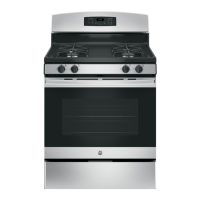
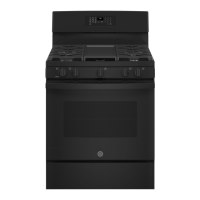
GE JGB645 - User Manual

GE JGB645
28 pages
Print Icon
To Next Page IconTo Next Page
Loading...
Write the model and serial
numbers here:
Model # _________________
Serial # _________________
You can find the rating label on the
front behind the range drawer.
OWNER’S MANUAL
RANGES
Single Oven Gas
49-2000316 Rev. 3 04-20 GEA
SAFETY INFORMATION .......... 3
USING THE RANGE
In Case of a Power Failure ............... 7
Surface Burners ........................ 7
Griddle ................................ 9
Oven Controls ..........................10
Special Features ........................12
Sabbath Mode ..........................12
Cooking Modes .........................13
Oven Racks ............................14
Aluminum Foil and Oven Liners ...........14
Cookware ..............................15
Oven Air Vents .........................15
Cooking Guide .........................16
CARE AND CLEANING
Range – Exterior ........................17
Range – Interior ........................18
Cooktop ...............................19
Door and Drawer .......................21
Oven Light ............................ 22
Oven Door ............................ 23
TROUBLESHOOTING TIPS .......24
LIMITED WARRANTY ............ 26
ACCESSORIES .................... 27
CONSUMER SUPPORT ........... 28
GE is a trademark of the General Electric Company. Manufactured under trademark license.
RGBS400
JGBS60
JGBS61
JGBS62
JGBS66
JGSS66
JGB635
JGB645
JGB660
JGB700
JGB720


Other manuals for GE JGB645

Questions and Answers

  • A
    Aaron AtkinsSep 12, 2025
    Why is "LOCK DOOR" flashing in the display of my GE JGB645?
    • T
      thomasandrewSep 12, 2025
      If you see "LOCK DOOR" flashing in the display of your GE Ranges, the self-clean or steam-clean cycle has been selected, but the door is not locked. Lock the oven door.
  • M
    matthewbyrdAug 25, 2025
    What to do if my GE Ranges oven and/or display appears not to work?
    • S
      Stephen SmithAug 25, 2025
      If your GE Ranges oven and/or display appear to be not working, consider the following: * Check your home's fuse or circuit breaker and replace the fuse or reset the breaker if necessary. * Ensure the oven controls are properly set. Refer to the Using the Oven section. * Verify the oven is not in Sabbath Mode. Refer to the Special Features section. * Check if the clock is turned off. Refer to the Oven Controls or Special Features section.
  • K
    Kimberly ClarkAug 25, 2025
    Why won't my GE JGB645 oven self-clean?
    • J
      Jordan MooreAug 26, 2025
      If your GE Ranges oven will not self-clean, it could be due to a couple of reasons: * The oven temperature may be too high to start a self-clean cycle. Allow the oven to cool down and then reset the controls. * The oven controls may be improperly set. Refer to the Care and Cleaning section for guidance.
  • J
    Jacob MartinSep 23, 2025
    Why does my GE JGB645 Ranges oven door glass appear to be "tinted" or have a "rainbow" color?
    • M
      Mrs. Erica HernandezSep 23, 2025
      This is normal. The inner oven glass is coated with a heat barrier to reflect the heat back into the oven to prevent heat loss and keep the outer door cool while baking. Under certain light or angles, you may see this tint or rainbow color on your GE Ranges.
  • J
    Justin ChangSep 12, 2025
    How to adjust the temperature settings on my new GE JGB645 oven?
    • M
      mallorywhiteSep 12, 2025
      If your new GE Ranges oven doesn't cook like your old one, it may be because it has a different cooking system. For the first few uses, carefully follow recipe times and temperatures, and use the rack positions recommended in the Cooking Guide. If you still think your new oven is too hot or too cold, you can adjust the temperature yourself to meet your specific cooking preference.
  • V
    Veronica GeorgeSep 18, 2025
    Why is there a strong burning or oily odor emitting from my new GE JGB645?
    • M
      Mary BellSep 18, 2025
      A strong “burning” or “oily” odor from the vent of your GE Ranges is normal in a new oven and will disappear over time. To speed up the process, set a self-clean cycle. See the Care and Cleaning section. This is temporary.
  • T
    Timothy MendezSep 5, 2025
    Why is 'LOCK DOOR' flashing on my GE Ranges display?
    • J
      Jeremy ConleySep 6, 2025
      If 'LOCK DOOR' is flashing on your GE Ranges display, it means the self-clean or steam-clean cycle has been selected, but the door isn't locked. Simply lock the oven door.
  • B
    briannewtonSep 6, 2025
    How to deactivate Lock Controls feature on GE JGB645?
    • T
      Tammy KaneSep 6, 2025
      If 'LOC ON' appears in the display of your GE Ranges, the control is locked. Turn off this feature to use the range. See the Oven Controls section.
  • L
    Lisa DoyleSep 18, 2025
    What to do if surface burners light but bake and broil burners do not on GE JGB645?
    • J
      Joshua AndradeSep 18, 2025
      If the surface burners on your GE Ranges light, but the bake and broil burners do not, the gas to the oven burners may have been shut off. The oven gas shut-off is located on the gas regulator near the gas line attachment to your range. Locate it and flip the lever.
  • B
    Brad EllisAug 30, 2025
    How to adjust oven temperature on GE Ranges?
    • T
      Troy WhiteAug 30, 2025
      If the oven temperature in your GE Ranges is too hot or too cold, the oven temperature may need adjustment. See the Oven Controls section.

Summary

Safety Information

Anti-Tip Device Safety Precautions

Guidance on installing the anti-tip device to prevent range tipping hazards and ensure safety.

General Range Operating Safety

Crucial safety guidelines for range operation, installation, and electrical precautions.

Fire Prevention and Cooktop Safety

Keeping flammable materials away and essential safety rules for cooktop operation.

Oven, Self-Cleaning, and Shipping Safety

Safety measures for oven use, self-cleaning, and removing shipping materials.

Using the Range

Griddle Operation and Safety Precautions

Important safety warnings, precautions, and steps for griddle positioning, preheating, and use.

Troubleshooting and Support

Troubleshooting Common Oven Issues

Resolving problems with oven performance, temperature, burners, and cleaning cycles.

Advanced Troubleshooting and Error Codes

Diagnosing advanced issues like error codes, door locks, and burner flame problems.

GE JGB645 Specifications

General IconGeneral
TypeFreestanding
Fuel TypeGas
Oven Capacity5.0 cu. ft.
Cooktop Burners4
Self-CleaningYes
Cooktop SurfacePorcelain
Number of Burners4
Cooktop MaterialPorcelain
Ignition TypeElectronic
Width30 inches
Depth28.5 inches

Related product manuals