EasyManua.ls Logo

GE JGBS66 - User Manual

GE JGBS66
28 pages
Print Icon
To Next Page IconTo Next Page
Loading...
Write the model and serial
numbers here:
Model # _________________
Serial # _________________
You can find the rating label on the
front behind the range drawer.
ESPAÑOL
Para consultar una version en
español de este manual de
instrucciones, visite nuestro sitio de
internet GEAppliances.com.
OWNER’S MANUAL
RANGES
Single Oven Gas
49-2000316 Rev. 8 04-22 GEA
SAFETY INFORMATION .......... 3
USING THE RANGE
In Case of a Power Failure ............... 7
Surface Burners ........................ 7
Griddle ................................ 9
Oven Controls ..........................10
Special Features ........................11
Sabbath Mode - OU and CRC .............12
Sabbath Mode - Standard ................13
Cooking Modes .........................14
Oven Racks ............................15
Aluminum Foil and Oven Liners ...........15
Cookware ..............................15
Oven Air Vents .........................15
Cooking Guide .........................16
CARE AND CLEANING
Range – Exterior ........................17
Range – Interior ........................18
Cooktop ...............................19
Door and Drawer .......................21
Oven Light ............................ 22
Oven Door ............................ 23
TROUBLESHOOTING TIPS .......24
LIMITED WARRANTY ............ 26
ACCESSORIES .................... 27
CONSUMER SUPPORT ........... 28
GE is a trademark of the General Electric Company. Manufactured under trademark license.
RGBS400
JGBS60
JGBS61
JGBS66
JGSS61
JGSS66
JGB635
JGB645

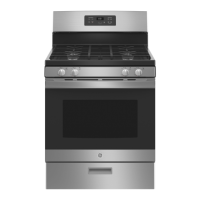
Other manuals for GE JGBS66

Questions and Answers

  • S
    Spencer GonzalezAug 27, 2025
    What to do if my GE JGBS66 Ranges burners do not light?
    • L
      Lori LeeAug 27, 2025
      If the burners on your GE range aren't lighting, there are several potential causes: * Ensure the range is fully plugged into a properly grounded electrical outlet. * Check that the gas supply is connected and turned on. * Replace any blown fuses or reset tripped circuit breakers in your home. * Make sure burner parts are correctly replaced after cleaning. * Clean any clogged burner slots near the electrode or the round lighter port on the oval burner. * Lightly polish any food residue on the electrode with a nail file or sandpaper until shiny.
  • W
    welchdavidAug 26, 2025
    Why is my GE JGBS66 Ranges oven not clean after the self-clean cycle?
    • M
      megan35Aug 27, 2025
      If your GE Ranges oven is not clean after running a clean cycle, it could be due to improperly set oven controls. Also, if the oven was heavily soiled, it may need to self-clean again. Clean up heavy spillovers before starting the clean cycle.
  • A
    Ashley RodriguezAug 26, 2025
    What to do if the oven door of my GE Ranges will not open?
    • V
      vincentmartinezAug 26, 2025
      If the oven door on your GE Ranges will not open when you want to cook, it is likely locked because the temperature inside the oven has not dropped below the locking temperature. Simply allow the oven to cool down until it is below the locking temperature.
  • A
    Amy NicholsAug 26, 2025
    What to do if the burners on my GE Ranges do not light?
    • Q
      qwardAug 26, 2025
      If your GE Ranges burners do not light, ensure the electrical plug is fully inserted into a properly grounded outlet. Also, check that the gas supply is connected and turned on. A blown fuse or tripped circuit breaker could also be the cause, so replace the fuse or reset the breaker. Incorrectly replaced burner parts, clogged burner slots, or food residue on the electrode can also prevent ignition. Refer to the Care and Cleaning section for proper burner replacement and cleaning. Lightly polish the electrode tip with a nail file or sandpaper if there's food residue.
  • K
    Kelly FinleyAug 25, 2025
    Why don't the top burners on my GE JGBS66 burn evenly?
    • M
      Mary DavisAug 26, 2025
      Uneven burning of the top burners on your GE Ranges can be caused by: * Improper burner assembly. Make sure the burner caps are seated correctly. See the Care and Cleaning section. * Clogged burner slots on the side of the burner. Remove the burners for cleaning. See the Care and Cleaning section.
  • T
    Taylor MannAug 25, 2025
    What to do if my GE JGBS66 oven and/or display appears not to work?
    • B
      Barry MasonAug 25, 2025
      If your GE Ranges oven and/or display appear to be not working, consider the following: * Check your home's fuse or circuit breaker and replace the fuse or reset the breaker if necessary. * Ensure the oven controls are properly set. Refer to the Using the Oven section. * Verify the oven is not in Sabbath Mode. Refer to the Special Features section. * Check if the clock is turned off. Refer to the Oven Controls or Special Features section.
  • T
    Tracy RodriguezSep 4, 2025
    Why is 'LOCK DOOR' flashing on my GE JGBS66 Ranges display?
    • S
      Sarah JonesSep 4, 2025
      If 'LOCK DOOR' is flashing on your GE Ranges display, it means the self-clean or steam-clean cycle has been selected, but the door isn't locked. Simply lock the oven door.
  • C
    castrohollySep 7, 2025
    How to adjust the temperature settings on my new GE JGBS66 oven?
    • M
      mrichardsonSep 7, 2025
      If your new GE Ranges oven doesn't cook like your old one, it may be because it has a different cooking system. For the first few uses, carefully follow recipe times and temperatures, and use the rack positions recommended in the Cooking Guide. If you still think your new oven is too hot or too cold, you can adjust the temperature yourself to meet your specific cooking preference.
  • N
    ninahernandezSep 7, 2025
    Why do the top burners on my GE JGBS66 not burn evenly?
    • K
      Kelly DurhamSep 7, 2025
      If the top burners on your GE Ranges do not burn evenly, make sure the burner caps are seated correctly. Also, burner slots on the side of the burner may be clogged. Remove the burners for cleaning.
  • T
    Tyler FerrellSep 7, 2025
    Why is there excessive smoking during broiling in my GE JGBS66 Ranges oven?
    • B
      Becky WelchSep 7, 2025
      If you experience excessive smoking during broiling in your GE Ranges, it could be because the food is too close to the burner element. Lower the rack position of the food.

Summary

Safety Information

Important Safety Information

General safety warnings and instructions for safe appliance operation and potential hazards.

Anti-Tip Device

Instructions for installing the anti-tip bracket to prevent range tipping hazards.

General Safety Instructions

General safety guidelines covering usage, installation, maintenance, and general precautions.

Cooktop Safety Instructions

Safety guidelines specific to the cooktop surface, including unattended operation and fire prevention.

Oven Safety Instructions

Safety precautions for using the oven, including rack placement and covering openings.

Self-Cleaning Oven Safety Instructions

Safety guidelines for operating the self-cleaning feature, including precautions for pets.

Proper Disposal of Your Appliance

Guidelines for environmentally safe disposal or recycling of the appliance.

Using the Range

In Case of a Power Failure

Guidance on operating the range during a power outage, including lighting surface burners.

Surface Burners

Instructions on lighting, using, and selecting flame size for surface burners.

Top-of-Range Cookware

Guidelines on selecting and using appropriate cookware for surface burners.

Stove Top Grills

Warnings against using aftermarket stove top grills due to carbon monoxide risk.

Using a Wok

Instructions for using flat-bottomed woks safely on the cooktop.

Griddle (on some models)

Instructions for positioning, preheating, and using the nonstick aluminum griddle.

Oven Controls

Overview and operation of various oven controls, modes, and settings.

Special Features

Details on special features like adjusting oven temperature and auto shut-off.

Sabbath Mode - OU and CRC

Instructions for using the OU and CRC Sabbath mode for specific religious observances.

Sabbath Mode - Standard

Instructions for setting and using the standard Sabbath mode for baking and roasting.

Cooking Modes

Description of various cooking modes like Bake, Broil Hi/Lo, and Convection Bake.

Oven Racks

Recommendations for rack positions and instructions for removing/replacing racks.

Aluminum Foil and Oven Liners

Safety warnings and guidelines for using aluminum foil and oven liners.

Cookware

Guidelines on selecting and using appropriate cookware for optimal results.

Oven Air Vents

Importance of not blocking oven air vents for proper cooling and combustion.

Cooking Guide

Recommendations for rack positions and cooking modes for various food types.

Care and Cleaning

Range - Exterior

Instructions for cleaning the exterior surfaces of the range, including stainless steel.

Range - Interior

Methods for cleaning the oven interior, including manual, steam, and self-clean modes.

Cooktop

Instructions for cleaning surface burners, caps, heads, and electrodes.

Burner Grates

Manual cleaning and self-clean cycle instructions for burner grates.

Grate Support Bumpers (on some models)

Instructions for replacing missing or damaged grate support bumpers.

Griddles (on some models)

Cleaning instructions for the nonstick aluminum griddle.

Door and Drawer

Procedures for cleaning the oven door interior/exterior and the storage drawer.

Oven Light

Instructions for replacing the oven light bulb safely.

Oven Door

Detailed instructions for removing and replacing the oven door.

Troubleshooting Tips

Troubleshooting Tips

Common problems and their possible causes and solutions for range operation.

Limited Warranty

GE Appliances Gas Range Limited Warranty

Details of the one-year limited warranty, coverage, exclusions, and contact information.

Accessories

Accessories

List of available accessories for the GE Appliances range, including racks and cleaning supplies.

Consumer Support

Consumer Support

Information on GE Appliances website, service scheduling, extended warranties, and contact details.

GE JGBS66 Specifications

General IconGeneral
BrandGE
ModelJGBS66
CategoryRanges
LanguageEnglish

Related product manuals