EasyManua.ls Logo

GE JGSS86 - User Manual

GE JGSS86
56 pages
Print Icon
To Next Page IconTo Next Page
Loading...
Write the model and serial
numbers here:
Model # _________________
Serial # _________________
You can find the rating label on
the front behind the range drawer
or on a metal flag behind the rear
control pane. From the front of the
range, reach behind the middle of
the rear control panel and rotate
the rating label up.
ESPAÑOL
Para consultar una version en
español de este manual de
instrucciones, visite nuestro sitio de
internet GEAppliances.com.
OWNER’S MANUAL
RANGES
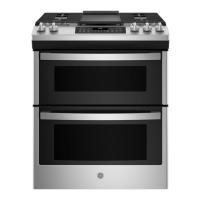
Double Oven Gas
49-2000715 Rev. 1 02-20 GEA
SAFETY INFORMATION .......... 3
USING THE RANGE
In Case of a Power Failure ............... 7
Surface Burners ........................ 7
Griddle ................................ 9
Oven Controls ..........................10
Special Features ........................12
Sabbath Mode ..........................12
Cooking Modes .........................13
Oven Racks ............................14
Aluminum Foil and Oven Liners ...........14
Cookware ..............................15
Oven Air Vents .........................15
Cooking Guide .........................16
CARE AND CLEANING
Cleaning the Oven ......................17
Cleaning the Cooktop ...................19
Cleaning the Door ......................21
Maintenance .......................... 23
TROUBLESHOOTING TIPS .......24
LIMITED WARRANTY ............ 26
ACCESSORIES .................... 27
CONSUMER SUPPORT ........... 28
GE is a trademark of the General Electric Company. Manufactured under trademark license.
JGBS86
JGSS86

Questions and Answers

  • T
    tonya94Aug 19, 2025
    What to do if my GE Ranges burners do not light?
    • M
      Michael HarrisAug 20, 2025
      First, ensure the electric plug on the range is completely inserted in the electrical outlet and plugged into a live, properly grounded outlet. Also, verify that the gas supply is connected and turned on. Check the Installation Instructions that came with your range for guidance. Replace the fuse or reset the circuit breaker, if needed. Ensure burner parts are correctly replaced referring to the Care and Cleaning of the range section. Also, make sure that burner slots near the electrode, or the round lighter port on the oval burner, are not clogged. Remove the burners and clean them, checking the electrode area for burned-on food or grease. Lightly polish the flat tip of the electrode with a nail file or sandpaper until shiny if there is food residue.
  • D
    David CraneAug 22, 2025
    Why is my GE JGSS86 Ranges oven and/or display not working?
    • O
      owoodAug 22, 2025
      Several factors could be at play. Check if a fuse in your home may be blown or the circuit breaker tripped, and replace the fuse or reset the circuit breaker. Ensure that oven controls are properly set, referring to the Using the Oven section. Also, check that the oven is not in Sabbath Mode, referring to the Special Features section. Finally, ensure the clock is on, referring to the Oven Controls or Special Features section.
  • P
    Paul HendrixAug 25, 2025
    What to do if my GE JGSS86 Ranges clock flashes due to a power outage?
    • N
      nicolerodriguezAug 25, 2025
      Reset the clock. If the oven was in use, you must reset it by pressing the Cancel/Off pad, setting the clock and resetting any cooking function.
  • P
    Philip DeanAug 26, 2025
    Why is there excessive smoking during the clean cycle of my GE JGSS86 Ranges oven?
    • D
      dennis25Aug 26, 2025
      Excessive soil or grease can cause this issue. Turn the Oven Temperature Knob to OFF. Wait until the Oven cools below the unlocking temperature. Open the windows to rid the room of smoke. Wipe up the excess soil and reset the clean cycle.
  • T
    tserranoAug 27, 2025
    Why is there excessive smoking during broiling in my GE Ranges oven?
    • K
      Kevin WatersAug 28, 2025
      If you notice excessive smoking, it might be because the food is too close to the burner element. Try lowering the rack position of the food.
  • C
    Craig WrightAug 29, 2025
    What to do if food does not broil properly in GE JGSS86 Ranges?
    • A
      Anne HamptonAug 29, 2025
      First, make sure you select the appropriate broil mode. Check the Cooking Guide for rack location suggestions. If using aluminum foil on the broil pan, wrap tightly and add slits conforming to those in the pan to allow grease to drain.
  • J
    Joseph EdwardsAug 31, 2025
    What to do if food does not bake properly in GE Ranges?
    • C
      Cassandra BairdAug 31, 2025
      Make sure that oven controls are properly set, referring to the Cooking Modes section. Ensure the rack position is correct and level, consulting the Cooking Modes section and Cooking Guide. Verify you are using the correct cookware of the proper size, as described in the Cookware section. The oven temperature may need adjustment; check the Oven Controls section.
  • R
    Robert RodriguezSep 3, 2025
    Why are burner flames very large or yellow on my GE JGSS86?
    • L
      Lawrence FrancoSep 3, 2025
      This could be due to an improper air to gas ratio. If your range is connected to Propane gas, contact the technician who installed your range or made the conversion.
  • J
    John SmithSep 4, 2025
    How to fix top burners that do not burn evenly on GE Ranges?
    • S
      Samantha StevensSep 5, 2025
      Ensure the burner caps are seated correctly. See the Care and Cleaning of the range section. Also, check if burner slots on the side of the burner may be clogged and remove the burners for cleaning. See the Care and Cleaning of the range section.
  • W
    Wanda JensenSep 6, 2025
    Why do my GE JGSS86 surface burners light, but bake and broil burners do not?
    • M
      Mary ThorntonSep 7, 2025
      The gas to the oven burners may have been shut off. The oven gas shut-off is located on the gas regulator near the gas line attachment to your range. Locate it and flip the lever.

GE JGSS86 Specifications

General IconGeneral
BrandGE
ModelJGSS86
CategoryRanges
LanguageEnglish

Related product manuals