EasyManua.ls Logo

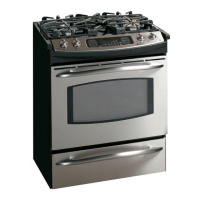
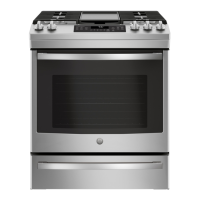
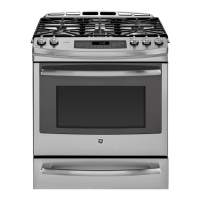
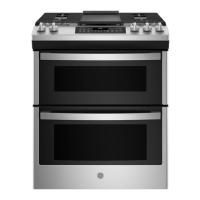
GE JGSS86 - User Manual

GE JGSS86
56 pages
Print Icon
To Next Page IconTo Next Page
Loading...
Write the model and serial
numbers here:
Model # _________________
Serial # _________________
You can find the rating label on
the front behind the range drawer
or on a metal flag behind the rear
control pane. From the front of the
range, reach behind the middle of
the rear control panel and rotate
the rating label up.
ESPAÑOL
Para consultar una version en
español de este manual de
instrucciones, visite nuestro sitio de
internet GEAppliances.com.
OWNER’S MANUAL
RANGES
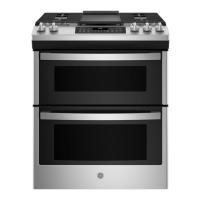
Double Oven Gas
49-2000715 Rev. 1 02-20 GEA
SAFETY INFORMATION .......... 3
USING THE RANGE
In Case of a Power Failure ............... 7
Surface Burners ........................ 7
Griddle ................................ 9
Oven Controls ..........................10
Special Features ........................12
Sabbath Mode ..........................12
Cooking Modes .........................13
Oven Racks ............................14
Aluminum Foil and Oven Liners ...........14
Cookware ..............................15
Oven Air Vents .........................15
Cooking Guide .........................16
CARE AND CLEANING
Cleaning the Oven ......................17
Cleaning the Cooktop ...................19
Cleaning the Door ......................21
Maintenance .......................... 23
TROUBLESHOOTING TIPS .......24
LIMITED WARRANTY ............ 26
ACCESSORIES .................... 27
CONSUMER SUPPORT ........... 28
GE is a trademark of the General Electric Company. Manufactured under trademark license.
JGBS86
JGSS86

Questions and Answers

  • J
    Joseph JenkinsSep 8, 2025
    Why my new GE Ranges oven doesn't cook like my old one. Is something wrong with the temperature settings?
    • T
      Travis OconnorSep 8, 2025
      Your new oven has a different cooking system from your old oven and therefore may cook differently. For the first few uses, follow your recipe times and temperatures carefully and use rack positions recommended in the Cooking Guide. If you still think your new oven is too hot or too cold, you can adjust the temperature yourself to meet your specific cooking preference. See the Oven Controls section.
  • R
    Richard EricksonSep 12, 2025
    Why doesn't the clock and timer work on my GE JGSS86 Ranges?
    • H
      humphreytammySep 12, 2025
      A fuse in your home may be blown or the circuit breaker tripped. Replace the fuse or reset the circuit breaker.
  • C
    Chris BraySep 12, 2025
    What to do if 'F— and a number or letter' flash in the GE JGSS86 display?
    • L
      Linda ChangSep 12, 2025
      If you see an error code, first press the Cancel/Off pad. Allow the oven to cool for one hour. Put the oven back into operation. If the function error code appears again, you will need to call for service.
  • T
    Timothy PerezSep 14, 2025
    Why does my GE JGSS86 Ranges oven door glass appears to be "tinted" or have a "rainbow" color?
    • P
      Patrick MckinneySep 15, 2025
      The inner oven glass is coated with a heat barrier to reflect the heat back into the oven to prevent heat loss and keep the outer door cool while baking. This is normal. Under certain light or angles you may see this tint or rainbow color.
  • P
    Peter JohnsonSep 16, 2025
    How to fix GE JGSS86 Ranges oven light that does not work?
    • L
      Lauren SchmidtSep 17, 2025
      The light bulb may be loose or defective. Tighten or replace the bulb. See the Maintenance section for instructions on how to replace the bulb.

GE JGSS86 Specifications

General IconGeneral
BrandGE
ModelJGSS86
CategoryRanges
LanguageEnglish

Related product manuals