6
Installation Instructions
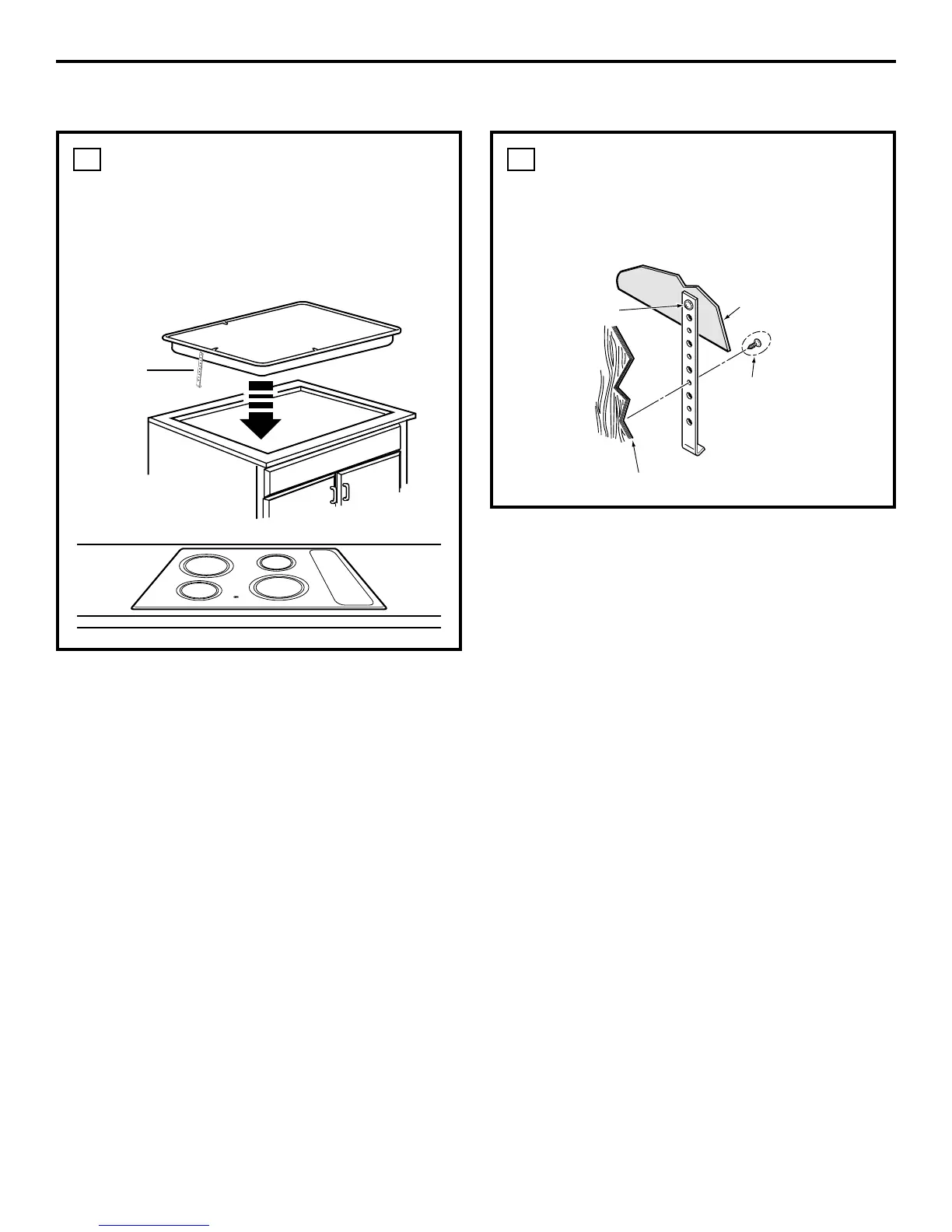
INSERT COOKTOP
INTO CUTOUT
Insert the cooktop centered into the cutout
opening. Make sure the front edge of the
countertop is parallel to the cooktop. Make
final check that all required clearances
are met.
6
INSTALLING THE COOKTOP
(CONT.)
ATTACH HOLD DOWN
BRACKETS TO CABINET
Open the cabinet door and screw the hold
down brackets to the cabinet sides with the
screws provided.
7
Hold Down
Bracket
Cooktop
Mounting Screw
Burner Box Sides
Use suitable fasteners
for anchorage in
cabinet sides
Cabinet Side


 To Next Page