EasyManua.ls Logo

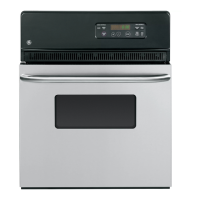
GE JRP20BJBB - User Manual

GE JRP20BJBB
24 pages
Print Icon
To Next Page IconTo Next Page
Loading...
Write the model and serial
numbers here:
Model # ____________________
Serial # ____________________
You can find them on a label on
the front of the oven behind the
door.
GE is a trademark of the General Electric Company. Manufactured under trademark license.
OWNER’S MANUAL
WALL OVEN
Built-In Electric
49-2000958 Rev. 0 08-21 GEA
JRP20
JRP28
JRS06
SAFETY INFORMATION ..........3
USING THE OVEN
Oven Controls ..........................6
Clock and Timer ........................7
Special Features ........................8
Sabbath ..............................10
Baking ............................... 11
Baking and Roasting ...................12
Oven Thermostat ......................13
Broiling ...............................14
CARE AND CLEANING
Self-Cleaning ..........................15
Oven Door ............................16
Racks, Elements, Panels ................17
Oven Light ............................18
TROUBLESHOOTING TIPS .......19
LIMITED WARRANTY ............22
ACCESSORIES ....................23
CONSUMER SUPPORT ...........24


Questions and Answers

  • W
    Whitney PerrySep 9, 2025
    What to do if my GE JRP20BJBB is not clean after a clean cycle?
    • R
      Richard PowellSep 9, 2025
      If your GE oven isn't clean after a clean cycle, it could be due to improperly set oven controls; refer to the Self-cleaning oven section. It could also be that the oven was heavily soiled. Clean up heavy spillovers before starting the clean cycle. Heavily soiled ovens may need to self-clean again or for a longer period of time.
  • S
    Susan ScottAug 23, 2025
    Why is the LOCKED light on when I want to cook in my GE Oven?
    • P
      ppattersonAug 23, 2025
      If the LOCKED light is on when you want to cook with your GE oven, the oven door is locked because the temperature inside the oven has not dropped below the locking temperature. Touch the CLEAR/OFF pad and allow the oven to cool.
  • S
    Samantha ManningAug 25, 2025
    Why aren't the clock and timer working on my GE JRP20BJBB?
    • H
      Haley MillerAug 25, 2025
      If the clock and timer on your GE oven aren't working, check the fuse in your home to see if it's blown, or check if the circuit breaker has tripped. If so, replace the fuse or reset the circuit breaker. Also, ensure that the oven controls are properly set by referring to the Clock and Timer section.
  • K
    keithwangAug 27, 2025
    Why won't my GE JRP20BJBB Oven self clean?
    • H
      Heather SmithAug 27, 2025
      If your GE oven will not self-clean, it might be because the oven temperature is too high. Allow the oven to cool to room temperature and then reset the controls. Also, make sure the oven controls are properly set. See the Self-cleaning oven section.
  • Z
    Zachary WolfAug 28, 2025
    What to do if there was a power outage and the clock is flashing on my GE Oven?
    • R
      Rebecca ArmstrongAug 28, 2025
      In case of a power outage or surge, the clock on your GE oven may flash. Reset the clock. If the oven was in use, you must reset it by touching the CLEAR/OFF pad, setting the clock, and resetting any cooking function.
  • S
    Stephanie BrownAug 29, 2025
    Why is there excessive smoking during the clean cycle of my GE JRP20BJBB?
    • K
      Kayla PierceAug 29, 2025
      If there's excessive smoking during the clean cycle of your GE oven, it's likely due to excessive soil. Touch the CLEAR/OFF pad, open the windows to rid the room of smoke, and wait until the LOCKED light goes off. Then, wipe up the excess soil and reset the clean cycle.
  • T
    Teresa RamirezSep 18, 2025
    Why does my GE JRP20BJBB have a strong odor when I use it?
    • J
      Jason RandallSep 18, 2025
      A strong odor from the insulation around the inside of the GE oven is normal for the first few times the oven is used. This is temporary.
  • J
    James JordanSep 22, 2025
    Why is my GE JRP20BJBB making fan noise?
    • K
      Kathryn DennisSep 22, 2025
      The cooling fan in your GE oven may automatically turn on. This is normal. The cooling fan will turn on to cool internal parts and may run for up to 15 hours after the oven is turned off.
  • M
    Mary HopkinsSep 7, 2025
    What does it mean when 'F---- and a number or letter' flash on the display of my GE Oven?
    • A
      Albert BanksSep 8, 2025
      If you see "F---- and a number or letter" flashing on your GE oven display, it indicates a function error code. Touch the CLEAR/OFF pad and allow the oven to cool for one hour before putting it back into operation. If the issue persists, disconnect all power to the oven for at least 15 seconds and then reconnect the power. If the function error code repeats, call for service.
  • C
    Christopher GonzalezSep 4, 2025
    Why does the display go blank on my GE Oven?
    • W
      walkeranthonySep 4, 2025
      If the display on your GE oven goes blank, first check the fuse in your home to see if it's blown, or check if the circuit breaker has tripped. If so, replace the fuse or reset the circuit breaker. If the fuse and breaker are fine, the clock may be in the black-out mode; refer to the Special features of your oven control section.

GE JRP20BJBB Specifications

General IconGeneral
Stylesingle
Colorblack
Total Capacity2.7 cu. ft.
Temperature Probeno
Microwaveno
Convectionno
Racks2
Control Typedigital
Interior Lightyes
Kitchen Timeryes
Power Consumption3, 400
Voltage240/208 volts
Current20amps
Weight and Dimensions IconWeight and Dimensions
Depth23 1/8 inch
Height28 3/16 inch
Width24 inch

Related product manuals