EasyManua.ls Logo

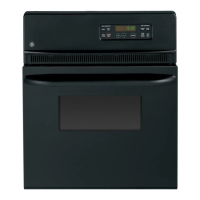
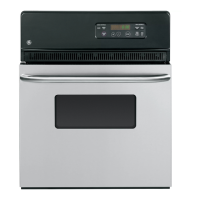
GE JRP20BJBB - User Manual

GE JRP20BJBB
24 pages
Print Icon
To Next Page IconTo Next Page
Loading...
Write the model and serial
numbers here:
Model # ____________________
Serial # ____________________
You can find them on a label on
the front of the oven behind the
door.
GE is a trademark of the General Electric Company. Manufactured under trademark license.
OWNER’S MANUAL
WALL OVEN
Built-In Electric
49-2000958 Rev. 0 08-21 GEA
JRP20
JRP28
JRS06
SAFETY INFORMATION ..........3
USING THE OVEN
Oven Controls ..........................6
Clock and Timer ........................7
Special Features ........................8
Sabbath ..............................10
Baking ............................... 11
Baking and Roasting ...................12
Oven Thermostat ......................13
Broiling ...............................14
CARE AND CLEANING
Self-Cleaning ..........................15
Oven Door ............................16
Racks, Elements, Panels ................17
Oven Light ............................18
TROUBLESHOOTING TIPS .......19
LIMITED WARRANTY ............22
ACCESSORIES ....................23
CONSUMER SUPPORT ...........24


Questions and Answers

  • B
    Brian MclaughlinAug 21, 2025
    What to do if my GE JRP20BJBB Oven will not work?
    • C
      Cindy RiddleAug 21, 2025
      If your GE oven isn't working, first check the fuse in your home to see if it's blown, or check if the circuit breaker has tripped. If so, replace the fuse or reset the circuit breaker. Also, make sure the oven controls are properly set; refer to the Using the oven section for guidance.
  • J
    Jeffrey FrazierSep 3, 2025
    How to fix the light if it doesn't work in my GE Oven?
    • G
      Gerald HamptonSep 3, 2025
      If the oven light in your GE oven isn't working, first check if the bulb is loose or defective. Try tightening it or replacing it with a new one. If the bulb is not the issue, the pad operating the oven light may be broken, and you should call for service.
  • N
    Nicole WalkerSep 1, 2025
    Why does 'LOCK DOOR' flash in the display of my GE JRP20BJBB Oven?
    • J
      Justin GreenSep 1, 2025
      If "LOCK DOOR" flashes in the display of your GE oven, the self-clean cycle has been selected, but the door is not closed. Close the oven door.
  • S
    Scott MyersAug 31, 2025
    What to do if the oven door will not open after a clean cycle on my GE JRP20BJBB?
    • R
      roberthickmanAug 31, 2025
      If the oven door of your GE oven will not open after a clean cycle, it's likely because the oven is still too hot. Allow the oven to cool below the locking temperature.
  • S
    Stephanie BrownAug 29, 2025
    Why is there excessive smoking during the clean cycle of my GE JRP20BJBB?
    • K
      Kayla PierceAug 29, 2025
      If there's excessive smoking during the clean cycle of your GE oven, it's likely due to excessive soil. Touch the CLEAR/OFF pad, open the windows to rid the room of smoke, and wait until the LOCKED light goes off. Then, wipe up the excess soil and reset the clean cycle.
  • Z
    Zachary WolfAug 28, 2025
    What to do if there was a power outage and the clock is flashing on my GE Oven?
    • R
      Rebecca ArmstrongAug 28, 2025
      In case of a power outage or surge, the clock on your GE oven may flash. Reset the clock. If the oven was in use, you must reset it by touching the CLEAR/OFF pad, setting the clock, and resetting any cooking function.
  • K
    keithwangAug 27, 2025
    Why won't my GE JRP20BJBB Oven self clean?
    • H
      Heather SmithAug 27, 2025
      If your GE oven will not self-clean, it might be because the oven temperature is too high. Allow the oven to cool to room temperature and then reset the controls. Also, make sure the oven controls are properly set. See the Self-cleaning oven section.
  • S
    Samantha ManningAug 25, 2025
    Why aren't the clock and timer working on my GE JRP20BJBB?
    • H
      Haley MillerAug 25, 2025
      If the clock and timer on your GE oven aren't working, check the fuse in your home to see if it's blown, or check if the circuit breaker has tripped. If so, replace the fuse or reset the circuit breaker. Also, ensure that the oven controls are properly set by referring to the Clock and Timer section.
  • S
    Susan ScottAug 23, 2025
    Why is the LOCKED light on when I want to cook in my GE Oven?
    • P
      ppattersonAug 23, 2025
      If the LOCKED light is on when you want to cook with your GE oven, the oven door is locked because the temperature inside the oven has not dropped below the locking temperature. Touch the CLEAR/OFF pad and allow the oven to cool.

GE JRP20BJBB Specifications

General IconGeneral
Stylesingle
Colorblack
Total Capacity2.7 cu. ft.
Temperature Probeno
Microwaveno
Convectionno
Racks2
Control Typedigital
Interior Lightyes
Kitchen Timeryes
Power Consumption3, 400
Voltage240/208 volts
Current20amps
Weight and Dimensions IconWeight and Dimensions
Depth23 1/8 inch
Height28 3/16 inch
Width24 inch

Related product manuals