EasyManua.ls Logo

GE JSS86 - User Manual

GE JSS86
28 pages
Print Icon
To Next Page IconTo Next Page
Loading...
Write the model and serial
numbers here:
Model # _________________
Serial # _________________
You can find them on a label
behind the door or drawer.
ESPAÑOL
Para consultar una version en
español de este manual de
instrucciones, visite nuestro sitio de
internet GEAppliances.com.
OWNER’S MANUAL
RANGES
Electric Front Control
49-2000993 Rev. 1 11-21 GEA
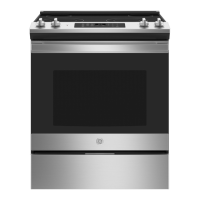
30" Front Control Range
JSS86
GE is a trademark of the General Electric Company. Manufactured under trademark license.
SAFETY INFORMATION .......... 3
USING THE RANGE
Surface Units ........................... 6
Cookware for Radiant Glass Cooktop. . . . . . 9
Oven Controls ..........................10
Cooking Options. . . . . . . . . . . . . . . . . . . . . . . . 11
Settings ...............................12
Sabbath Mode ..........................13
Oven Racks ............................14
Aluminum Foil and Oven Liners ...........14
Cookware ..............................14
Cooking Modes .........................15
Cooking Guide .........................16
Air Fry Cooking Guide ...................17
CARE AND CLEANING
Cleaning the Range – Exterior ............18
Cleaning the Range – Interior ............18
Cleaning the Glass Cooktop ..............19
Oven Light .............................21
Oven Doors ........................... 22
TROUBLESHOOTING TIPS ....... 23
LIMITED WARRANTY ............ 26
ACCESSORIES .................... 27
CONSUMER SUPPORT ........... 28


Questions and Answers

  • D
    danielle56Aug 25, 2025
    Why my GE JSS86 Ranges oven does not work?
    • D
      Dustin AllenAug 25, 2025
      Your GE Ranges oven may not be working due to several reasons. Ensure the range is completely plugged into a live, properly grounded electrical outlet. Check if a fuse in your home may be blown or the circuit breaker tripped, and replace the fuse or reset the circuit breaker if needed. Verify that the oven is not in Sabbath Mode. If these steps don't resolve the issue, the oven controls might be improperly set.
  • J
    jenkinsbrendaAug 25, 2025
    What to do if GE JSS86 Ranges oven door will not open after a clean cycle?
    • D
      David AlvaradoAug 26, 2025
      If the oven door of your GE Ranges will not open after a clean cycle, it's likely because the oven is still too hot. Allow the oven to cool below the locking temperature.
  • S
    Scott HarrisAug 26, 2025
    Why GE Ranges oven will not steam clean?
    • A
      Adrian PaulAug 26, 2025
      If your GE Ranges oven will not steam clean, it may be due to several reasons. If the display flashes HOT, allow the oven to cool to room temperature and reset the controls. Also, make sure you close the door to start steam clean cycle.
  • D
    Daniel BradleyAug 27, 2025
    What to do if my GE JSS86 oven does not work?
    • S
      Susan StoneAug 27, 2025
      If your GE Ranges oven isn't working, ensure the electrical plug is fully inserted into a properly grounded outlet. Check your home's fuse or circuit breaker and replace or reset if necessary. Also, verify that the oven controls are correctly set. Finally, check that the oven is not in Sabbath Mode; if it is, disable it.
  • W
    wewingAug 27, 2025
    Why will my GE JSS86 Ranges oven not steam clean?
    • J
      Jeanette SnyderAug 27, 2025
      If your GE Ranges oven won't steam clean, it could be due to a few reasons. If the display flashes HOT, allow the oven to cool to room temperature and reset the controls. Also, ensure the oven door is completely closed to start the steam clean cycle.
  • D
    dthomasAug 28, 2025
    Why is the 'DOOR LOCKED' light on when I want to cook in my GE JSS86?
    • C
      Christopher ValenciaAug 28, 2025
      If 'DOOR LOCKED' is displayed on your GE Ranges when you want to cook, it means the oven door is locked because the temperature inside the oven hasn't dropped below the locking temperature. Press the Cancel/Off pad and allow the oven to cool down.
  • R
    reedsarahAug 29, 2025
    What to do after a power outage and the clock flashes on my GE Ranges?
    • R
      Rhonda MartinezAug 29, 2025
      If you've experienced a power outage and the clock on your GE Ranges is flashing, reset the clock. If the oven was in use during the outage, you'll need to press the Cancel/Off pad, set the clock, and reset any cooking functions.
  • S
    Stacy ZavalaAug 30, 2025
    Why GE JSS86 Ranges surface units will not maintain a rolling boil?
    • G
      Gary BradyAug 30, 2025
      If the surface units on your GE Ranges aren't maintaining a rolling boil or cooking isn't fast enough, it could be due to improper cookware. Use flat-bottomed pans that match the diameter of the surface unit. In some areas, low voltage may also be a factor. Try covering the pan with a lid to help retain heat until the desired temperature is reached.
  • V
    Valerie YoungAug 23, 2025
    What to do if GE JSS86 surface units do not work properly?
    • J
      Joseph KingAug 25, 2025
      If the surface units on your GE Ranges are not working, first, check the fuse in your home to see if it has blown or if the circuit breaker has tripped and replace the fuse or reset the circuit breaker. Also, ensure that the cooktop controls are properly set for the surface unit you are using.
  • M
    mayocaitlinAug 31, 2025
    Why is my GE JSS86 oven not clean after a clean cycle?
    • J
      Joseph JohnsonAug 31, 2025
      If your GE Ranges oven is not clean after running a clean cycle, it could be due to improperly set oven controls or because the oven was heavily soiled. Clean up heavy spillovers before starting the clean cycle. For heavily soiled ovens, you may need to run the clean cycle again or for a longer period.

Summary

Safety Information

Anti-Tip Device Safety

Instructions for securing the range to prevent tipping hazards.

General Safety Instructions

Fundamental safety rules for operating the appliance.

Cooktop Safety Instructions

Safety guidelines specific to using the cooktop.

Oven Safety Instructions

Safety guidelines specific to using the oven.

Using the Range

Surface Unit Operation

How to set and use the surface heating elements.

Cookware for Radiant Glass Cooktop

Guidance on selecting and using appropriate cookware.

Oven Controls and Settings

Explanation of oven control buttons and settings like clock.

Cooking Modes and Options

Details on cook time, delay time, and various cooking modes.

Cooking Guide

Recommendations for rack positions and cooking times for various foods.

Care and Cleaning

Exterior Range Cleaning

Instructions for cleaning the outer surfaces of the range.

Interior Oven Cleaning

Instructions for cleaning the oven interior, including Steam Clean.

Glass Cooktop Cleaning

Procedures for cleaning and maintaining the glass cooktop.

Oven Door Maintenance

Guidance on cleaning and removing oven doors.

Troubleshooting, Warranty, and Support

Troubleshooting Common Range Issues

Solutions for common problems with the range's operation.

Limited Warranty Information

Details on the product's limited warranty coverage and terms.

Consumer Support and Contact

How to access support, schedule service, and find parts.

GE JSS86 Specifications

General IconGeneral
TypeSlide-In
Oven Capacity5.3 cu. ft.
Number of Burners5
Self-CleaningYes
Wi-Fi ConnectYes
ColorStainless Steel
Fuel TypeElectric
Cooktop SurfaceGlass
Oven TypeConvection
Width30 inches

Related product manuals