EasyManua.ls Logo

GE JSS86 - User Manual

GE JSS86
28 pages
Print Icon
To Next Page IconTo Next Page
Loading...
Write the model and serial
numbers here:
Model # _________________
Serial # _________________
You can find them on a label
behind the door or drawer.
ESPAÑOL
Para consultar una version en
español de este manual de
instrucciones, visite nuestro sitio de
internet GEAppliances.com.
OWNER’S MANUAL
RANGES
Electric Front Control
49-2000993 Rev. 1 11-21 GEA
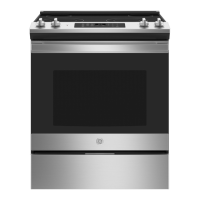
30" Front Control Range
JSS86
GE is a trademark of the General Electric Company. Manufactured under trademark license.
SAFETY INFORMATION .......... 3
USING THE RANGE
Surface Units ........................... 6
Cookware for Radiant Glass Cooktop. . . . . . 9
Oven Controls ..........................10
Cooking Options. . . . . . . . . . . . . . . . . . . . . . . . 11
Settings ...............................12
Sabbath Mode ..........................13
Oven Racks ............................14
Aluminum Foil and Oven Liners ...........14
Cookware ..............................14
Cooking Modes .........................15
Cooking Guide .........................16
Air Fry Cooking Guide ...................17
CARE AND CLEANING
Cleaning the Range – Exterior ............18
Cleaning the Range – Interior ............18
Cleaning the Glass Cooktop ..............19
Oven Light .............................21
Oven Doors ........................... 22
TROUBLESHOOTING TIPS ....... 23
LIMITED WARRANTY ............ 26
ACCESSORIES .................... 27
CONSUMER SUPPORT ........... 28


Questions and Answers

  • J
    Johnny ChambersSep 1, 2025
    How to stop excessive smoking during broiling with GE JSS86 Ranges?
    • M
      Mr. Hunter WilsonSep 1, 2025
      To reduce excessive smoking during broiling with your GE Ranges, the food may be too close to the broil element. Try lowering the rack position of the food.
  • A
    Aaron LoganSep 2, 2025
    How to unlock GE Ranges door when DOOR LOCKED is on?
    • M
      Mary OliverSep 2, 2025
      If the DOOR LOCKED message is displayed when you want to cook with your GE Ranges, it means the oven door is locked because the temperature inside the oven has not dropped below the locking temperature. Press the Cancel/Off pad and allow the oven to cool down.
  • S
    susanlewisSep 3, 2025
    What to do after power outage when GE JSS86 Ranges clock flashes?
    • A
      Alicia LawsonSep 3, 2025
      After a power outage, if the clock on your GE Ranges is flashing, it indicates a power outage or surge. Reset the clock. If the oven was in use, you must reset it by pressing the Cancel/Off pad, setting the clock, and resetting any cooking function.
  • R
    Rachael CoxSep 4, 2025
    Why GE JSS86 Ranges oven or cooktop will not stay set?
    • W
      williamsimsSep 4, 2025
      If your GE Ranges oven or cooktop will not stay set, it could be due to a function error. Disconnect all power for at least 30 seconds and then reconnect the power. If the issue repeats, call for service.
  • L
    Laura WhiteSep 4, 2025
    Why GE JSS86 surface unit stops glowing when turned to a lower setting?
    • V
      Vincent MccartySep 5, 2025
      If the surface unit on your GE Ranges stops glowing when turned to a lower setting, it's normal. The unit is still on and hot.
  • S
    Sarah CollinsSep 5, 2025
    How to fix GE JSS86 Ranges surface units that do not work properly?
    • T
      Taylor LynchSep 5, 2025
      If the surface units on your GE Ranges aren't working correctly, check your home's fuse or circuit breaker and replace or reset it if needed. Also, make sure the cooktop controls are properly set for the surface unit you're using.
  • E
    eterrySep 6, 2025
    Why is there excessive smoking during the clean cycle of my GE JSS86 Ranges?
    • D
      David WardSep 6, 2025
      If your GE Ranges are smoking excessively during the clean cycle, it's likely due to excessive soil or grease. To resolve this, press the Cancel/Off pad, open windows to clear the smoke, wait for the LOCKED light to turn off, then wipe up the excess soil before resetting the clean cycle.

Summary

Safety Information

Anti-Tip Device Safety

Instructions for securing the range to prevent tipping hazards.

General Safety Instructions

Fundamental safety rules for operating the appliance.

Cooktop Safety Instructions

Safety guidelines specific to using the cooktop.

Oven Safety Instructions

Safety guidelines specific to using the oven.

Using the Range

Surface Unit Operation

How to set and use the surface heating elements.

Cookware for Radiant Glass Cooktop

Guidance on selecting and using appropriate cookware.

Oven Controls and Settings

Explanation of oven control buttons and settings like clock.

Cooking Modes and Options

Details on cook time, delay time, and various cooking modes.

Cooking Guide

Recommendations for rack positions and cooking times for various foods.

Care and Cleaning

Exterior Range Cleaning

Instructions for cleaning the outer surfaces of the range.

Interior Oven Cleaning

Instructions for cleaning the oven interior, including Steam Clean.

Glass Cooktop Cleaning

Procedures for cleaning and maintaining the glass cooktop.

Oven Door Maintenance

Guidance on cleaning and removing oven doors.

Troubleshooting, Warranty, and Support

Troubleshooting Common Range Issues

Solutions for common problems with the range's operation.

Limited Warranty Information

Details on the product's limited warranty coverage and terms.

Consumer Support and Contact

How to access support, schedule service, and find parts.

GE JSS86 Specifications

General IconGeneral
TypeSlide-In
Oven Capacity5.3 cu. ft.
Number of Burners5
Self-CleaningYes
Wi-Fi ConnectYes
ColorStainless Steel
Fuel TypeElectric
Cooktop SurfaceGlass
Oven TypeConvection
Width30 inches

Related product manuals