EasyManua.ls Logo

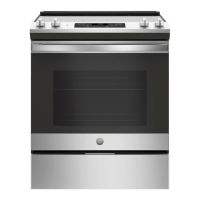
GE JS660SLSS - User Manual

GE JS660SLSS
56 pages
Print Icon
To Next Page IconTo Next Page
Loading...
Write the model and serial
numbers here:
Model # _________________
Serial # _________________
You can find them on a label
behind the door or drawer.
ESPAÑOL
Para consultar una version en
español de este manual de
instrucciones, visite nuestro sitio de
internet GEAppliances.com.
OWNER’S MANUAL
RANGES
Electric Front Control
49-80804 08-17 GEA
SAFETY INFORMATION .......... 3
USING THE RANGE
Surface Units ........................... 7
Cookware for Radiant Glass Cooktop. . . . . .10
Oven Controls ..........................11
Special Features ........................12
Sabbath Mode ..........................13
Oven Racks ............................14
Aluminum Foil and Oven Liners ...........14
Cookware ..............................14
Cooking Modes .........................15
Cooking Guide .........................16
CARE AND CLEANING
Cleaning the Range – Exterior ............17
Cleaning the Range – Interior ............18
Cleaning the Glass Cooktop ..............19
Oven Light .............................21
Oven Door ............................ 22
Storage Drawer. . . . . . . . . . . . . . . . . . . . . . . . 22
TROUBLESHOOTING TIPS ....... 23
WARRANTY ....................... 26
ACCESSORIES .................... 27
CONSUMER SUPPORT ........... 28
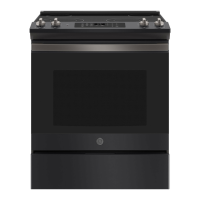
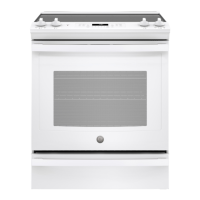
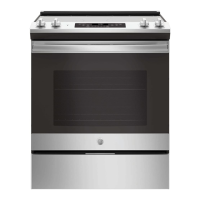
JS645 - 30" Front Control Range
JS660 - 30" Front Control Range
GE is a trademark of the General Electric Company. Manufactured under trademark license.

Questions and Answers

  • S
    Sherry FloresAug 29, 2025
    Why does my GE Ranges oven sometimes take longer to preheat?
    • G
      gpeckAug 29, 2025
      If your GE Ranges oven sometimes takes longer to preheat, it could be due to cookware or food in the oven; remove these items to reduce preheat time. Also, the number of racks in the oven can affect preheating time; remove some racks if necessary.
  • M
    megan07Aug 25, 2025
    Why my GE Ranges oven does not work?
    • K
      Karen ArnoldAug 25, 2025
      If your GE Ranges oven isn't working, there could be a few reasons. First, check your home's fuse box or circuit breaker to see if a fuse has blown or a breaker has tripped; replace the fuse or reset the breaker. Also, make sure the oven controls are properly set. Finally, check to see if the oven is accidentally in Sabbath Mode, and if so, disable it.
  • F
    fbakerSep 23, 2025
    How to get the display to show “oFFSEt” on my GE Ranges?
    • J
      Jennifer HernandezSep 23, 2025
      The Broil Hi/Lo and Bake pads must be touched at the same time and held for 3 seconds.
  • F
    Frederick MirandaSep 1, 2025
    Why is the DOOR LOCK light on when I want to cook on my GE JS660SLSS Ranges?
    • C
      Christopher GallagherSep 1, 2025
      The DOOR LOCK light is on because the oven door is locked, as the temperature inside the GE Ranges oven has not dropped below the locking temperature. Press the Cancel/Off pad and allow the oven to cool.
  • C
    choffmanSep 4, 2025
    Why GE JS660SLSS oven will not self-clean?
    • E
      elizabethholmesSep 4, 2025
      If your GE Ranges oven won't self-clean, it could be due to a few reasons. If the oven temperature is too high, allow it to cool down before resetting the controls. Also, make sure the oven controls are properly set. Ensure the oven door is completely closed.
  • L
    Lisa WilsonAug 30, 2025
    What does it mean when "LOCK DOOR" flashes in the display of my GE JS660SLSS?
    • C
      chortonAug 30, 2025
      The "LOCK DOOR" flashing in the display of your GE Ranges indicates that the self-clean cycle has been selected, but the oven door is not closed. Close the oven door and latch it if your unit has a manual latch.
  • B
    Bob WallsAug 27, 2025
    What to do if food does not bake properly in GE JS660SLSS?
    • S
      Shannon LawsonAug 27, 2025
      If food isn't baking properly in your GE Ranges, several factors could be the cause. Make sure the oven controls are set correctly. Check that the rack position is correct and the rack is level. Ensure you're using the correct cookware of the proper size. It may be necessary to adjust the oven temperature; see the Special Features section. Lastly, consider that ingredient substitutions can affect the outcome.
  • R
    Ricky MatthewsSep 5, 2025
    What does it mean when “F— and a number or letter” flash in the display of GE Ranges?
    • D
      David HillSep 5, 2025
      If "F— and a number or letter" flash in the display of your GE Ranges, it indicates a function error code. Press the Cancel/Off pad and allow the oven to cool for one hour, then try putting the oven back into operation. If the code repeats, disconnect all power to the oven for at least 60 seconds and then reconnect power. If the error persists, call for service.
  • R
    Rebekah KnightSep 2, 2025
    Why does the display go blank on my GE JS660SLSS?
    • J
      jjamesSep 2, 2025
      If the display on your GE Ranges goes blank, check if a fuse in your home has blown or if the circuit breaker has tripped, and replace the fuse or reset the circuit breaker. Also, see the Special features section to check if the clock is turned off.
  • N
    Neil CookAug 26, 2025
    What to do if surface units do not work properly on my GE JS660SLSS Ranges?
    • C
      Cathy EstesAug 26, 2025
      If the surface units on your GE Ranges aren't heating up properly, it could be due to a blown fuse or tripped circuit breaker in your home. Try replacing the fuse or resetting the circuit breaker. Also, make sure the cooktop controls are correctly set for the surface unit you're using.

GE JS660SLSS Specifications

General IconGeneral
Stylesingle oven, slide-in
Colorstainless steel
Total Capacity5.3 cubic feet
Inductionno
Number of Oven Racks2
Number of Oven Rack Positions6
Interior Lightyes
Fuelelectric
Weight and Dimensions IconWeight and Dimensions
Depth28 1/4 inches
Height37 1/4 inches
Width29 7/8 inches
Net Weight154 pounds

Related product manuals