EasyManua.ls Logo

GE JS660SLSS - User Manual

GE JS660SLSS
56 pages
Print Icon
To Next Page IconTo Next Page
Loading...
Write the model and serial
numbers here:
Model # _________________
Serial # _________________
You can find them on a label
behind the door or drawer.
ESPAÑOL
Para consultar una version en
español de este manual de
instrucciones, visite nuestro sitio de
internet GEAppliances.com.
OWNER’S MANUAL
RANGES
Electric Front Control
49-80804 08-17 GEA
SAFETY INFORMATION .......... 3
USING THE RANGE
Surface Units ........................... 7
Cookware for Radiant Glass Cooktop. . . . . .10
Oven Controls ..........................11
Special Features ........................12
Sabbath Mode ..........................13
Oven Racks ............................14
Aluminum Foil and Oven Liners ...........14
Cookware ..............................14
Cooking Modes .........................15
Cooking Guide .........................16
CARE AND CLEANING
Cleaning the Range – Exterior ............17
Cleaning the Range – Interior ............18
Cleaning the Glass Cooktop ..............19
Oven Light .............................21
Oven Door ............................ 22
Storage Drawer. . . . . . . . . . . . . . . . . . . . . . . . 22
TROUBLESHOOTING TIPS ....... 23
WARRANTY ....................... 26
ACCESSORIES .................... 27
CONSUMER SUPPORT ........... 28
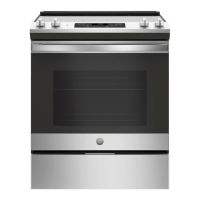
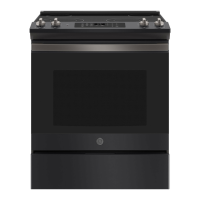
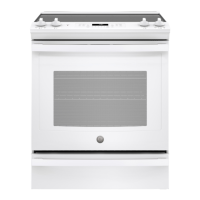
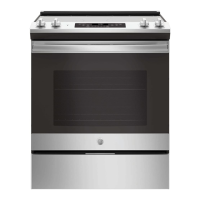
JS645 - 30" Front Control Range
JS660 - 30" Front Control Range
GE is a trademark of the General Electric Company. Manufactured under trademark license.

Questions and Answers

  • S
    Susan PalmerSep 18, 2025
    Why is the oven light not working in my GE JS660SLSS Ranges?
    • G
      Greg LaraSep 18, 2025
      If the oven light in your GE Ranges isn't working, first check if the light bulb is loose or defective and tighten or replace it. If that doesn't work, the pad operating the light might be broken, requiring you to call for service. Also, verify that the oven is not in Sabbath mode by checking the Special Features section.
  • D
    dflemingAug 26, 2025
    How to fix GE Ranges clock and timer when they do not work?
    • C
      Christy MorrisonAug 26, 2025
      If the clock and timer on your GE Ranges aren't working, first check your home's fuse or circuit breaker and replace or reset if needed. Ensure the range is fully plugged into a grounded outlet. If these steps don't resolve the issue, refer to the 'Using the kitchen timer' section for instructions on setting the clock, or check clock settings in the Special Features section. If the clock display is turned off, check clock display settings in the Special Features section.
  • N
    Neil CookAug 26, 2025
    What to do if surface units do not work properly on my GE JS660SLSS Ranges?
    • C
      Cathy EstesAug 26, 2025
      If the surface units on your GE Ranges aren't heating up properly, it could be due to a blown fuse or tripped circuit breaker in your home. Try replacing the fuse or resetting the circuit breaker. Also, make sure the cooktop controls are correctly set for the surface unit you're using.
  • M
    Marie McclainAug 30, 2025
    What to do if the display goes blank on my GE JS660SLSS?
    • J
      James DukeAug 30, 2025
      If the display on your GE Ranges goes blank, first check the fuse box or circuit breaker in your home and replace the fuse or reset the circuit breaker if necessary. Also, check the clock settings in the Special Features section.
  • F
    Frederick MirandaSep 1, 2025
    Why is the DOOR LOCK light on when I want to cook on my GE JS660SLSS Ranges?
    • C
      Christopher GallagherSep 1, 2025
      The DOOR LOCK light is on because the oven door is locked, as the temperature inside the GE Ranges oven has not dropped below the locking temperature. Press the Cancel/Off pad and allow the oven to cool.
  • R
    Rebekah KnightSep 2, 2025
    Why does the display go blank on my GE JS660SLSS?
    • J
      jjamesSep 2, 2025
      If the display on your GE Ranges goes blank, check if a fuse in your home has blown or if the circuit breaker has tripped, and replace the fuse or reset the circuit breaker. Also, see the Special features section to check if the clock is turned off.
  • S
    shanesimmonsSep 23, 2025
    Why does my GE JS660SLSS display go blank?
    • J
      Justin FlemingSep 23, 2025
      A blown fuse or tripped circuit breaker in your home could cause this. Replace the fuse or reset the circuit breaker. Alternatively, the clock might be turned off; check the Special features section to turn it back on.
  • U
    uallenSep 8, 2025
    What causes “crackling” or “popping” sounds in GE Ranges?
    • B
      Barry GreenSep 8, 2025
      The "crackling" or "popping" sound you hear in your GE Ranges is the sound of the metal heating and cooling during both the cooking and cleaning functions. This is normal.
  • A
    abigaillewisSep 16, 2025
    Unable to get the display to show 'oFFSEt' on my GE JS660SLSS, what to do?
    • J
      Judith WalshSep 16, 2025
      If you can't get the display to show 'oFFSEt' on your GE Ranges, make sure you're touching the Broil Hi/Lo and Bake pads at the same time and holding them for 3 seconds.
  • A
    Andrew MirandaAug 25, 2025
    How to fix GE JS660SLSS Ranges surface units that do not work properly?
    • C
      Cassandra WhiteAug 25, 2025
      If the surface units on your GE Ranges are not working, first check your home's fuse box or circuit breaker and replace the fuse or reset the breaker if necessary. Also, verify that the cooktop controls are correctly set for the surface unit you are attempting to use.

GE JS660SLSS Specifications

General IconGeneral
Stylesingle oven, slide-in
Colorstainless steel
Total Capacity5.3 cubic feet
Inductionno
Number of Oven Racks2
Number of Oven Rack Positions6
Interior Lightyes
Fuelelectric
Weight and Dimensions IconWeight and Dimensions
Depth28 1/4 inches
Height37 1/4 inches
Width29 7/8 inches
Net Weight154 pounds

Related product manuals