Need help?
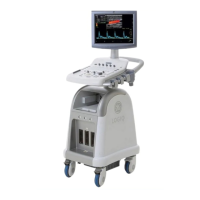
Do you have a question about the GE LOGIQ P3 EXPERT and is the answer not in the manual?
Outlines essential safety precautions for operation, service, and repair of the ultrasound equipment.
Details environmental and electrical requirements for the ultrasound console setup.
Provides instructions for checking, unpacking, and handling the ultrasound system upon arrival.
Covers pre-installation steps: verifying orders, physical inspection, EMI protection, and component checks.
Details the procedures for powering on, booting up, shutting down, and connecting probes to the system.
Covers system specifications, approved peripherals, cable connections, and connector pin assignments.
Details procedures for powering on/off, system reboots, and using system features like menus and monitors.
Provides an overview of system concepts, component arrangement, subsystem functions, PDS, and probes.
Provides procedures for adjusting monitor brightness and performing monitor calibration.
Explains how to capture system data, logs, and vital information for analysis and troubleshooting.
Details how to save images and Cine clips directly to USB memory using the P3 Key.
Provides troubleshooting trees for common issues like system non-boot, low sensitivity, and noise.
Provides an overview of replacement procedures for modules and subsystems.
Details warnings, cautions, and procedures for disassembling and reassembling the LOGIQ P3 system.
Covers removal and replacement procedures for various mechanical parts like covers, handles, and caster wheels.
Provides a comprehensive list of Field Replaceable Units (FRUs) with their part numbers.
Details preliminary checks, system checks, peripheral checks, input power, cleaning, and physical inspection.
Covers electrical safety tests, including overview, leakage current limits, and outlet/grounding checks.
Addresses troubleshooting steps for AC/DC, enclosure, probe, peripheral, and still fails related to leakage current.
 General
| Brand | GE |
|---|---|
| Model | LOGIQ P3 EXPERT |
| Category | Medical Equipment |
| Language | English |


 To Next Page