INSTRUCTION MANUAL
MULTINET SERIAL TO ETHERNET CONVERTER – INSTRUCTION MANUAL 11
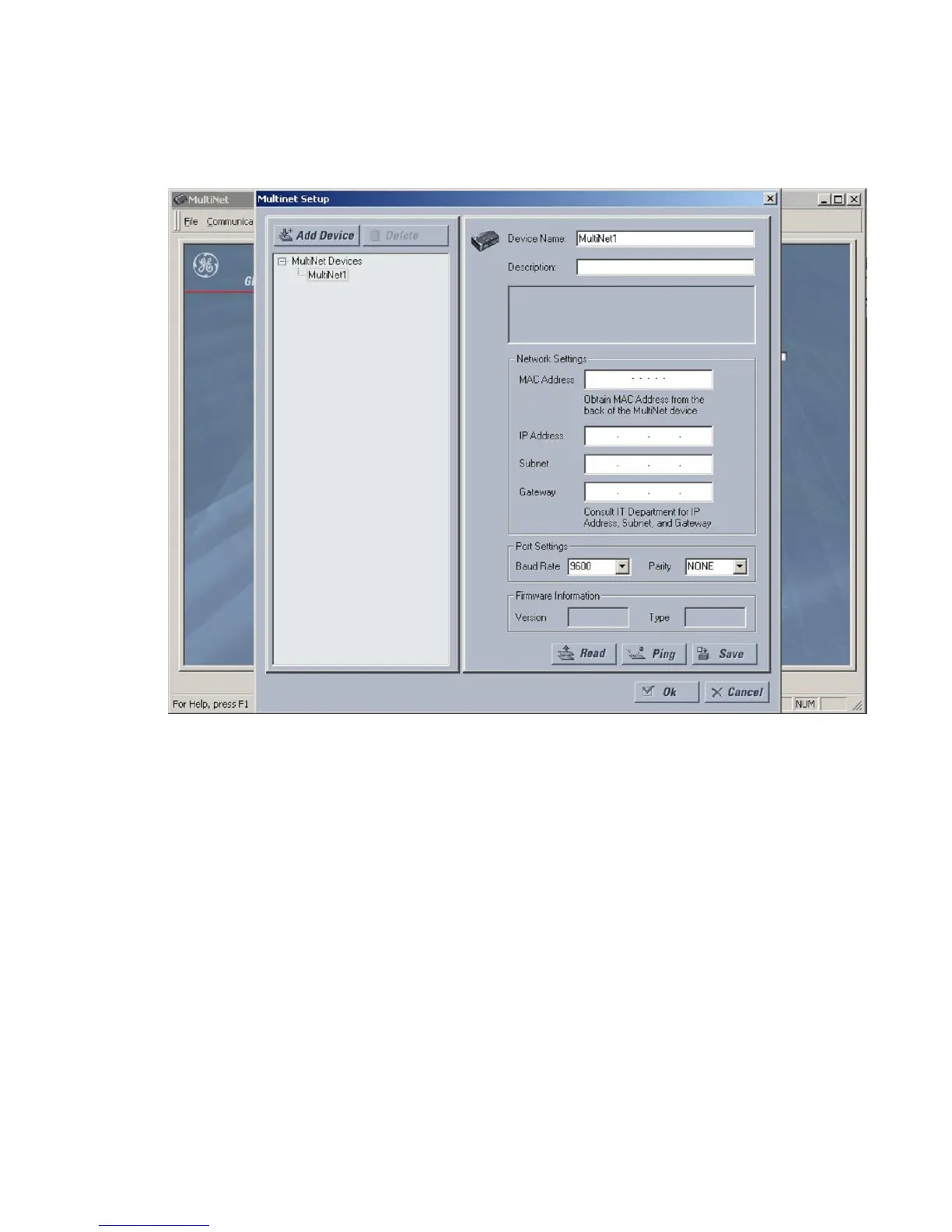
5. The MAC address is used to identify and configure the unit. Fill in the MAC address
field with the address found on the back of MultiNet (for example, 00-20-4A-62-AE-66).
FIGURE –4: Device Setup Screen
6. Under network settings, enter the IP address, Subnet and Gateway of the MultiNet
network interface. If these values are not known, consult your network administrator.
7. Under port settings, enter the Baud Rate and Parity bit for the MultiNet serial
interface.
8. Once the serial and network settings have been entered, click [SAVE] to save the
changes. The message “success saving settings to MultiNet device” will appear in the
status window when complete. Additional devices may be added to the list by
following the same procedure.
9. Click [OK] to close the device setup screen.



 To Next Page